
Protect your account after losing your phone
Phone lost or stolen? Sign in on another phone to sign out the old one, and block your transactions if needed. Your balance is kept.
- Protection
- Without your PIN or biometrics, nobody can open Centeem or confirm an operation
- Sign-out
- Signing in on another phone automatically signs out the lost phone
- Block
- “Block my transactions” immediately stops QR, contactless and link payments, transfers and bank transfers
- Balance
- Fully kept during the block
- Fees
- Free
Before you start
- Know your password and have access to your email, to sign in on another phone.
- An Internet connection to block or unblock: the button is hidden offline.
In the app, step by step
- 1
Sign in on another phone
Add an accountSign inGet a code by email instead
Install Centeem and sign in. Since your lost phone cannot answer, tap “Get a code by email instead” (if the screen has not already sent it), then type this code with your password. The lost phone is signed out.
- 2
Block your transactions if needed
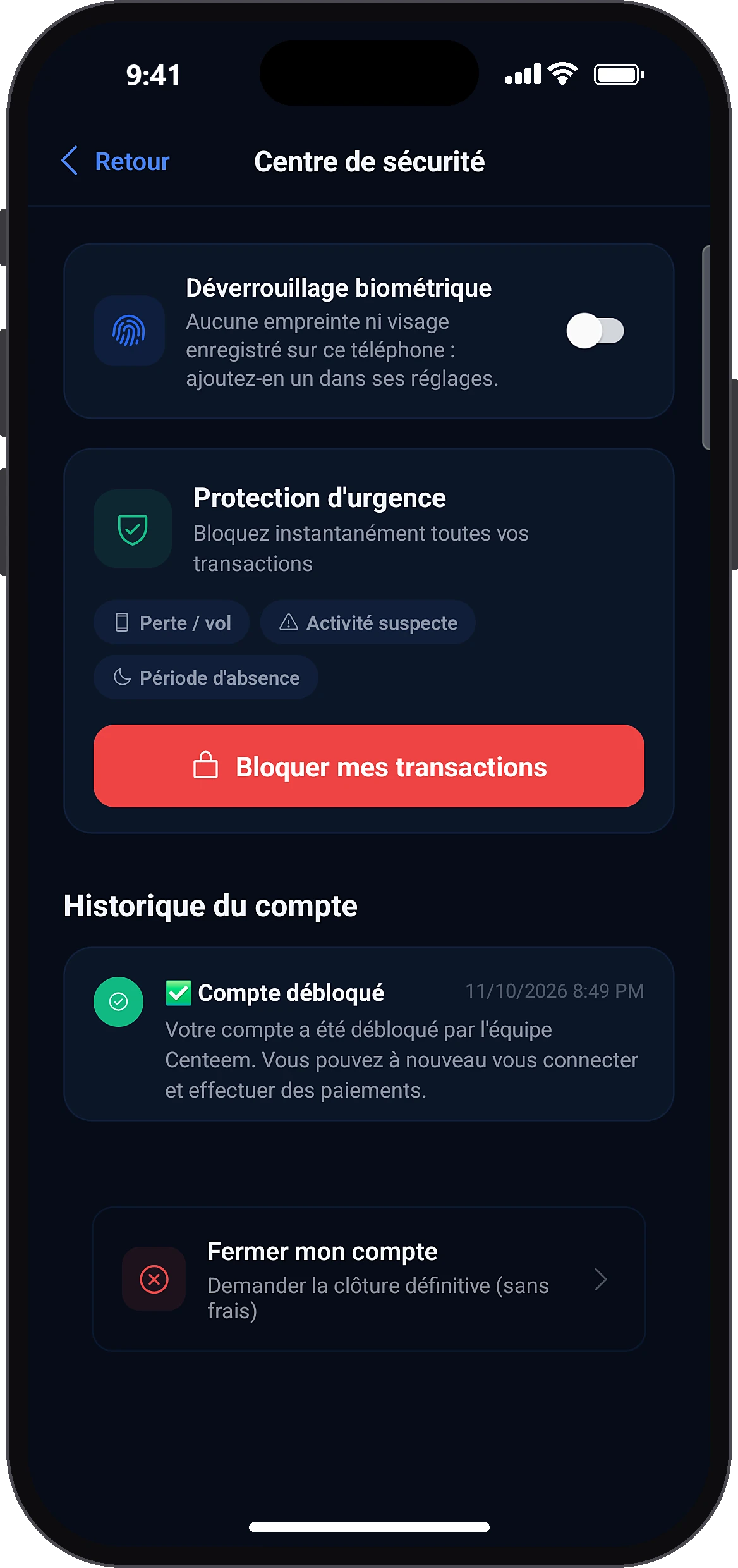
ProfileSecurity centerBlock my transactions
If you fear someone may use your account: Profile → “Security center” → emergency protection card → “Block my transactions”.
- 3
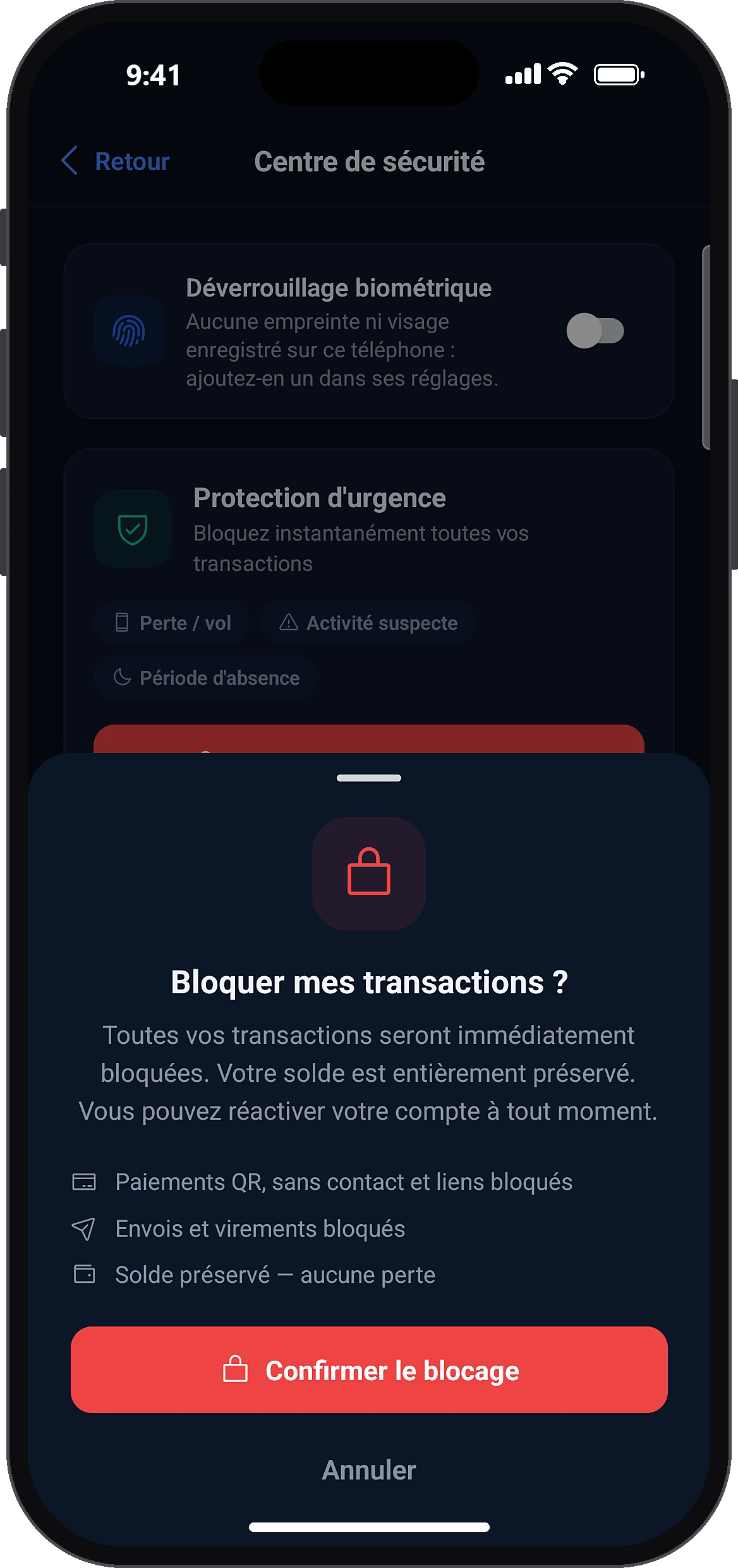
Confirm the block
Confirm block
Read what will be blocked, then tap “Confirm block”. Home shows that transactions are blocked; the Profile and My QR tabs are greyed out.
- 4
Unblock when everything is fine
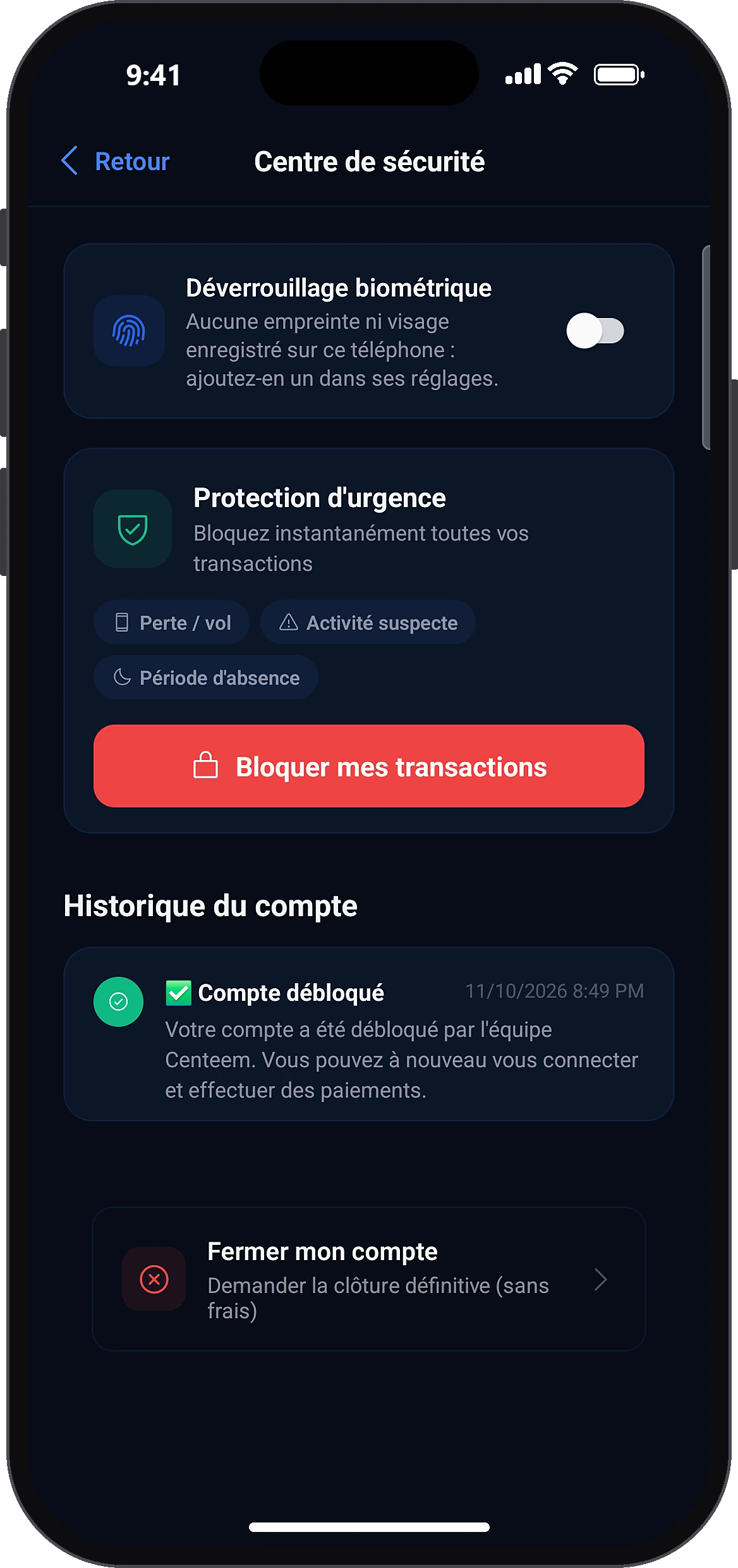
Security centerReactivate my account
From Home, tap “Security center” then “Reactivate my account”, and confirm with your PIN. If Centeem suspended the account, contact support.
Common problems and solutions
Message saying the account was frozen after suspicious activity
Centeem suspended the account, not you: use the button to contact support.
“Offline mode, read-only data”
Reconnect to the Internet to block or reactivate.
Frequently asked questions
Go further
Still stuck? Our team will answer you.
Contact us