
Change your password
Replace your password from your Profile, confirmed with your PIN. Do it as soon as a sign-in request looks suspicious.
- Where
- Profile → Access & security → Change password
- Confirmation
- With your PIN (or biometrics)
- Rules
- At least 8 characters, a capital letter, a digit, a special character; different from the current one
- Sessions
- This phone stays signed in; all other sessions are closed
- Mistakes
- Wrong current password: 4 tries → blocked 15 min → 1 h → 24 h
Before you start
- Be signed in and online (the screen is unavailable offline).
- Have a PIN set up.
- Know your current password (otherwise, see “Forgot password”).
In the app, step by step
- 1
Open “Change password”
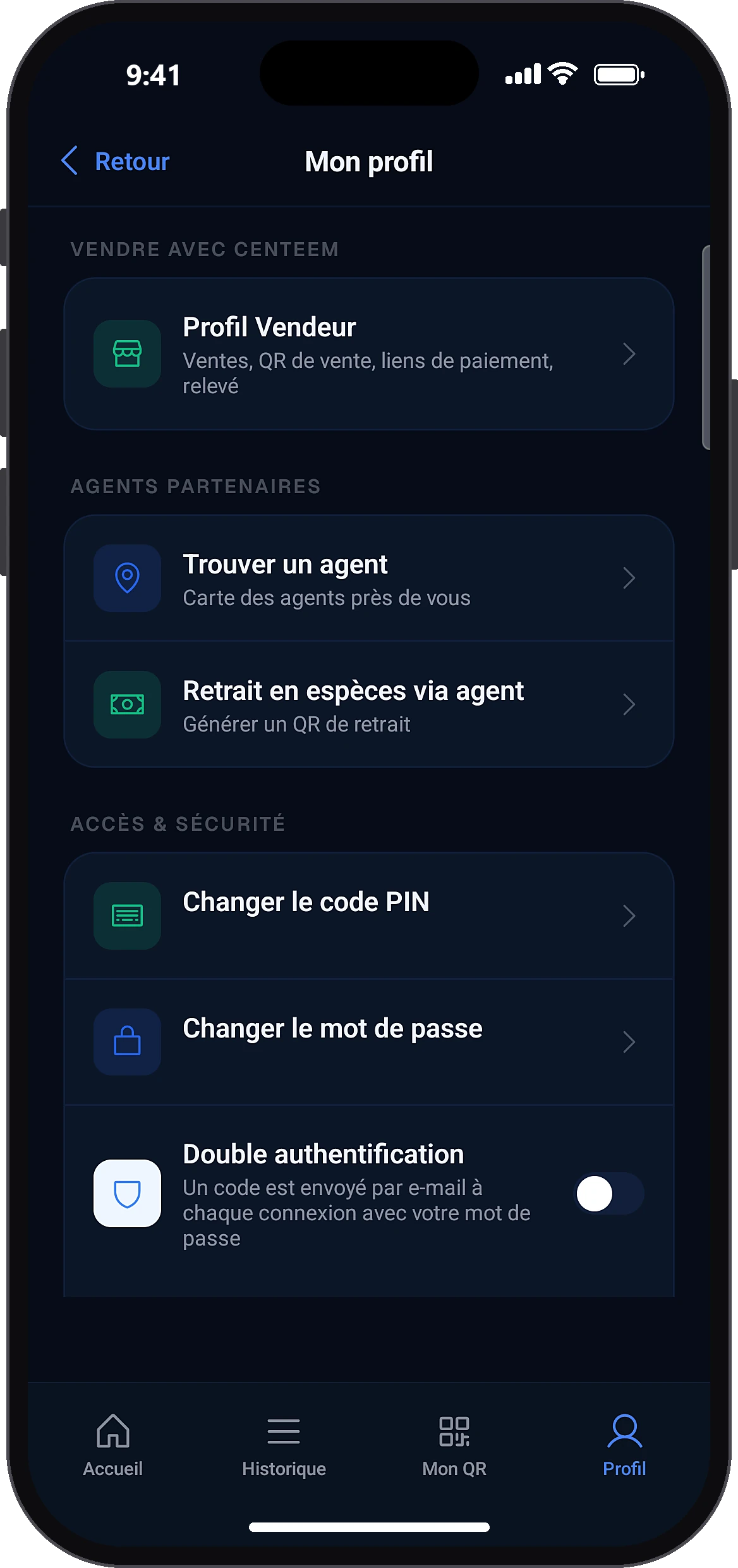
ProfileChange password
In the Profile tab, in the access and security section, tap “Change password”.
- 2
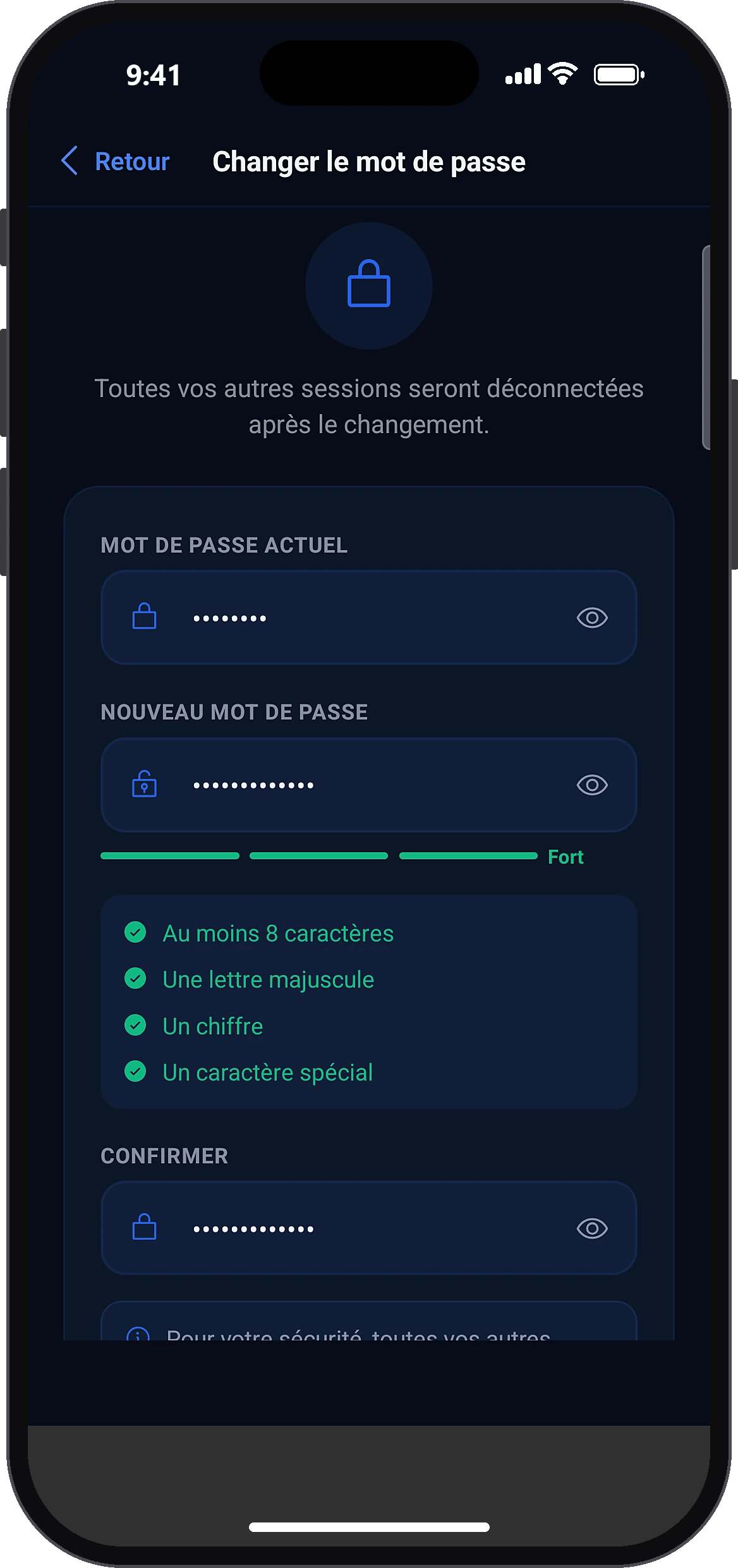
Fill in the three fields
Confirm change
Type your current password, the new one, then its confirmation. Tap “Confirm change”.
- 3
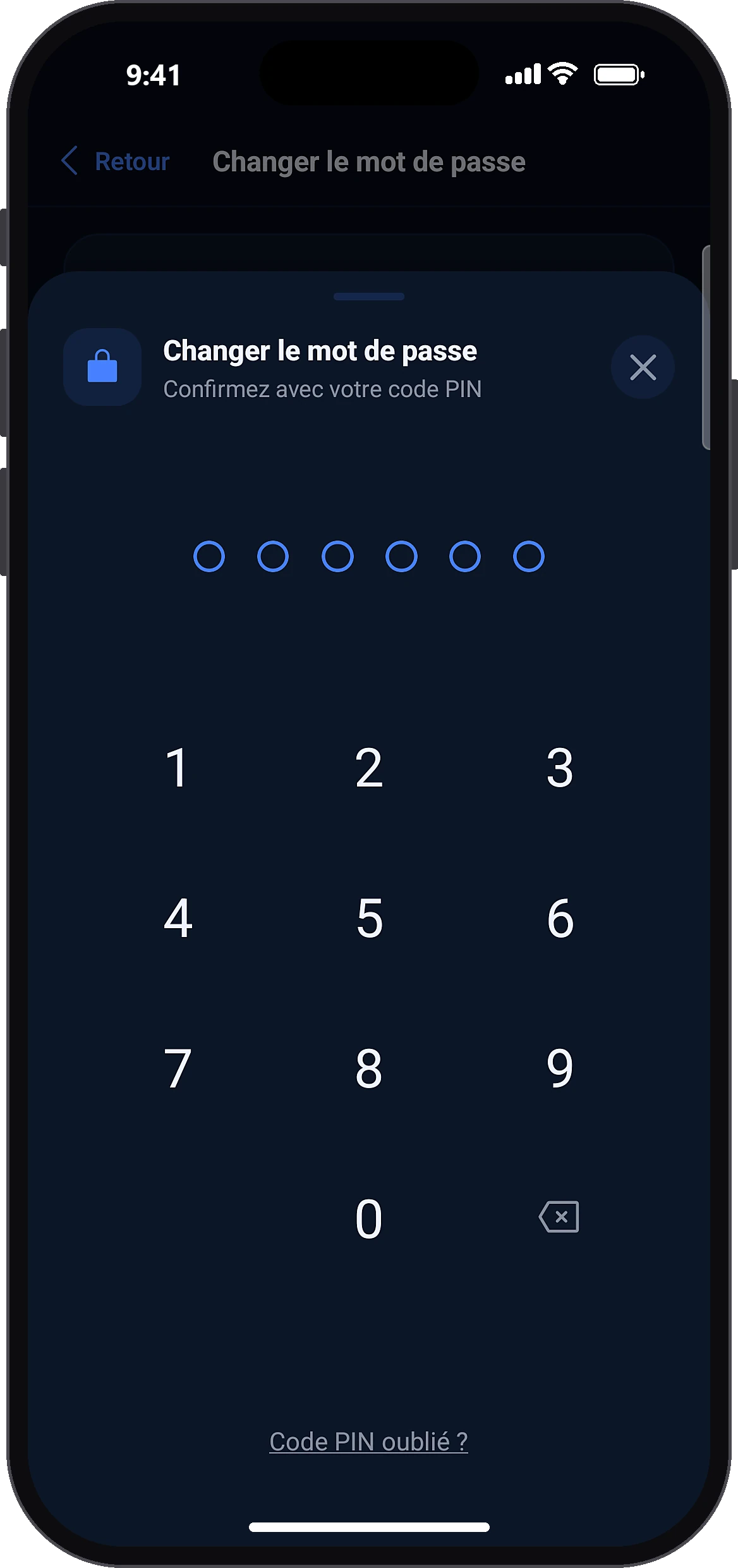
Confirm with your PIN
The “Confirm with your PIN code” window opens: type your PIN (or use biometrics). A message confirms the password has been changed.
Common problems and solutions
“Enter your current password”
The first field is empty: type your current password.
“Current password incorrect” with the tries left
Type it again carefully. Forgotten it? Sign out and use “Forgot password?” on the sign-in screen.
“At least 8 characters, with a capital letter, a digit and a special character”
The new password is too weak: follow all the rules.
“The new password must be different”
Choose a password different from the current one.
“The passwords do not match”
Type the confirmation exactly like the new password.
Frequently asked questions
Go further
Still stuck? Our team will answer you.
Contact us