
Reset a forgotten password
Can't remember your password? Get a code by email and choose a new one, straight from the sign-in screen.
- Email code
- 6 digits, valid for 10 minutes; a new code every 60 seconds
- Attempts
- 5 code attempts at most, then you must ask for a new code
- New password
- At least 8 characters, one capital letter, one digit and one special character
- Afterwards
- All open sessions are closed and a confirmation email is sent to you
- Fees
- Free
Before you start
- Have access to the account's email address.
- An Internet connection.
In the app, step by step
- 1
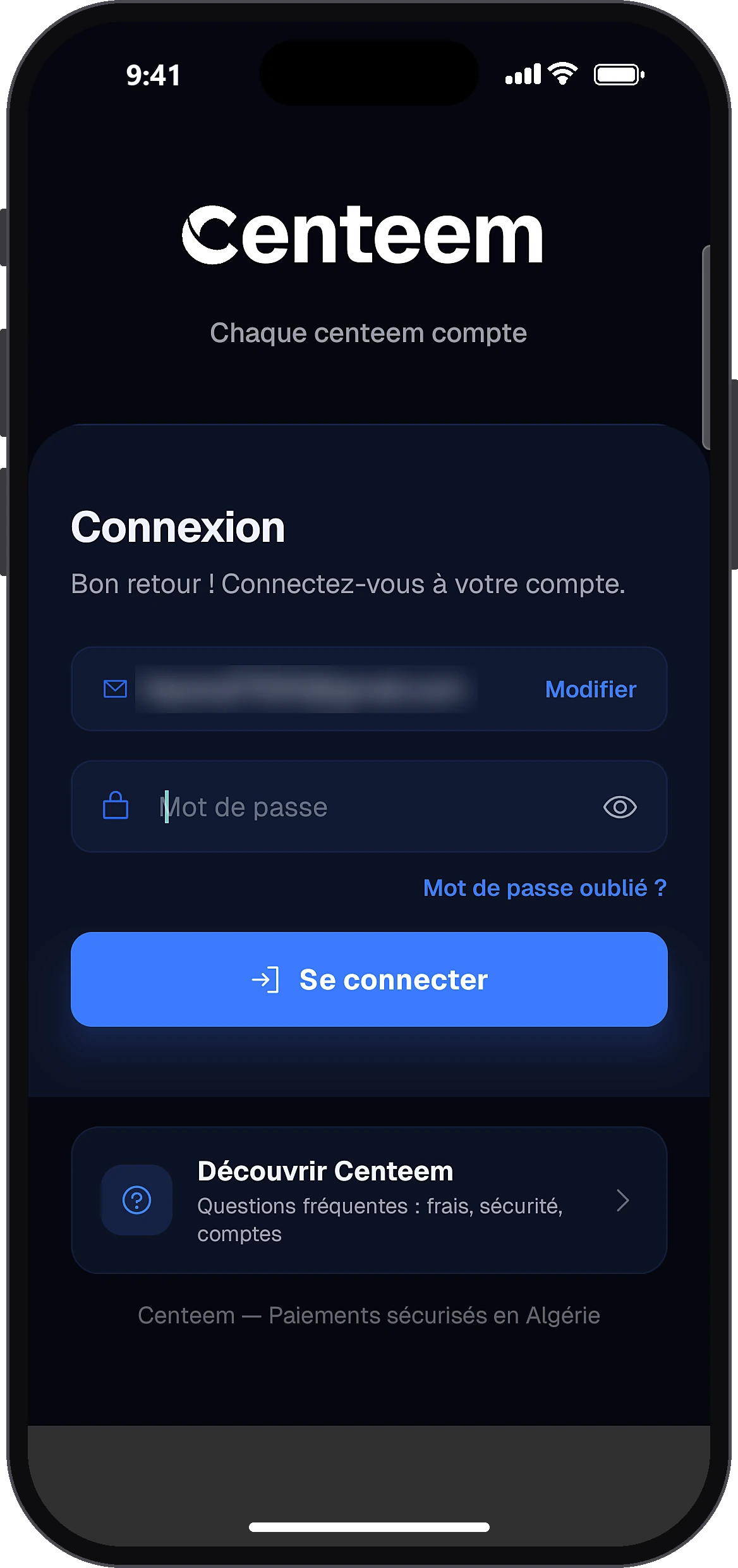
Open “Forgot password?”
Add an accountEmail or phone numberNextForgot password?
On the sign-in screen, enter your email or number and tap “Next”. The “Forgot password?” link appears under the password field.
- 2
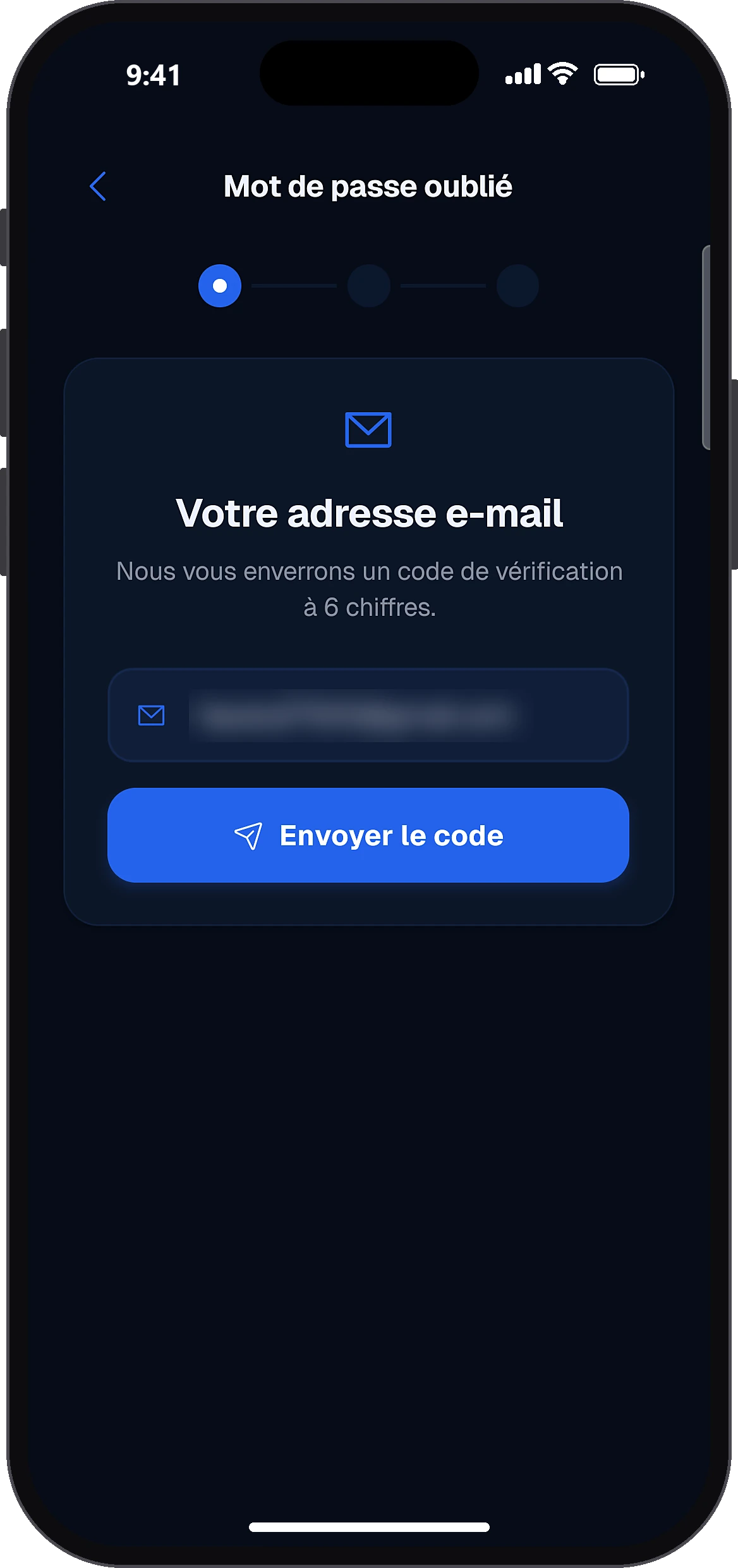
Ask for the code
Send code
Type your email address and tap “Send code”.
- 3
Choose the account(s)
Continue
Only if your email is used for several accounts (for example Personal and Pro): tick the ones to reset, then tap “Continue”.
- 4
Enter the code received
Verify
Type the 6-digit code received by email and tap “Verify”. The resend button becomes active after 60 seconds.
- 5
Choose the new password
Reset
Type the new password: the rules turn green one by one. Confirm it and tap “Reset”. Then sign in with this new password.
Common problems and solutions
“Please enter your email”
The field is empty: type your email address.
“Enter the 6-digit code”
The code is incomplete: type all 6 digits.
“Incorrect or expired code”
Check the latest email received, or ask for a new code.
“The password does not meet all the rules”
Follow the 4 rules shown: 8 characters, a capital letter, a digit, a special character.
“The passwords do not match”
Type the confirmation exactly like the new password.
Frequently asked questions
Go further
Still stuck? Our team will answer you.
Contact us