
Get back in after forgetting your PIN
Forgot your PIN? Create a new one, confirmed by a code sent by email or by your password. Your balance and history stay the same.
- Two ways
- During an operation (you are signed in): code by email. When opening the app: sign in again with your password
- Email code
- 6 digits, valid for 10 minutes
- Code requests
- 3 per hour at most
- Blocked PIN
- Possible even while blocked; success lifts the block
- Fees
- Free
Before you start
- Have access to the account's email address, or know your password.
- An Internet connection: it is not possible during an offline payment.
- If you also forgot your password, first follow the “Forgot password” guide.
In the app, step by step
- 1
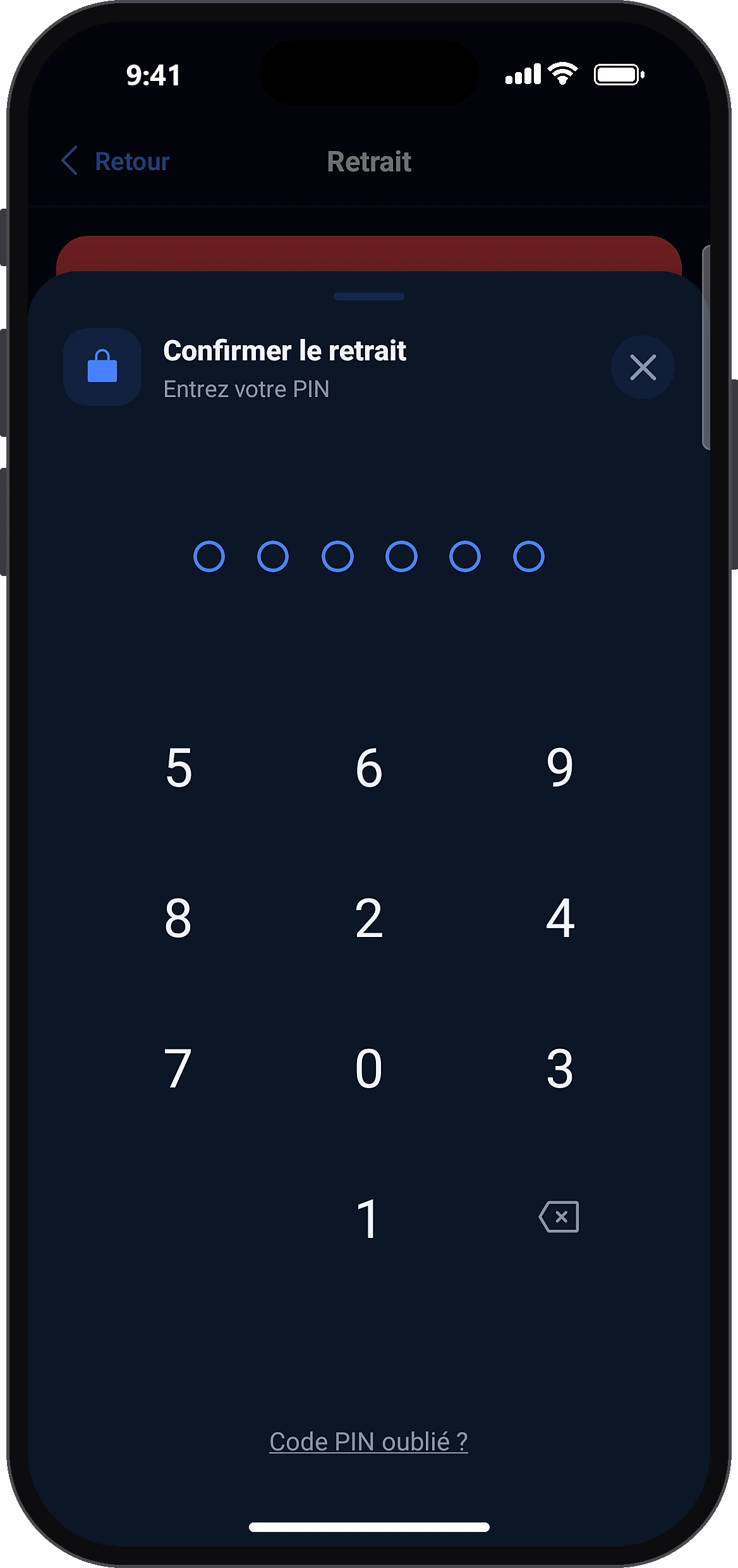
During an operation: tap “Forgot PIN?”
Forgot PIN?
When the app asks for your PIN to confirm, tap “Forgot PIN?” below the keypad. The current operation (transfer, payment…) is cancelled: you will redo it afterwards.
- 2
Create the new PIN
On “Create your PIN”, type a new 6-digit code, then type it again on “Confirm your PIN”.
- 3
Confirm with the code sent by email
Confirm
The “Confirm by email” window opens. Type the 6-digit code received by email and tap “Confirm”. The new PIN is saved and you return to Home. Not received? Ask to resend the code.
- 4
When opening the app: sign this account out
Forgot PIN?Sign out
On the account keypad, tap “Forgot PIN?” then “Sign out”. This account is signed out of this phone.
- 5
Sign in again and create the new PIN
PasswordSign inCreate your PIN
Type your password and tap “Sign in”. Confirm the sign-in (code received by email, or approval from another signed-in phone), then create your new PIN and confirm it.
Common problems and solutions
“Incorrect code”
Check the latest email received and type the code again. Note: a wrong code counts as a wrong PIN.
“This code has expired”
The code is valid for 10 minutes: ask to resend the code.
“Too many incorrect codes”
Wait a few minutes, then ask for a new code.
“Too many code requests. Try again in 1 hour.”
You asked for more than 3 codes in one hour. Try again in 1 hour.
“The code could not be sent”
Try again in a few minutes and also check your spam folder.
“Enter the 6-digit code received by email”
The code is incomplete: type all 6 digits.
Frequently asked questions
Go further
Still stuck? Our team will answer you.
Contact us