
Dispute an operation
An operation you do not recognise, a double charge or a wrong amount? File a claim from the operation details, within 15 days.
- Time to dispute
- 15 days after the operation
- Answer time
- Instant acknowledgement, written answer within 10 working days at most
- Where
- History → the operation → Dispute this operation
- Refund
- If the claim is accepted, the amount is credited back to your Centeem account
- Top-up not credited
- Dedicated claim button, reviewed within 5 working days
- Fees
- Free
Before you start
- The operation was debited from your account and succeeded.
- Less than 15 days have passed since the operation.
- No claim has already been filed for this operation (one per operation).
- An Internet connection.
In the app, step by step
- 1
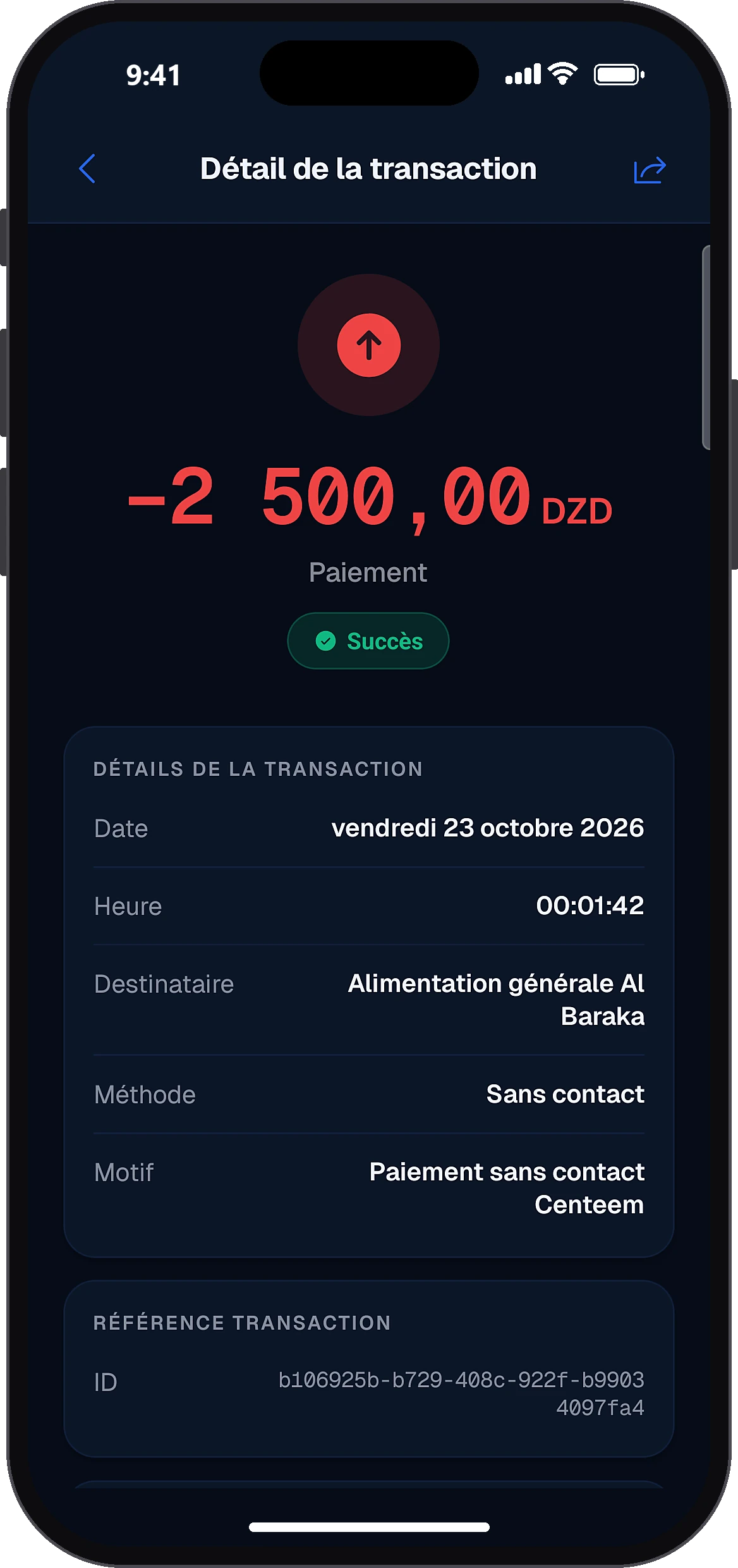
Open the operation
History
In the History tab, tap the operation concerned to see its details.
- 2
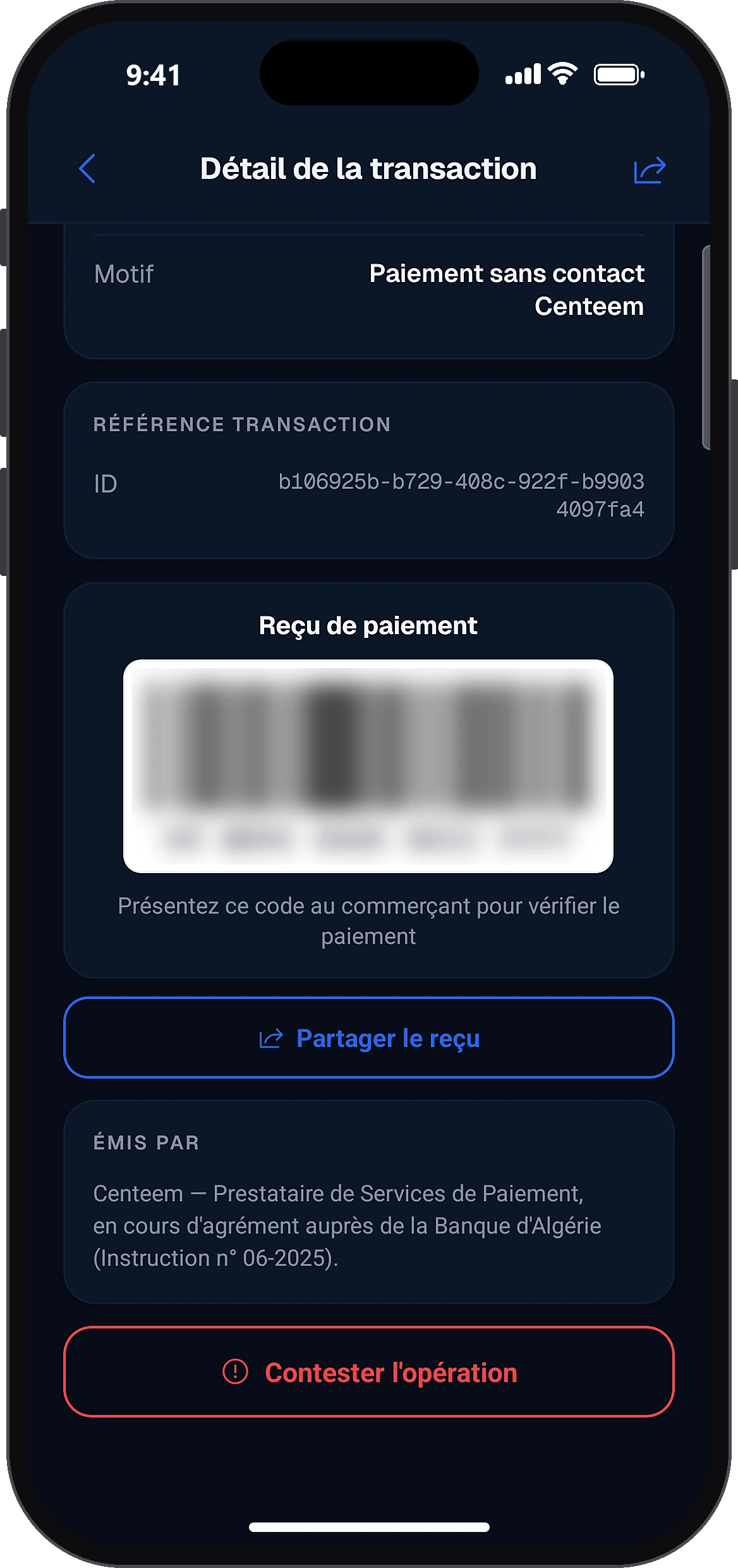
Tap “Dispute this operation”
Dispute this operation
The button is at the bottom of the details. If it does not appear, a text explains why: 15-day limit passed or a claim already filed.
- 3
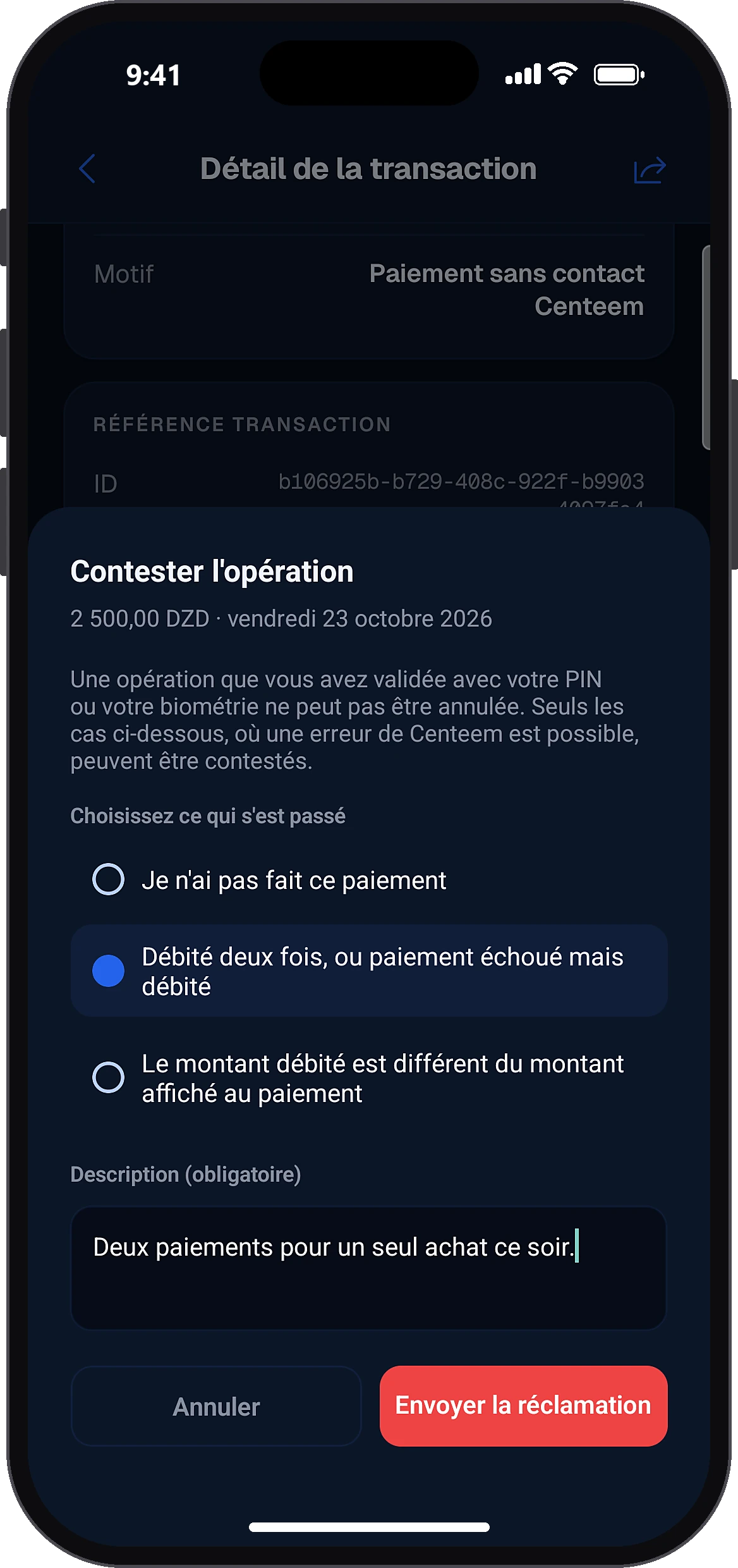
Choose what happened and describe it
Choose what happenedSend the claim
Choose the case from the list (it depends on the type of operation), describe the situation in at least 20 characters, then tap “Send the claim”.
- 4
Follow the answer
Open the operation again: the “Your complaint” card shows the reason, date, status and Centeem's answer. A notification also lets you know.
Common problems and solutions
“Choose what happened”
No case is selected: tap the one that fits.
“Describe the situation (20 characters minimum)”
Explain in at least 20 characters: what, when, which amount.
“The 15-day claim period has passed”
Contact support.
“A claim already exists for this operation”
Follow the answer in the operation details.
Agent operation: “only a double charge can be reported”
For a cash operation at an agent, only a double charge can be reported. A cash difference is settled with the agent.
Frequently asked questions
Go further
Still stuck? Our team will answer you.
Contact us