
Withdraw to BaridiMob
Send money from your Centeem account to your BaridiMob account, received within 48 hours. For verified Personal, Seller and Pro accounts.
- Fees (Personal, Seller)
- 1% up to 10,000 DZD, 0.7% up to 50,000, 0.5% up to 200,000, 0.3% above; 500 DZD at most; added to the amount
- Fees (Pro)
- Free
- Minimum
- 1,000 DZD per withdrawal
- Daily limit (total, of which BaridiMob)
- Personal level 1: 50,000 DZD, of which 20,000; Personal level 2: 100,000, of which 50,000; Seller: 200,000, of which 100,000; Pro: 200,000, of which 200,000. The total also counts agent withdrawals.
- Timing
- Within 48 hours; if the day's sending queue is full, the app shows the planned sending date
- Cancellation
- Possible for 5 minutes; amount and fees refunded immediately
Before you start
- A Personal, Seller or Pro account with a verified identity (not a Tourist account).
- A PIN code set up.
- Your BaridiMob number (Algérie Poste RIP, 20 digits) saved in the app.
- Enough balance for the amount and the fees.
- An internet connection.
In the app, step by step
- 1
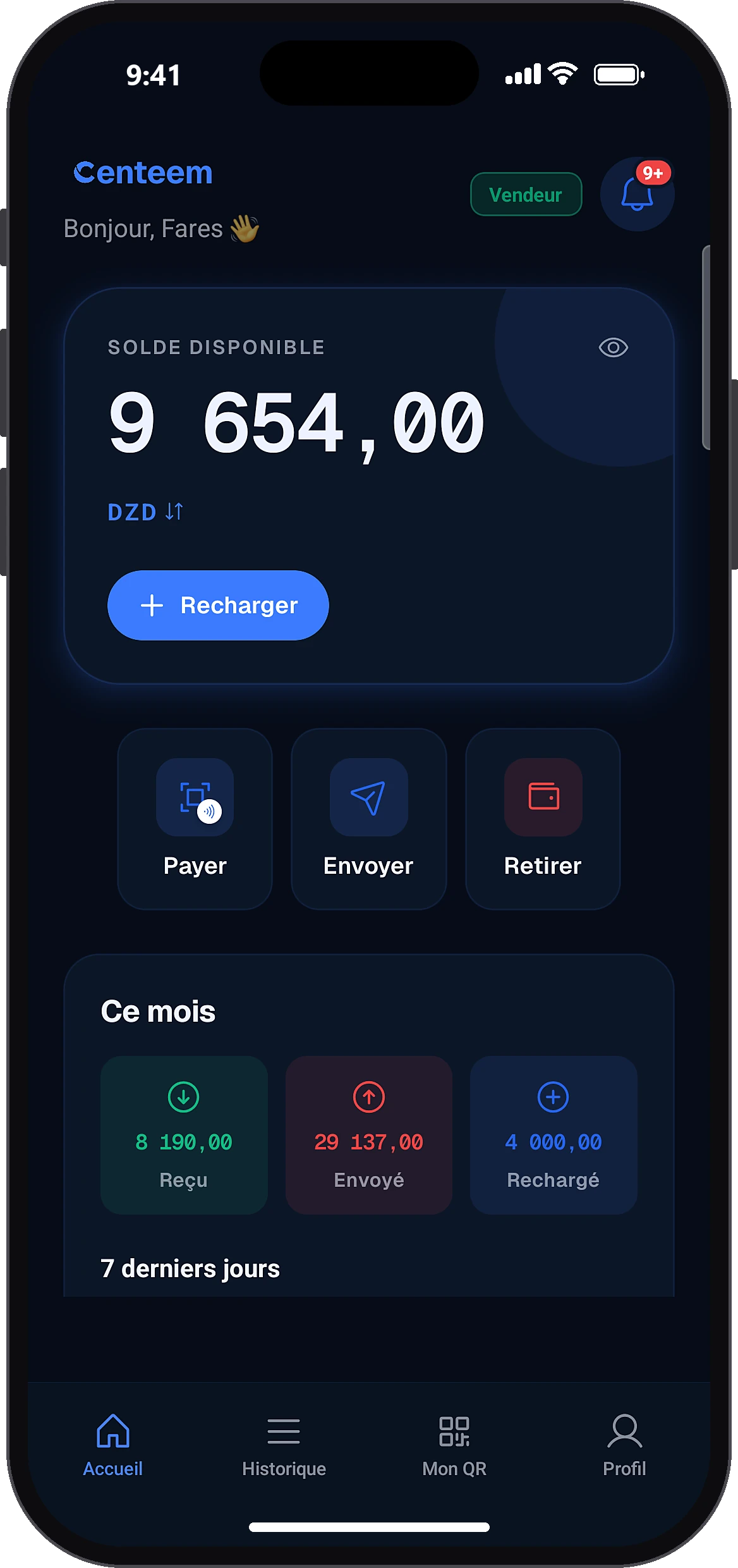
Open “Withdraw”
HomeWithdraw
On the home screen, tap the “Withdraw” quick action.
- 2
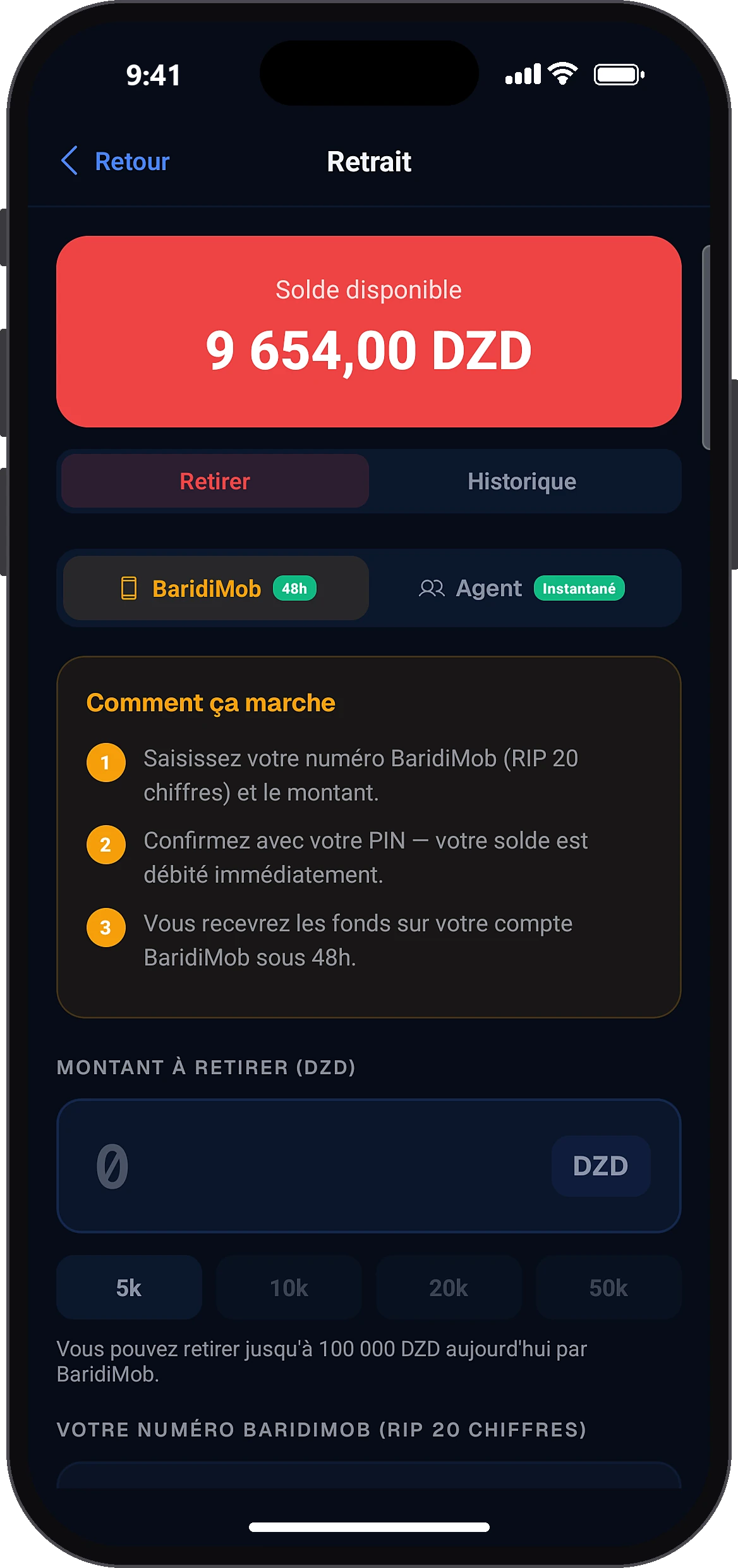
Stay on the “Withdraw” tab
Withdraw
The screen shows your available balance. The BaridiMob method is selected by default. If your number is not saved yet, the app offers to activate it, or to withdraw at an agent.
- 3
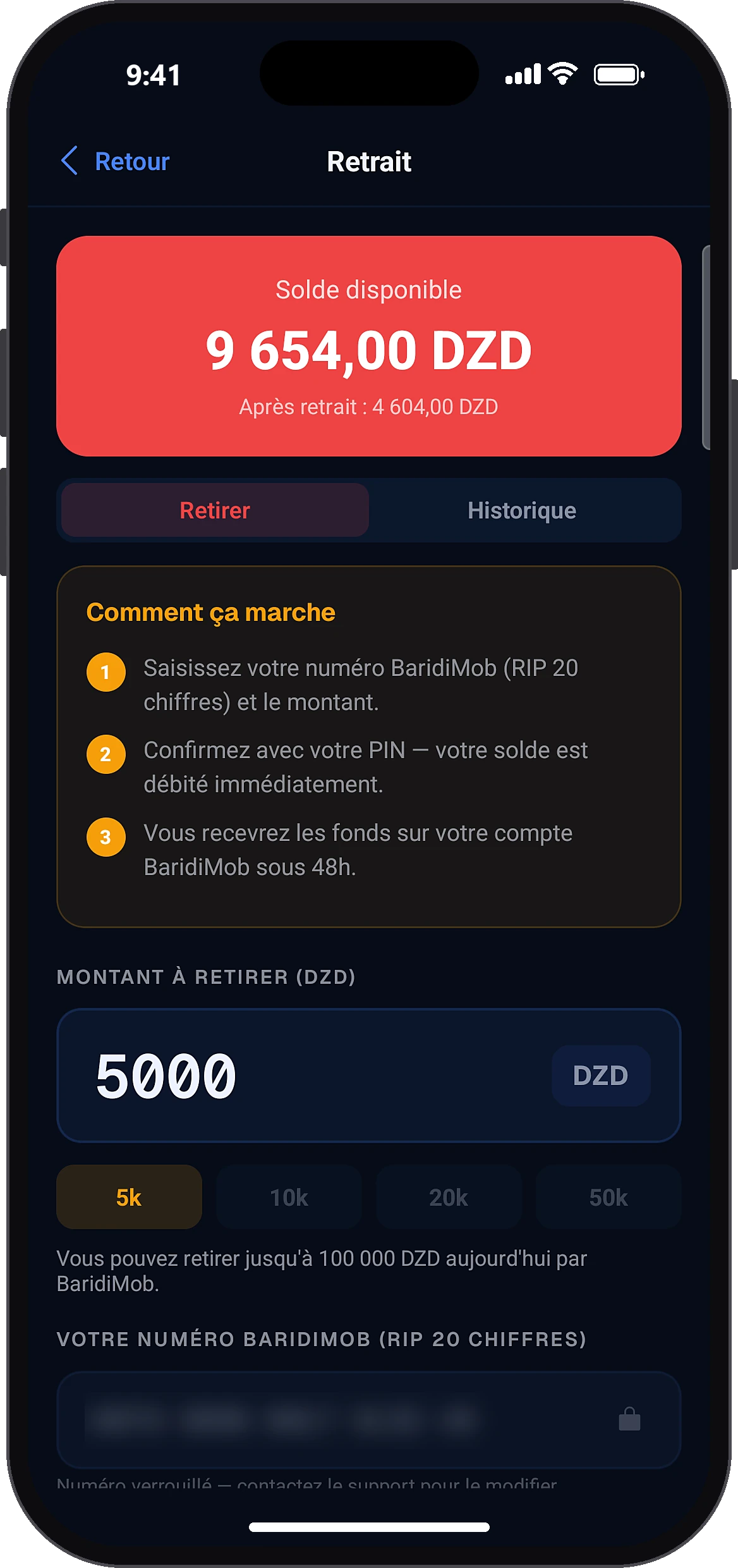
Enter the amount
Amount to withdraw (DZD)
Type the amount (1,000 DZD minimum) or tap a quick amount. The app shows how much you can still withdraw to BaridiMob today. Your BaridiMob number is already filled in and locked.
- 4
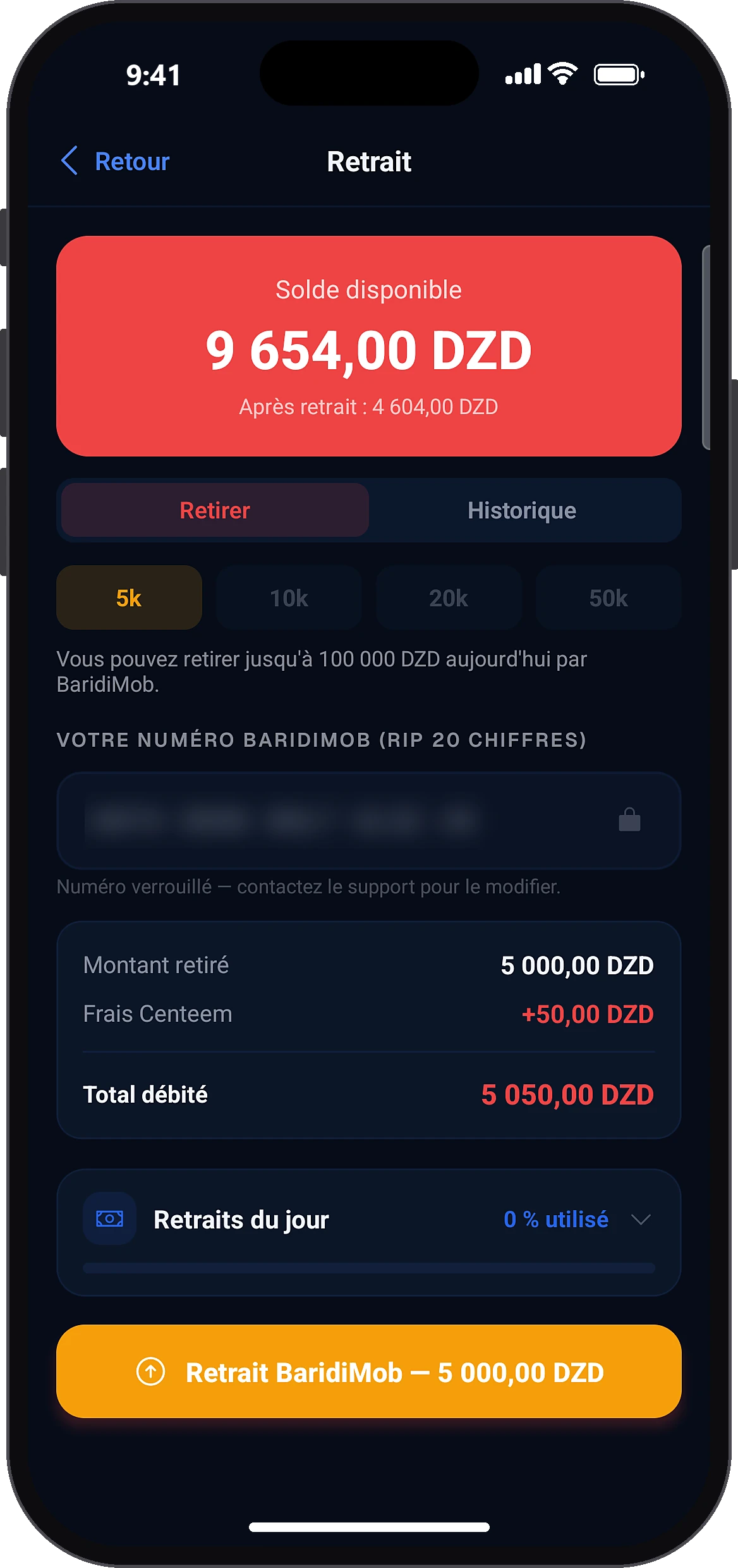
Check and start the withdrawal
BaridiMob withdrawal — …
Check the summary: amount withdrawn, Centeem fees and total debited. Then tap the “BaridiMob withdrawal” button followed by the amount.
- 5
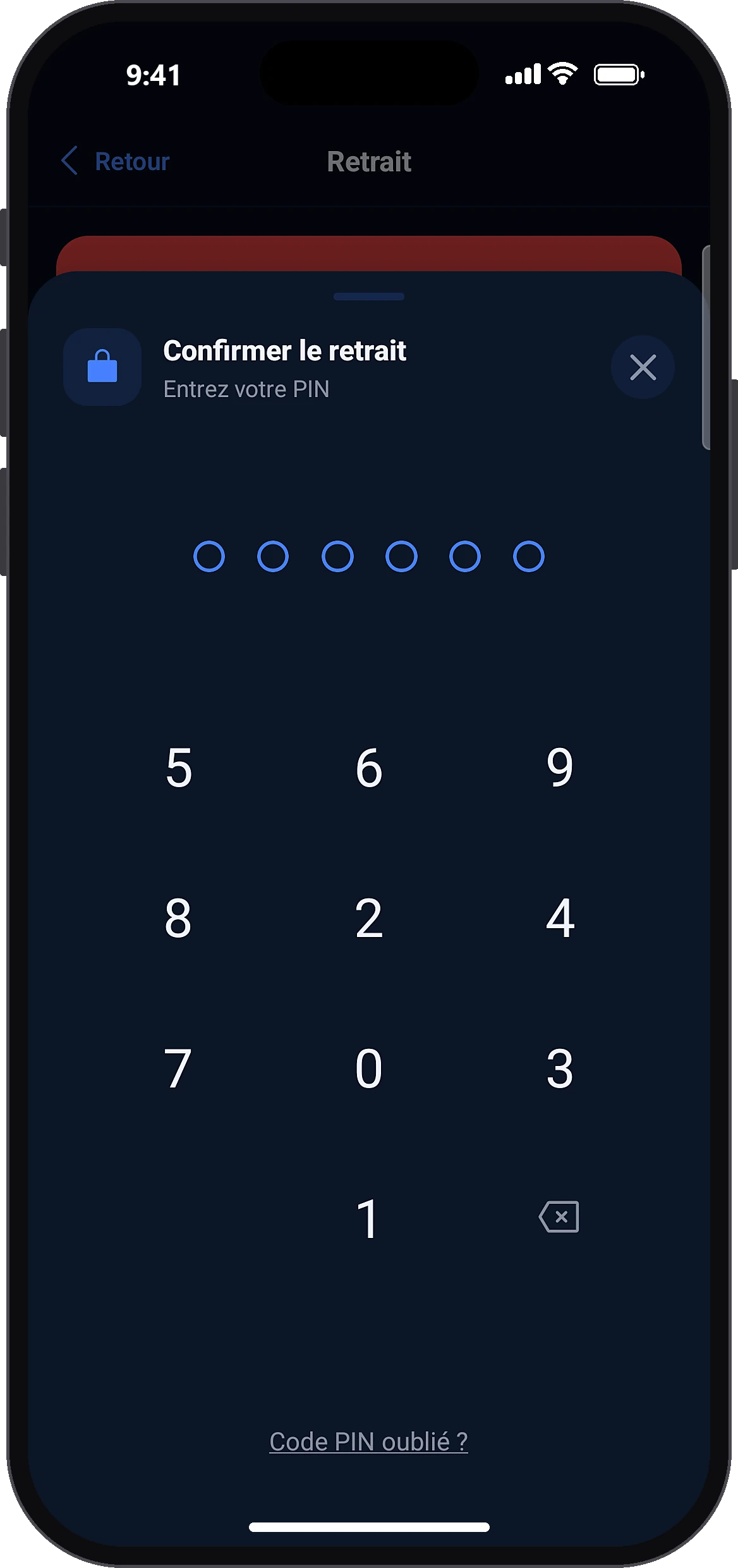
Confirm with your PIN
Enter your PIN (or use biometrics). Your balance is debited right away and a confirmation appears. If the day's queue is full, the app shows the planned sending date.
- 6
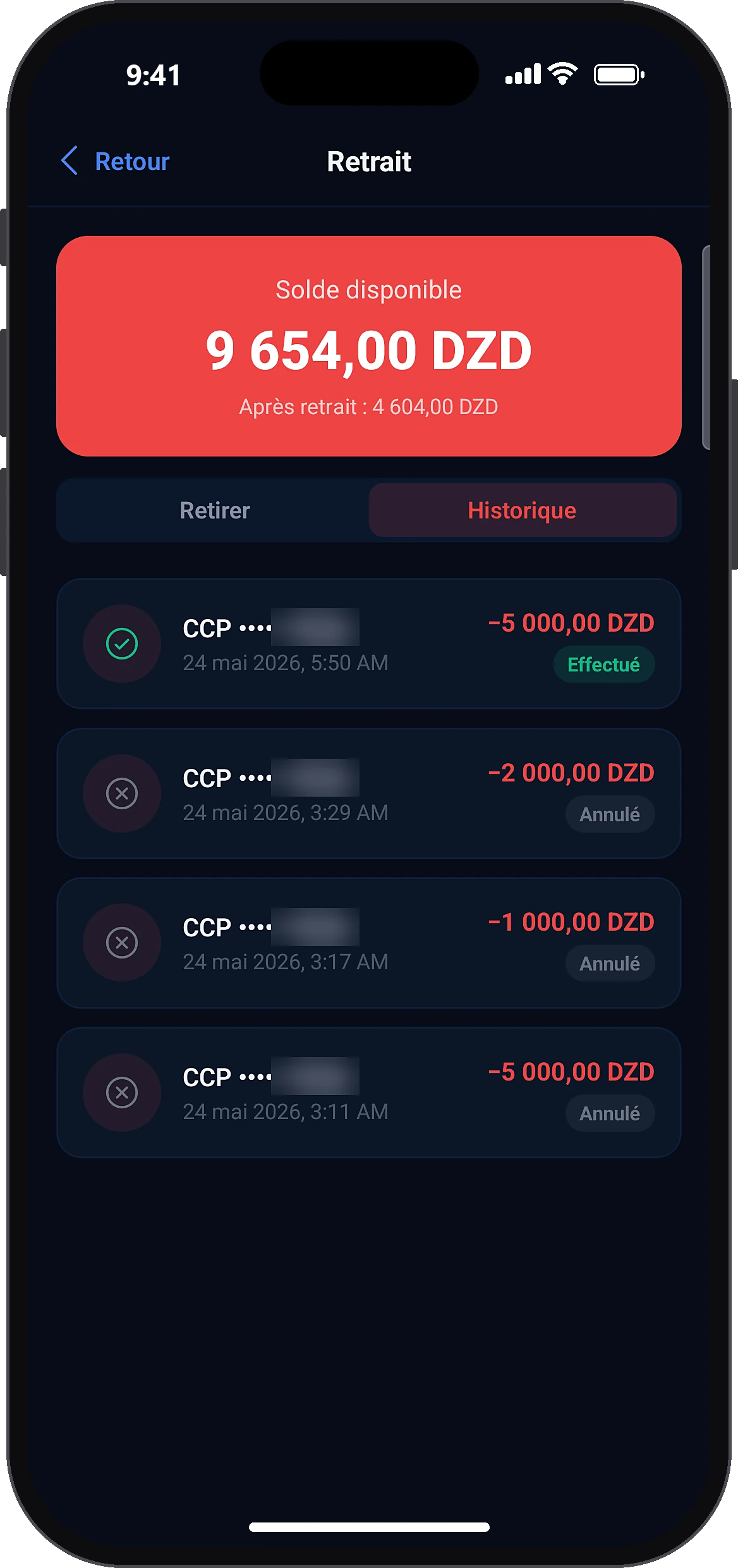
Follow the withdrawal
History
The app switches to History: the withdrawal is “Pending”. For 5 minutes, the “Cancel” button lets you get everything back. It then shows as completed once the money is sent.
Common problems and solutions
“The BaridiMob number must have exactly 20 digits.”
Copy your Algérie Poste RIP again: 20 digits, starting with 00799999.
The app asks for a PIN I don't have
Create your PIN with the button shown, then start the withdrawal again.
“Insufficient balance”
Fees are added to the amount withdrawn: lower the amount a little.
“Daily withdrawal limit reached.”
The counter resets at midnight (Algiers time).
“Daily BaridiMob withdrawal limit reached.”
Withdraw the rest in cash at an agent (within the daily total), or wait until the next day.
“The cancellation window has passed.”
After 5 minutes, the withdrawal is being processed and will be sent within 48 hours. If there is a problem, contact support.
I am a tourist and the BaridiMob withdrawal is refused
A Tourist account can only withdraw in cash at a partner agent.
Frequently asked questions
Go further
Still stuck? Our team will answer you.
Contact us