
Top up by BaridiMob transfer
Add money to your Centeem account for free with a transfer from your own BaridiMob or CCP account. For verified Personal, Seller and Pro accounts.
- Fees
- Free: no Centeem fees
- Minimum
- 500 DZD per top-up
- Time to credit
- Automatic, within 6 hours at most
- Deadline to submit
- Within 48 hours of the transfer
- Top-ups per day
- Up to 5 (Personal, Seller), agent top-ups included; unlimited for a Pro account
- Cancellation
- Possible for 15 minutes after sending
Before you start
- A Personal, Seller or Pro account with a verified identity (not a Tourist account).
- Your own BaridiMob / CCP number saved in the app (otherwise the app asks you to set it up).
- The BaridiMob app, to make the transfer from your own account.
- A balance that, after the top-up, stays within the maximum balance of your level.
In the app, step by step
- 1
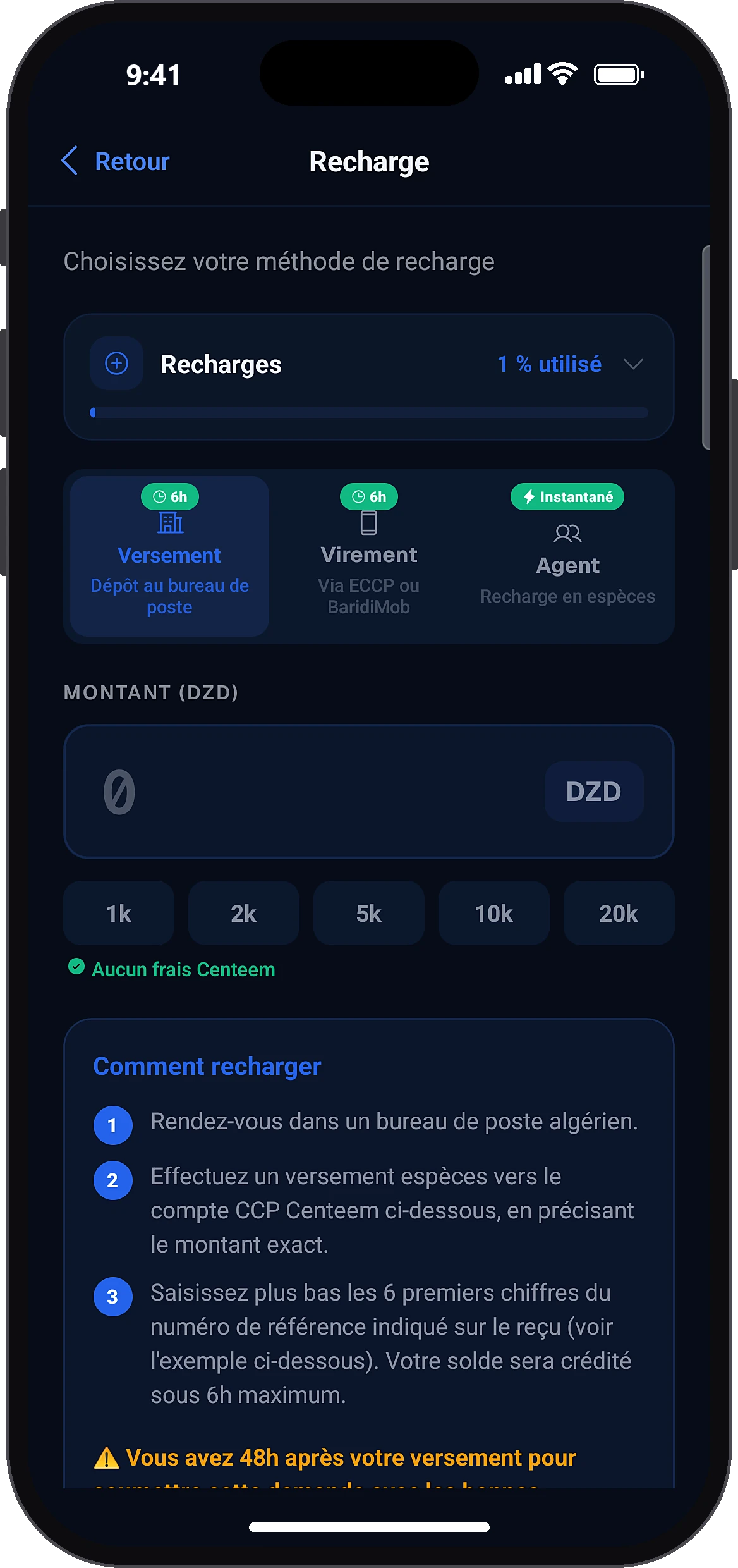
Open “Top up”
HomeTop up
On the home screen, tap “Top up” below your balance.
- 2
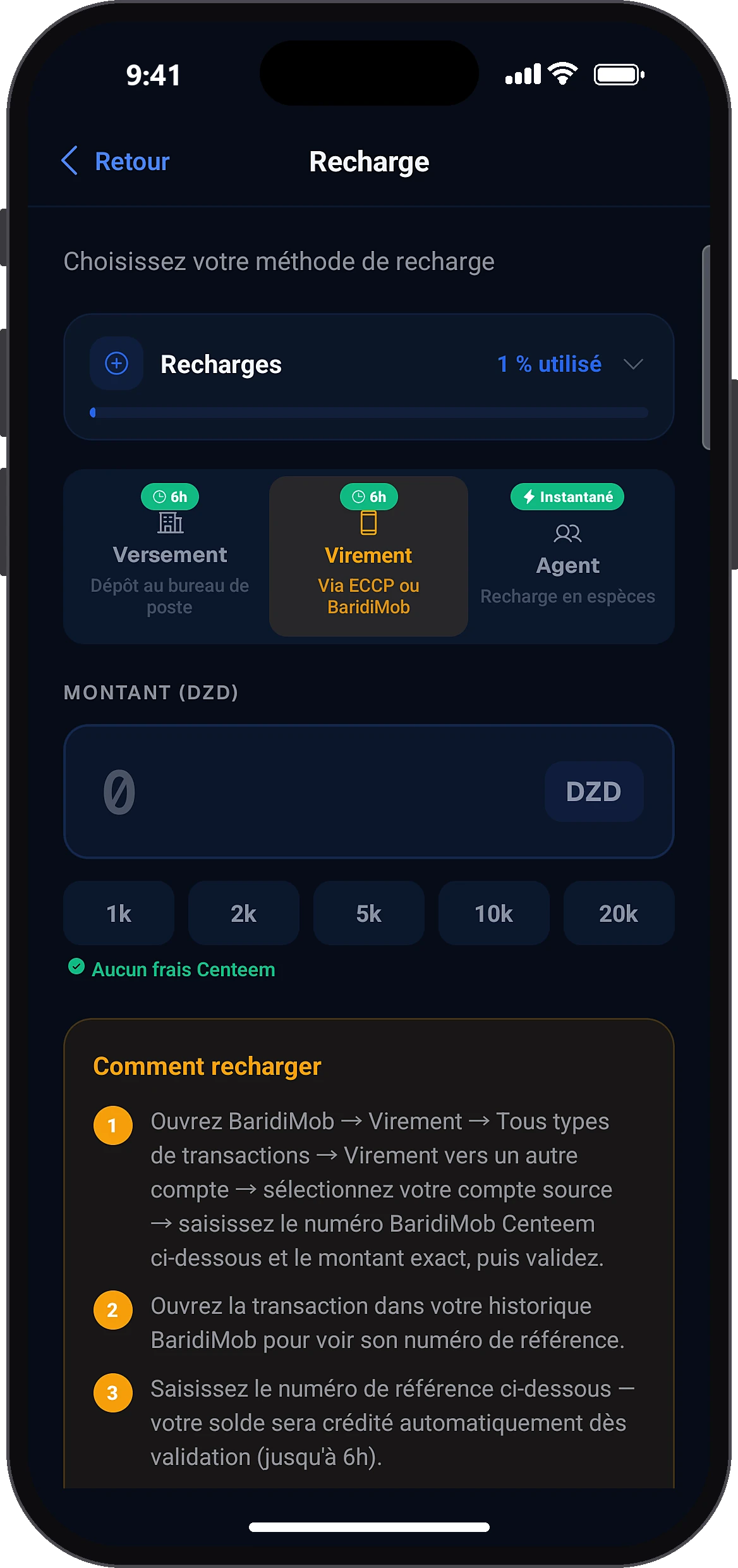
Choose “Transfer”
Transfer
The screen opens on the cash deposit option. Tap the “Transfer” tab (via ECCP or BaridiMob). If your number is not saved yet, the app first asks you to set it up.
- 3
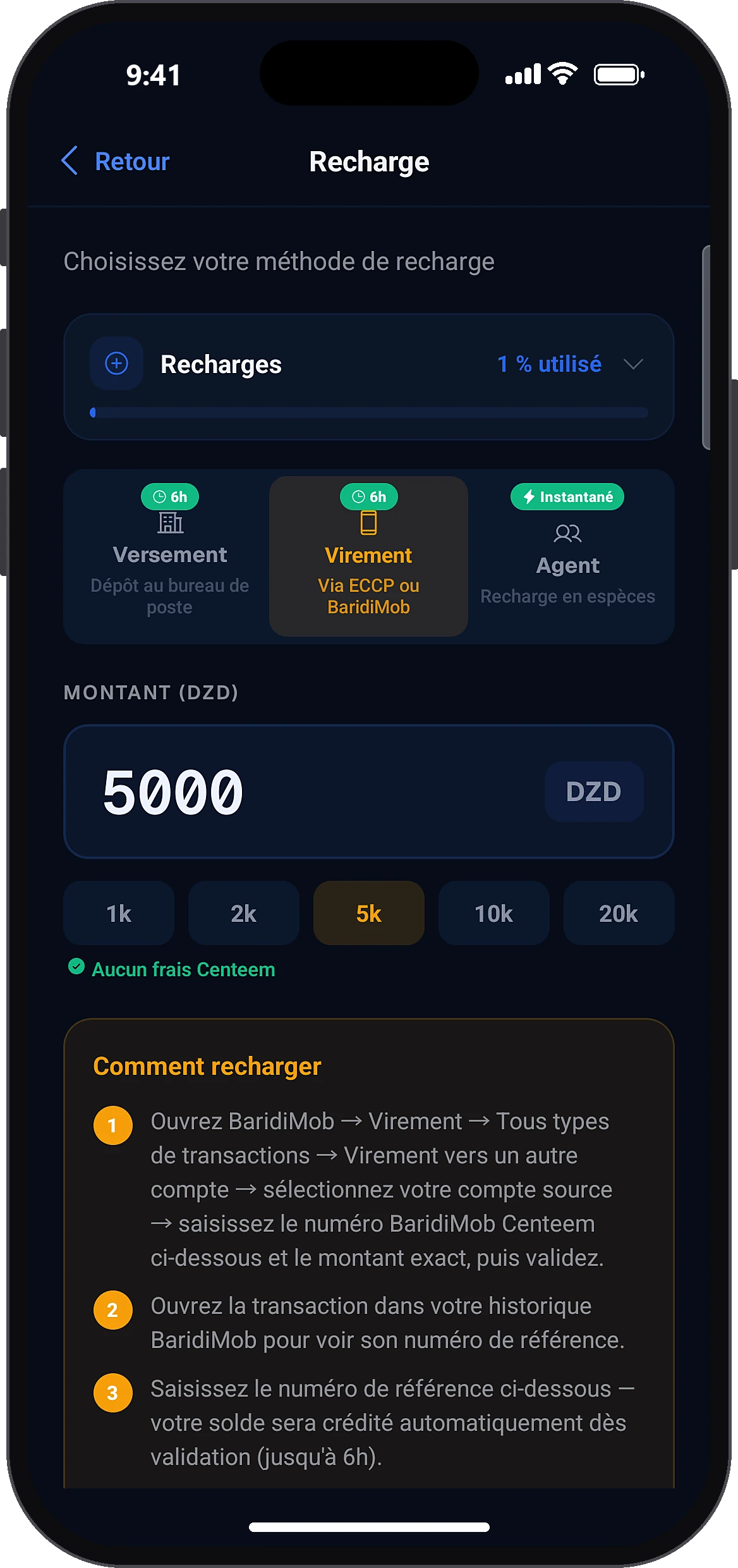
Enter the amount
Amount (DZD)
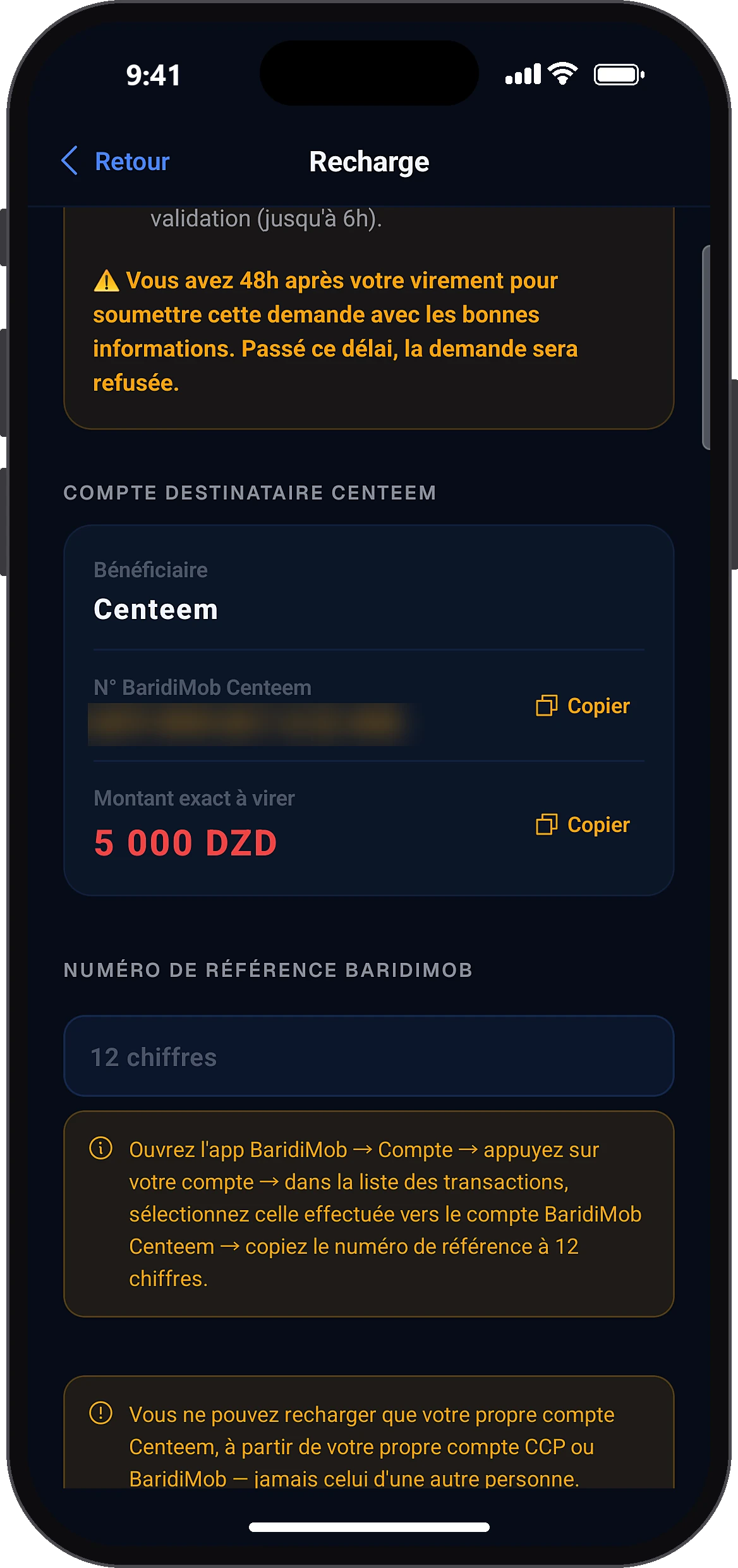
Type the amount (500 DZD minimum) or tap a quick amount. The app shows the Centeem account to send to: beneficiary, Centeem BaridiMob number (Copy button) and the exact amount to transfer.
- 4
Make the transfer in BaridiMob
In BaridiMob: Transfer → All transaction types → Transfer to another account. Choose your account, paste the Centeem BaridiMob number and the exact amount, then confirm. Then open the transaction in your BaridiMob history and copy its 12-digit reference number.
- 5
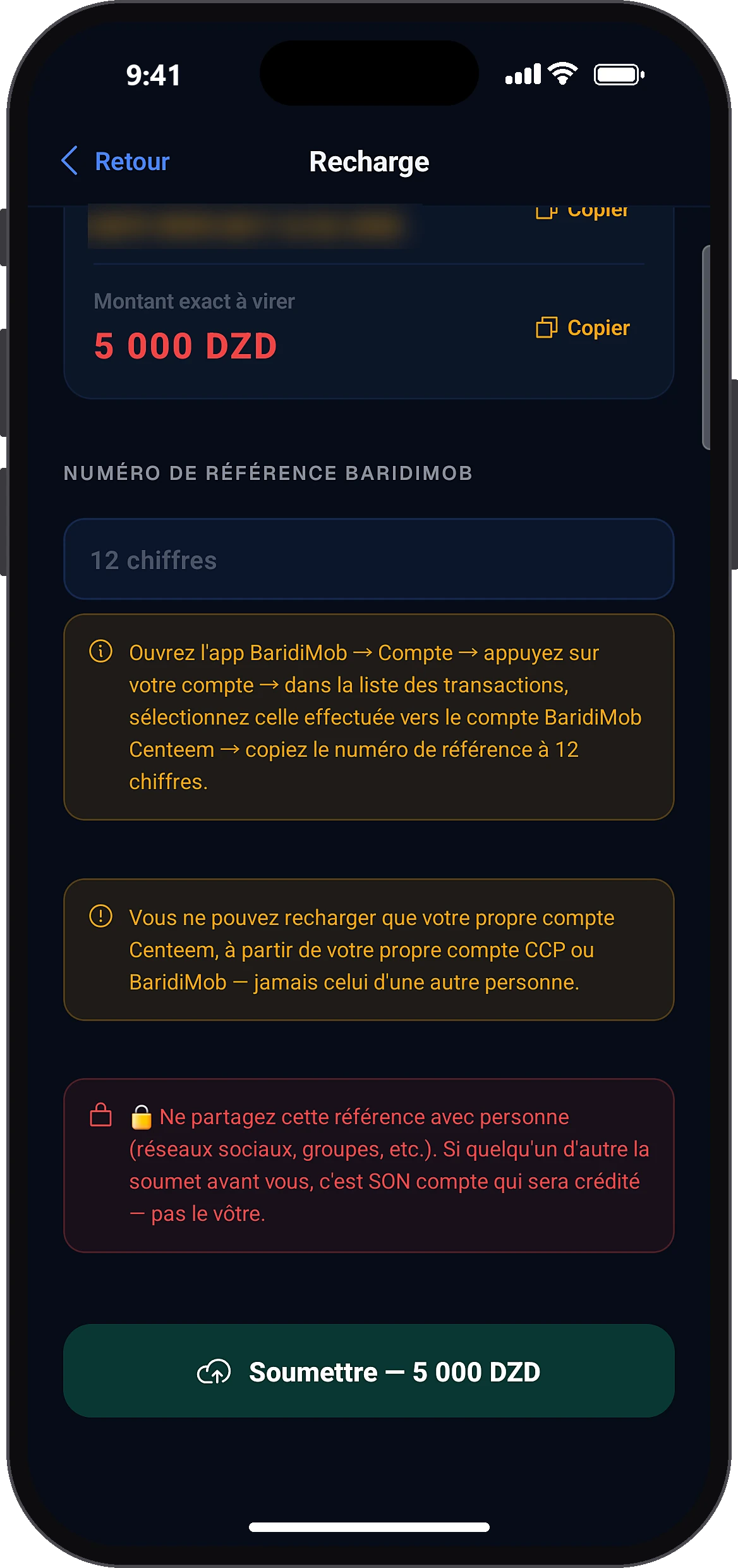
Enter the reference and submit
BaridiMob reference numberSubmit — … DZD
Go back to Centeem, type the 12-digit reference and tap “Submit”. Never share this reference: the first person to submit it gets the credit.
- 6
Confirm
That's correct, send
A window sums up the amount and the reference. Check them, then tap “That's correct, send”. A message confirms the top-up was submitted.
- 7
Follow the top-up
History
The top-up shows as “Pending” in History. For 15 minutes, a banner lets you cancel it if you made a mistake. Your balance is credited automatically as soon as the transfer is found, within 6 hours at most.
Common problems and solutions
“The reference number must have exactly 12 digits.”
Copy the reference again from the transaction details in BaridiMob (Account → your account → the transaction).
“This reference number has already been submitted.”
Each transfer can only be used once. Check History to see if the top-up is already in progress. If someone else used your reference, contact support.
“Minimum 500 DZD”
Make a transfer of at least 500 DZD.
The operation would exceed your balance limit
Top up a smaller amount, or move up to the next verification level to raise your maximum balance.
“Daily top-up limit reached (5/day).”
Wait until the next day (midnight, Algiers time).
I am a tourist and the transfer top-up is refused
A Tourist account can only be topped up in cash at a partner agent.
My top-up failed: no matching transfer was found
If no matching transfer is found after 30 hours, the top-up fails and you get a notification. Check the reference and the amount (to the exact dinar), then submit a new top-up within 48 hours of your transfer.
Frequently asked questions
Go further
Still stuck? Our team will answer you.
Contact us