
Top up in cash at an agent
Hand cash to a partner agent and your balance is credited right away. For verified accounts, and the only way to top up a Tourist account.
- Fees
- By bracket: 1.5% up to 5,000 DZD, 1.1% up to 20,000, 0.8% up to 50,000, 0.4% above; 500 DZD at most. Paid in cash to the agent, on top of the amount.
- Examples
- 1,000 DZD → you hand over 1,015; 10,000 → 10,130; 50,000 → 50,480
- Amount per operation
- From 1,000 to 200,000 DZD
- Monthly limit
- 300,000 DZD at agents (Personal and Seller); no monthly limit for Tourist and Pro
- Top-ups per day
- Up to 5, all methods combined (Personal, Seller, Tourist); unlimited for a Pro account
- Timing
- Instant credit; the agent's QR code is valid for 10 minutes
Before you start
- A verified identity: without verification, an agent top-up is refused.
- A Personal, Seller, Pro or Tourist account (with a valid visa).
- Cash in dinars: the amount to top up plus the agent's commission.
- A balance that, after the top-up, stays within the maximum balance of your level.
In the app, step by step
- 1
Work out what you will hand over (optional)
HomeTop up
Before going to the agent, open “Top up” from the home screen.
- 2
Choose “Agent”
Agent
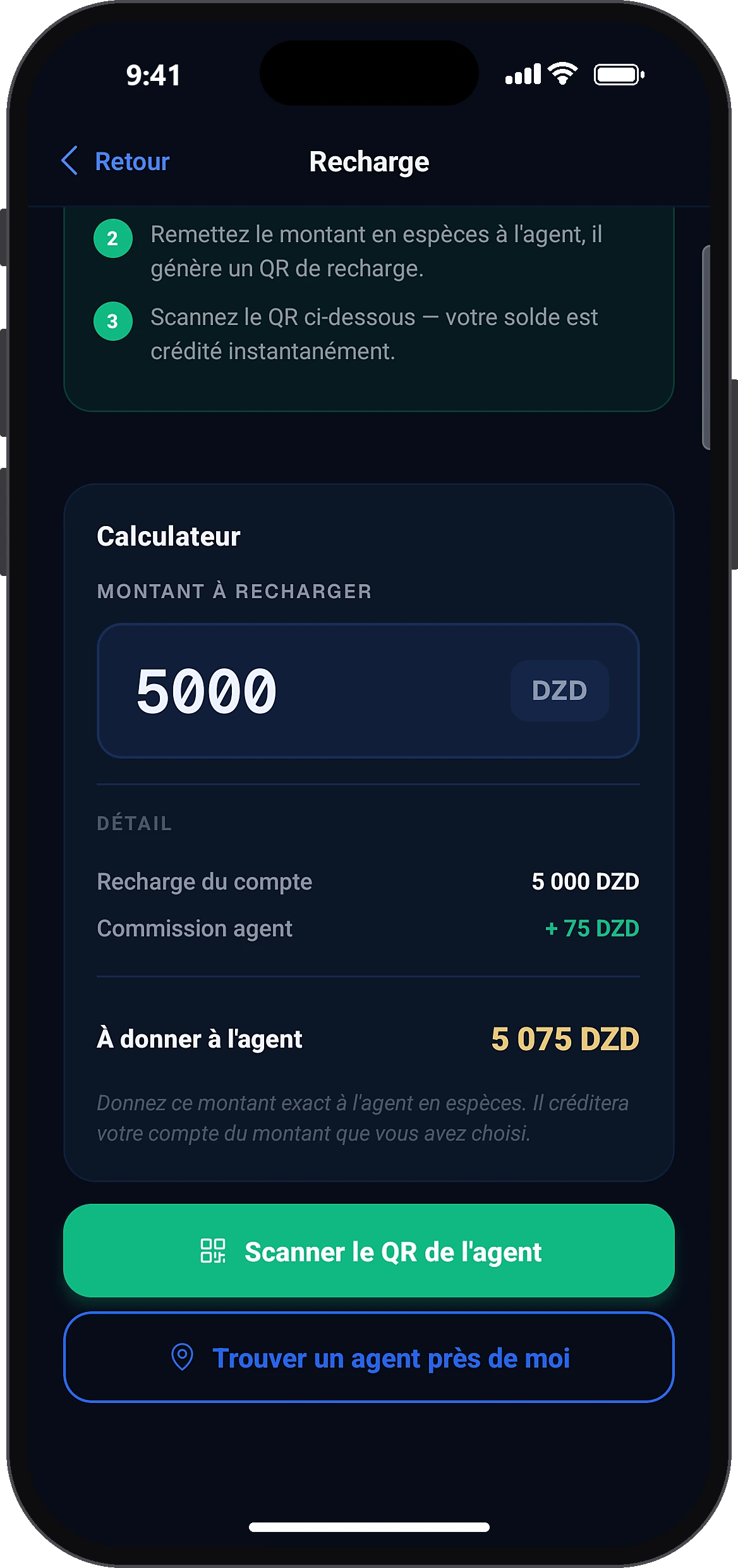
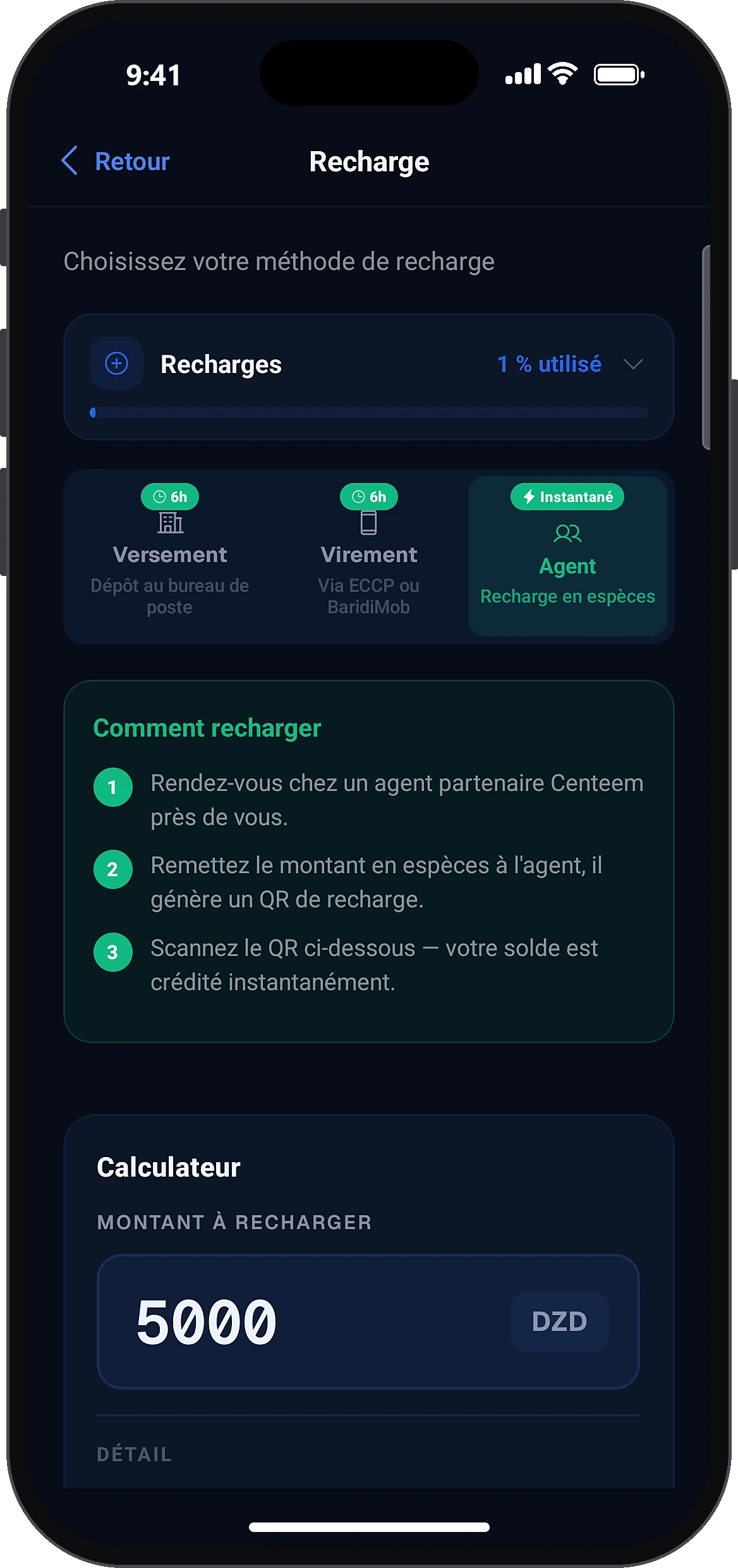
Tap “Agent” (cash top-up, instant). A Tourist account lands directly on this view. Enter the amount in the calculator: the app shows the agent's commission and the total to hand over.
- 3
The agent generates a QR code
AgentCustomer top-upGenerate QR
You hand over the cash and say the amount. On his phone, the agent opens “Customer top-up”, enters the amount (1,000 to 200,000 DZD), confirms with his PIN and shows a QR code valid for 10 minutes.
- 4
Scan the agent's QR code
Scan agent QR
On your phone, tap “Scan agent QR” and point it at the QR code shown by the agent.
- 5
Check and confirm
Confirm credit
The screen shows the amount to credit, the agent's name, his commission, the total cash to hand over and the time left. Check, then tap “Confirm credit”: your balance is credited right away.
- 6
Done
Back to home
A confirmation appears and the top-up shows in History. Back on the home screen, the screen to rate your agent opens.
Common problems and solutions
“Minimum agent top-up: 1,000 DZD.”
Top up at least 1,000 DZD.
“This QR code has expired.”
The QR code is valid for 10 minutes. Ask the agent to generate a new one.
“QR code already used”
Check your History: the top-up may already have been credited.
“The agent's daily capacity has been reached.”
Top up a smaller amount (the remaining volume is shown) or go to another agent.
“Limit reached”
The top-up would exceed the maximum balance of your level. Top up less, or move up to the next verification level.
“Monthly agent deposit limit reached (300,000 DZD).”
Wait until next month, or top up by BaridiMob transfer.
Tourist: “This customer's visa has expired”
Topping up is no longer possible. Renew your visa in the app; withdrawing at an agent remains possible for 30 days.
Frequently asked questions
Go further
Still stuck? Our team will answer you.
Contact us