
Withdraw cash at an agent
Get your money in cash from a partner agent using a QR code. For verified accounts, and the only way to withdraw for a Tourist account.
- Fees
- By bracket: 2% up to 5,000 DZD, 1.5% up to 20,000, 1% up to 50,000, 0.5% above; 700 DZD at most; debited from your balance on top of the amount
- Amount per withdrawal
- From 1,000 to 100,000 DZD
- Daily total (agent + BaridiMob)
- Personal level 1: 50,000 DZD; level 2: 100,000; Seller and Pro: 200,000; Tourist: no daily limit
- QR code validity
- 10 minutes; while valid, it counts toward your daily total
- Debit
- Only when the agent scans and confirms; otherwise nothing is debited
- Tourist
- Possible up to 30 days after the visa expires
Before you start
- A verified identity.
- A PIN code set up.
- Enough balance for the amount and the commission.
- An active partner agent nearby.
- Tourist account: a valid visa, or one expired less than 30 days ago.
In the app, step by step
- 1
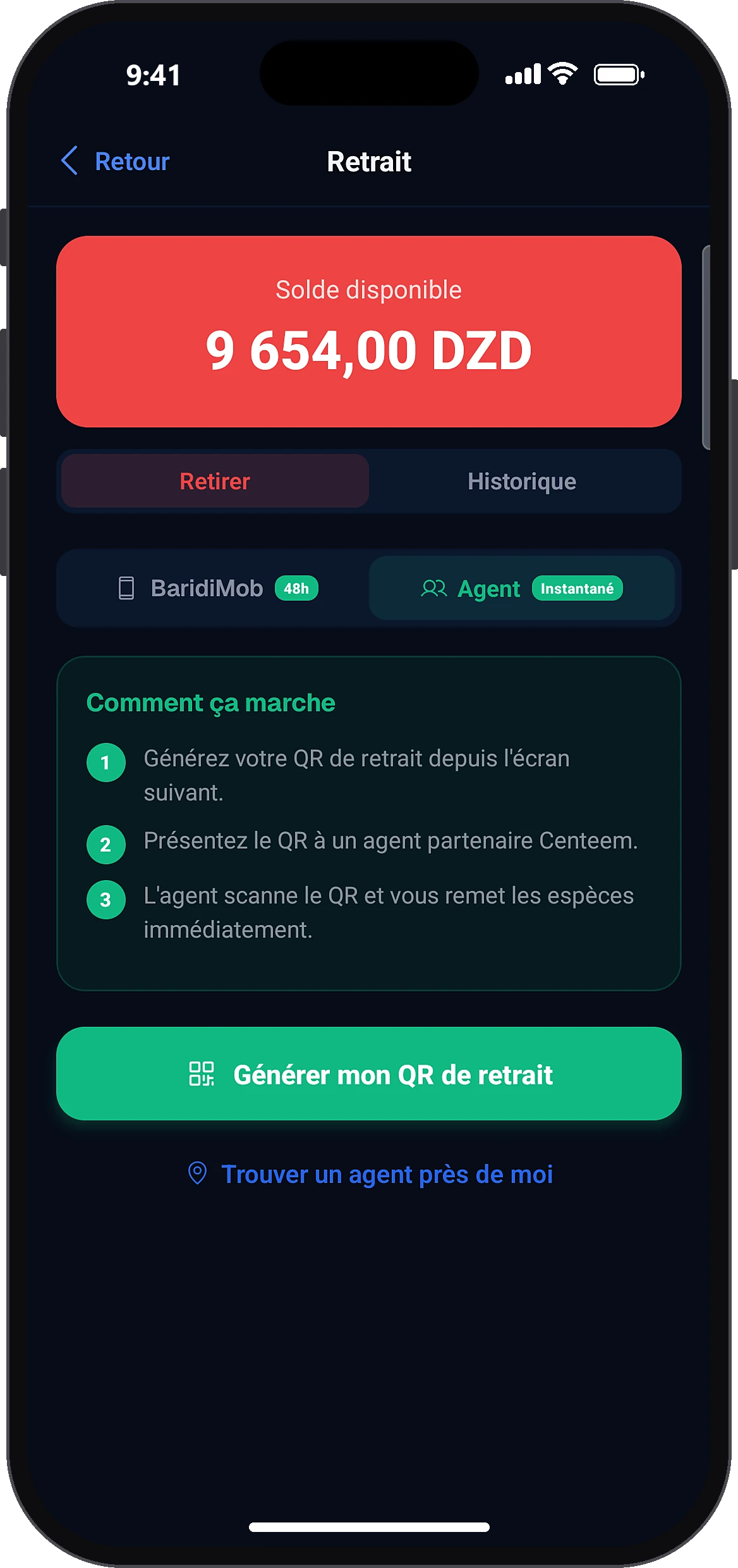
Choose withdrawal at an agent
HomeWithdrawAgent
On the home screen, tap “Withdraw”, then choose the “Agent” method. Personal and Tourist accounts can also get there from the Profile tab. A Tourist account lands directly on the agent view.
- 2
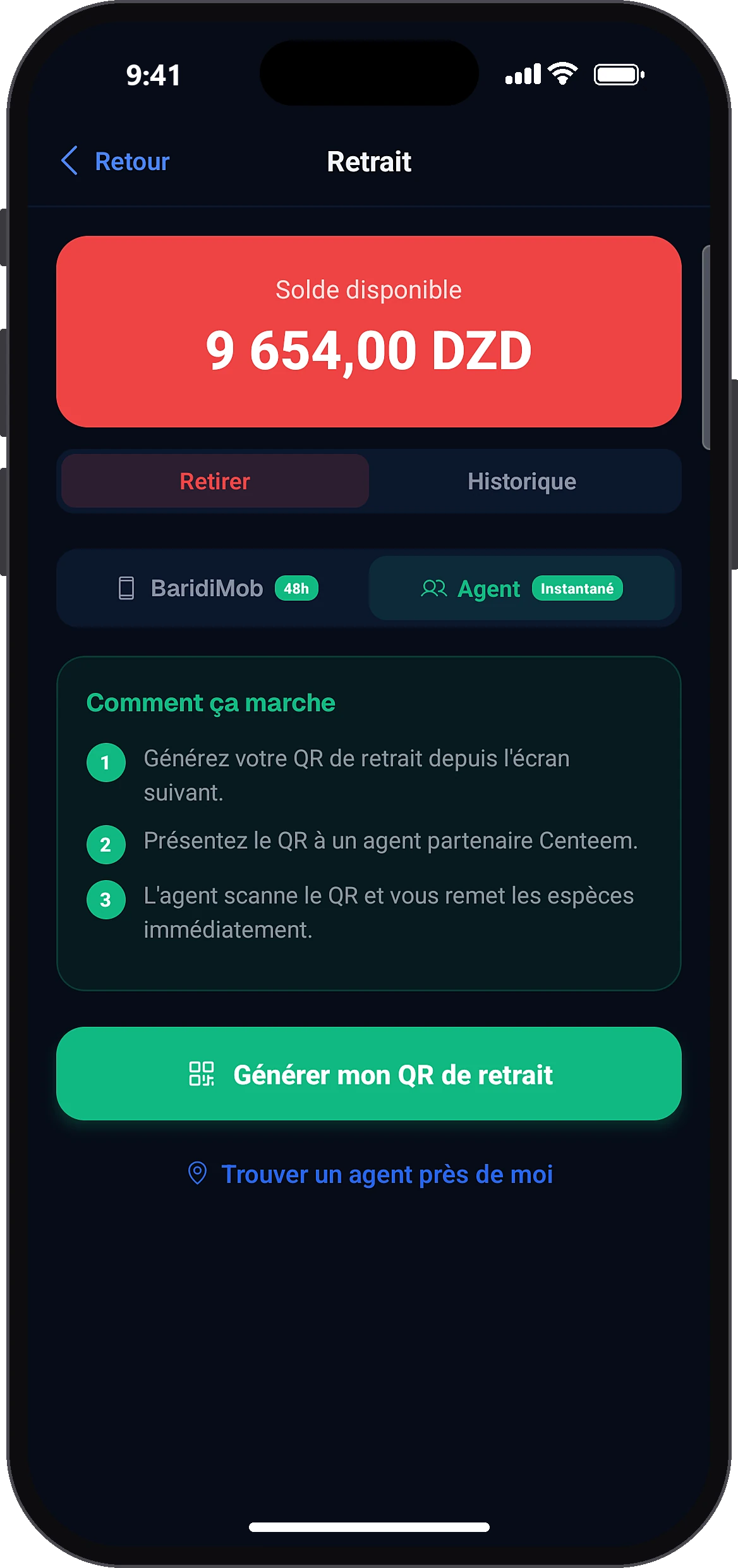
Generate your QR code
Generate my withdrawal QR
Tap “Generate my withdrawal QR”.
- 3
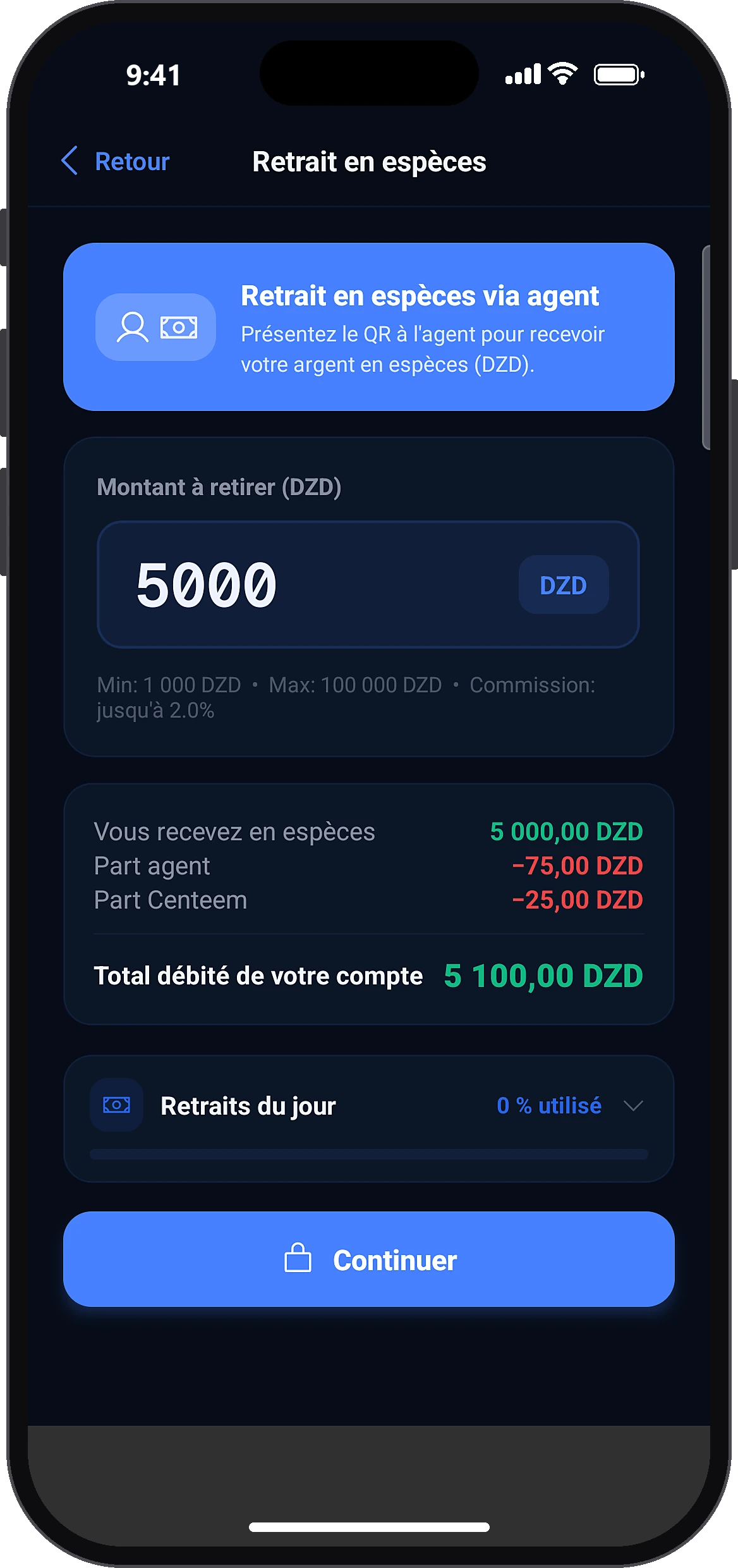
Enter the amount
Amount to withdraw (DZD)Continue
Type the amount (1,000 to 100,000 DZD). The app shows what you will receive in cash, the commission and the total debited from your account. Tap “Continue”.
- 4
Confirm with your PIN
The app reminds you of the cash amount and the total debited. Enter your PIN to confirm.
- 5
Show the QR code to the agent
The QR code appears with a 10-minute countdown. Show it to the agent. At this point, your balance has not been debited yet.
- 6
The agent scans and confirms
AgentCustomer withdrawalConfirm — hand over … DZD
On his phone, the agent opens “Customer withdrawal”, scans your QR code, sees the cash to hand you, prepares the money and taps the confirm and hand over button.
- 7
Receive your cash
Back to home
Your screen switches by itself to the confirmation, with the cash received and the amount debited. The agent hands you the money. Back on the home screen, the screen to rate your agent opens.
Common problems and solutions
“Invalid amount”
Choose an amount between 1,000 and 100,000 DZD.
“Insufficient balance (fees included)”
The commission is added to the amount withdrawn: lower the amount a little.
“Daily withdrawal limit reached.”
The counter resets at midnight (Algiers time).
“QR code expired”
Generate a new QR code from the withdrawal screen.
“This withdrawal has already been processed.”
Check your History.
“Unable to generate the withdrawal QR code.”
Check your internet connection and try again.
Frequently asked questions
Go further
Still stuck? Our team will answer you.
Contact us