
View your history and statements
Find all your operations, share a receipt as a PDF and download your account statements, on demand or every month. Free, for all accounts.
- Fees
- Free
- History
- All your operations, with filters by type (all, sent, received, top-ups, withdrawals), status and any fee
- Account statement
- As a PDF over 7, 30 or 90 days, or a period of your choice up to 12 months
- Monthly statements
- One per month since the account was opened (current month included), as a PDF; optional email on the 1st of each month
- CSV format (Excel)
- Only for the Pro account (Accounting) and the Seller profile (My sales). Personal and Tourist accounts: PDF
- Complaint
- From an operation's details, within 15 days
Before you start
- An internet connection to create a statement (offline, History shows the last saved data).
- At least one operation in the chosen period.
In the app, step by step
- 1
Open History
History
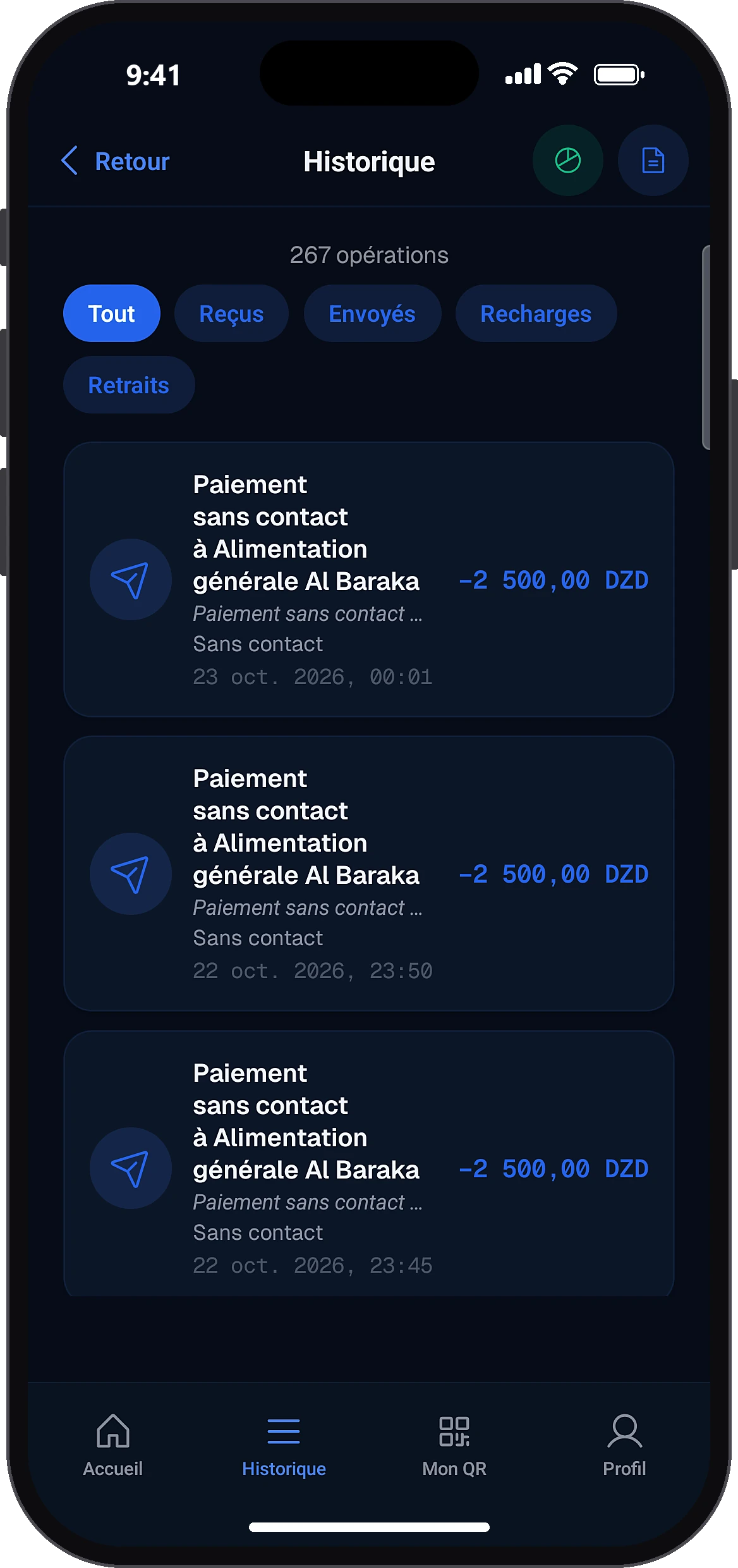
Tap the “History” tab. The number of operations appears. Choose a filter by type of operation.
- 2
Open an operation
History
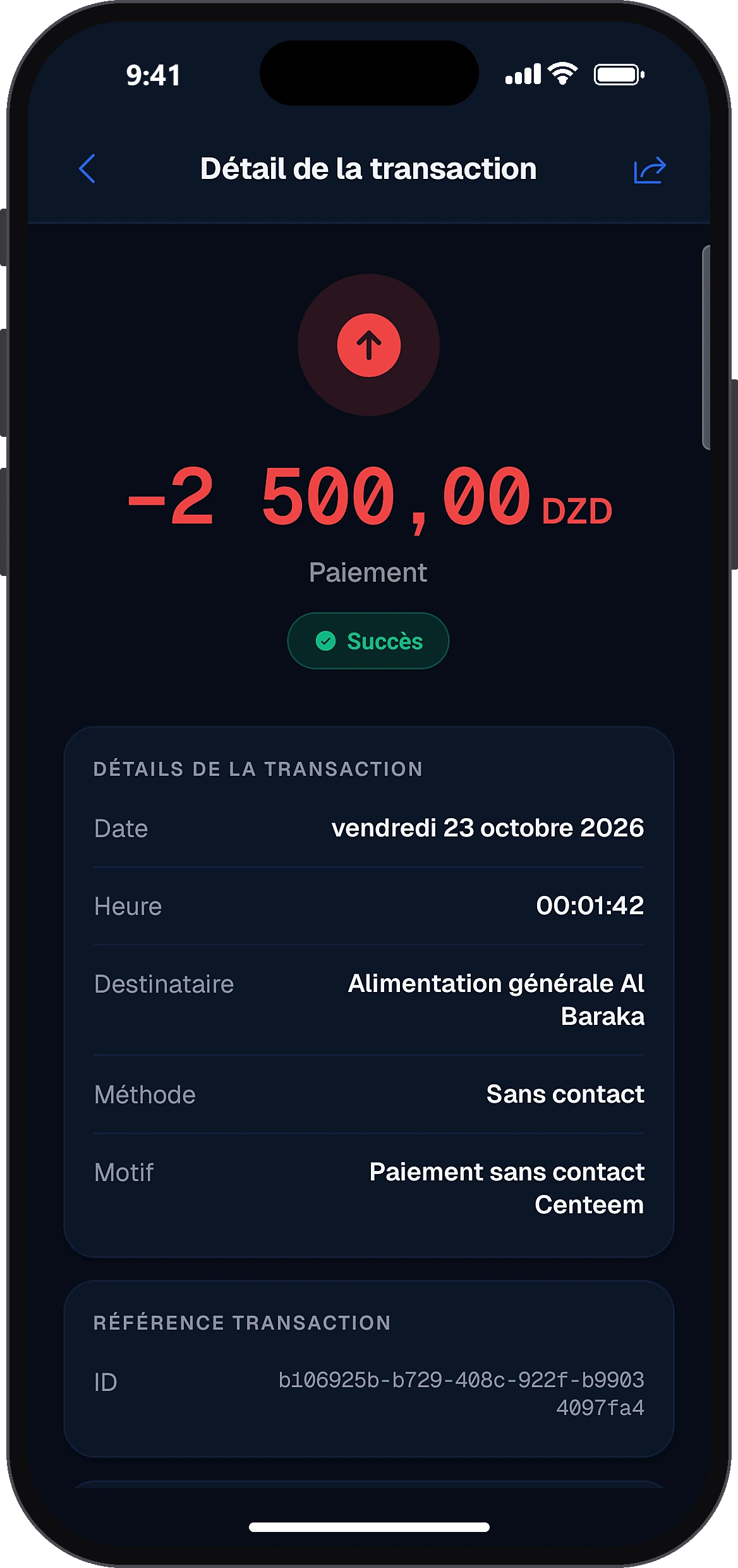
Tap an operation to see its details: amount, date and time, method, reference, reason, any fees and status. For a payment or transfer: the receipt barcode and “Share receipt”, which creates the PDF. You can dispute the operation if needed, within 15 days.
- 3
Create a PDF statement
History
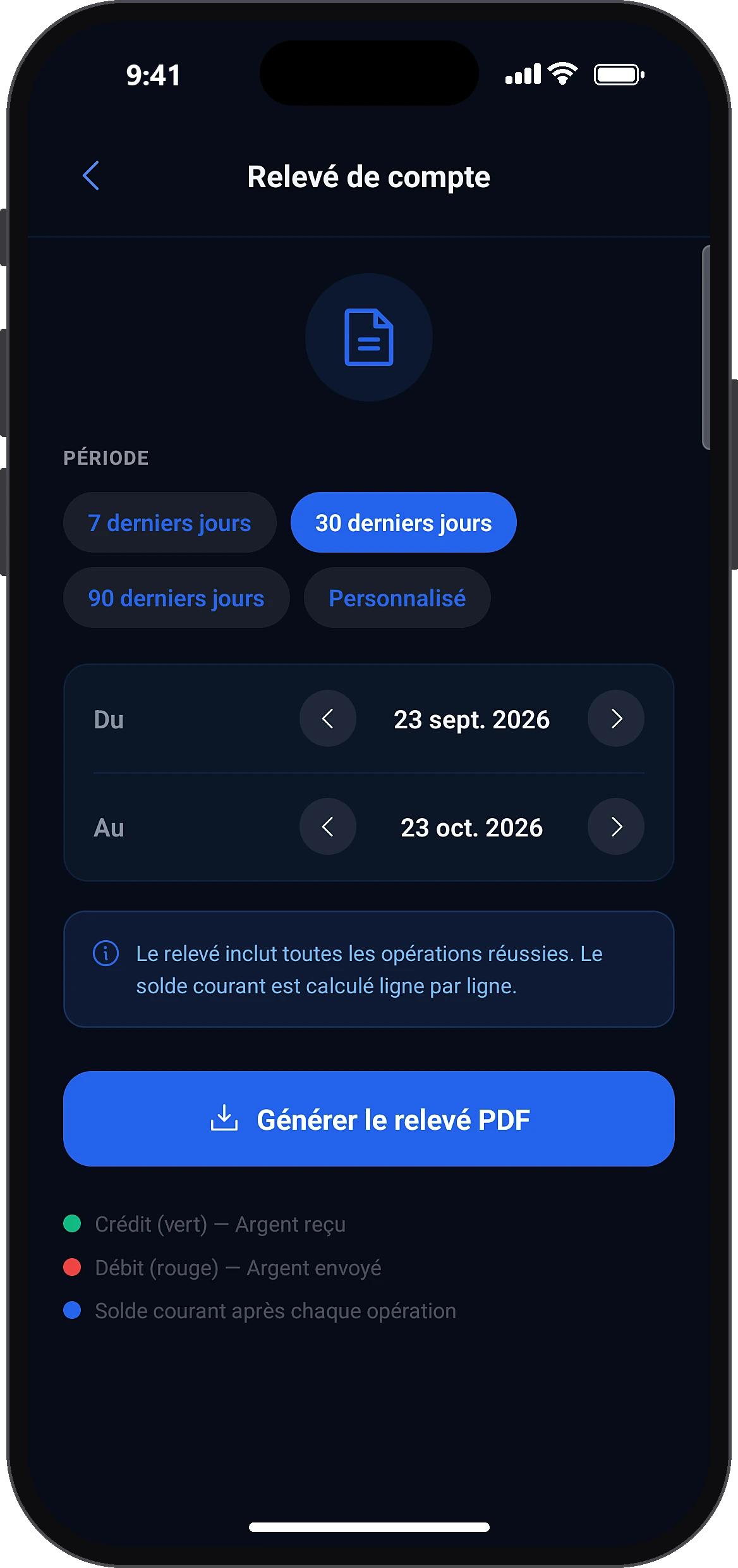
In History, tap the document icon at the top right (the pie chart icon opens your spending). Choose 7, 30 or 90 days, or a custom period with start and end dates, then generate the PDF. Your phone's share menu opens: save it or send it.
- 4
Find your monthly statements
ProfilePreferencesMy statements
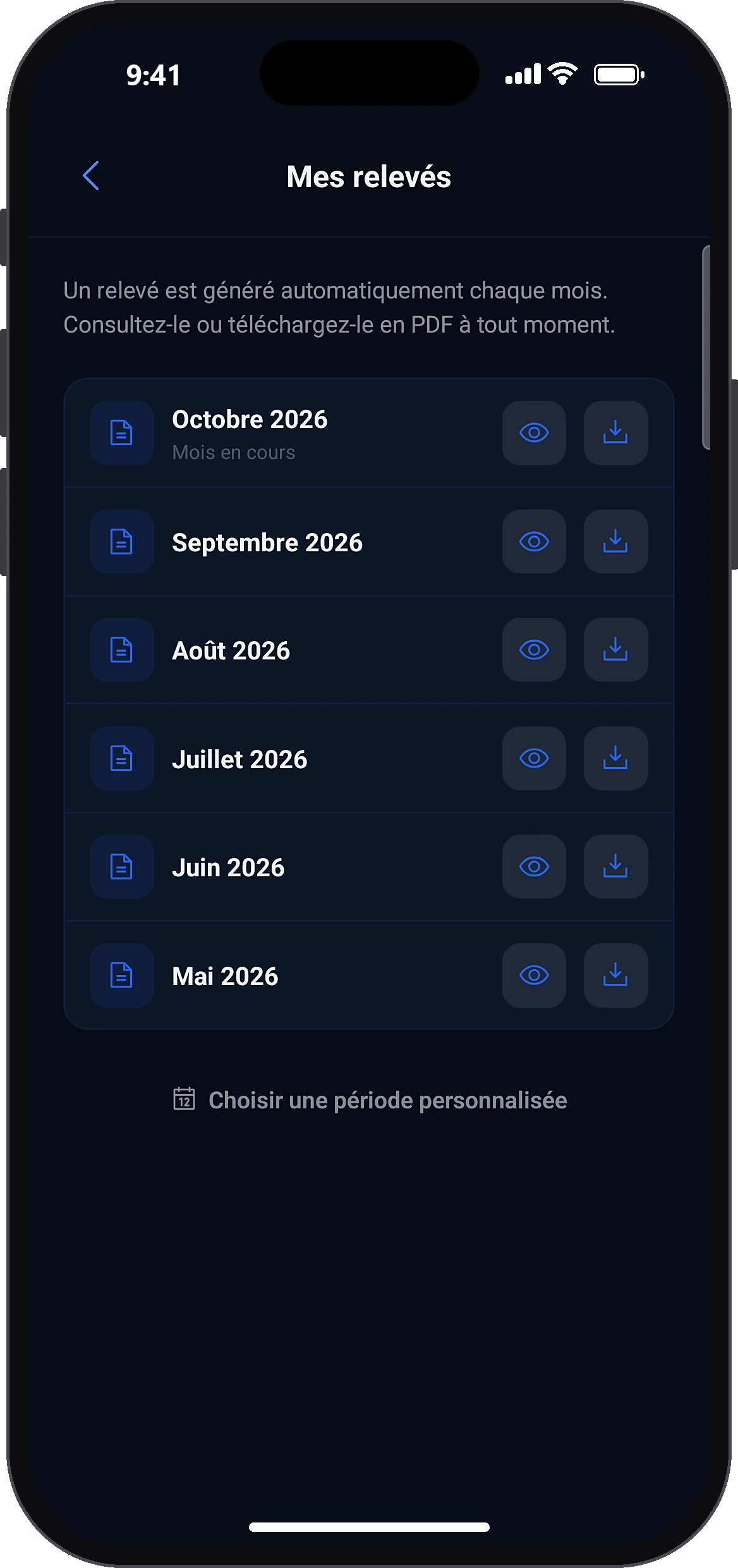
In Profile, under “Preferences”, tap “My statements”: the list of months appears. Tap a month to view or download its PDF statement. You can also choose a custom period.
- 5
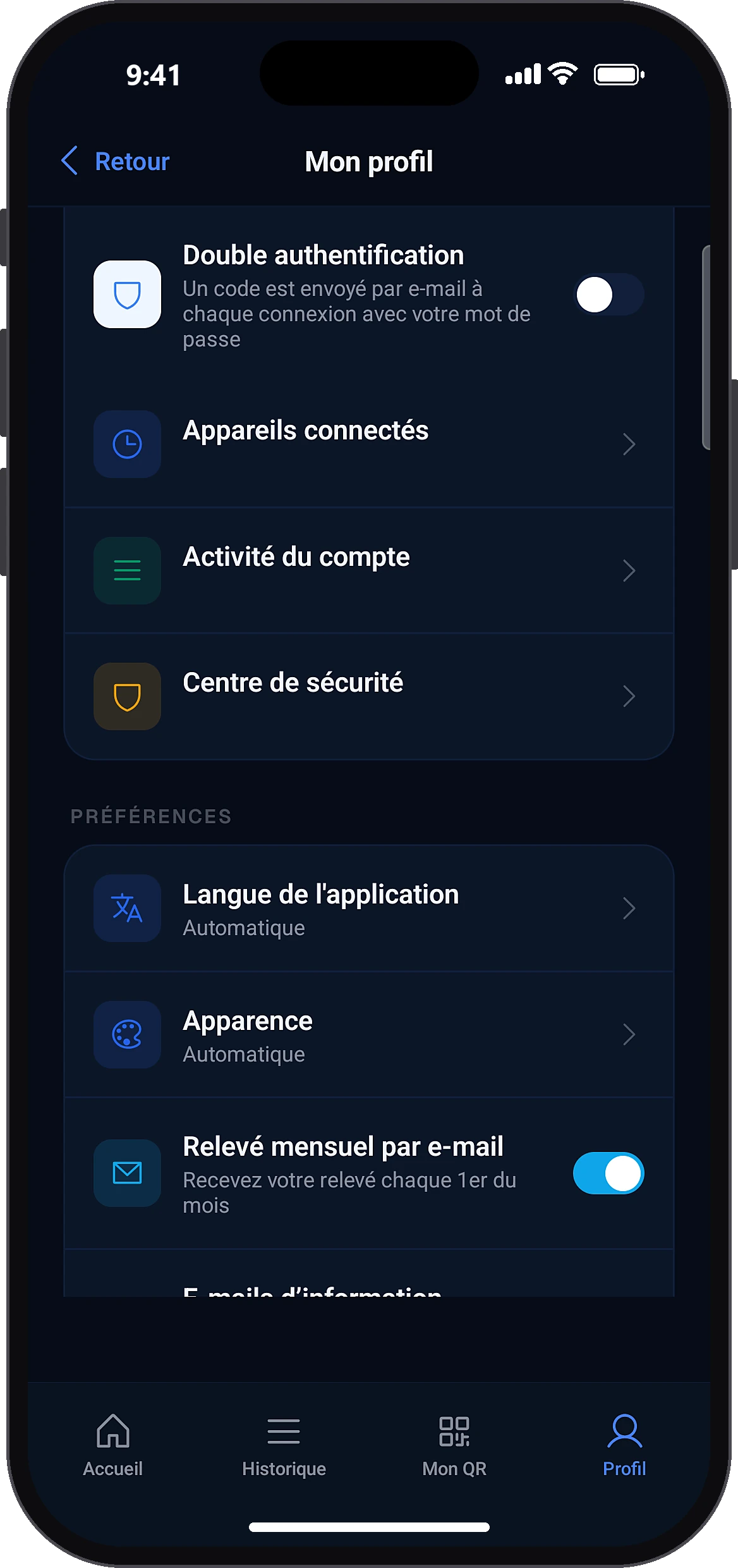
Get the statement by email
ProfilePreferencesMonthly statement by email
Turn on “Monthly statement by email” in Profile → Preferences. It arrives on the 1st of each month.
Common problems and solutions
“No transactions for this period.”
Choose a longer period.
“Period cannot exceed 12 months.”
Keep the period to 12 months, or use the monthly statements.
“Start date must be before end date.”
The start date must come before the end date.
“End date cannot be in the future.”
Choose today's date at the latest.
“Error generating statement.”
Check your connection and try again.
“Could not create the receipt. Please try again.”
Try again and check the free space on your phone.
“The 15-day complaint window has passed for this operation.”
For any question, contact support.
Frequently asked questions
Go further
Still stuck? Our team will answer you.
Contact us