
Send money
Send money for free to someone close who has a Centeem account, using their phone number, email or your contacts. For verified accounts.
- Fees
- Free: the recipient gets exactly the amount you send
- Who can receive
- A Personal account (including Seller profile) or a Tourist account. A Pro account receives direct transfers only from another Pro account
- Between two Pro accounts
- Direct transfer allowed: up to 100,000 DZD per recipient and 300,000 DZD per month
- New recipient
- Your first transfer to someone new goes out after 4 h, whatever the amount. You can cancel it during that time
- Large amount
- To someone you already paid, above half your per-transaction limit: held 24 h (Personal level 1: 50,000 DZD; level 2: 100,000 DZD; Seller and Tourist: 200,000 DZD; Pro level 2: 250,000 DZD; Pro level 3: 475,000 DZD)
- Sending limits
- Per transaction / day / month. Personal level 1: 100,000 / 200,000 / 500,000 DZD; level 2: 200,000 / 500,000 / 1,000,000 DZD; Seller and Tourist: 400,000 / 800,000 / 2,000,000 DZD
- Where to find it
- Home → Send
Before you start
- Your identity is verified (and not expired).
- You have created your PIN.
- You are connected to the internet: sending does not work offline.
- Your balance is enough and the amount is within your limits.
- The recipient has an active Centeem Personal, Seller or Tourist account.
In the app, step by step
- 1
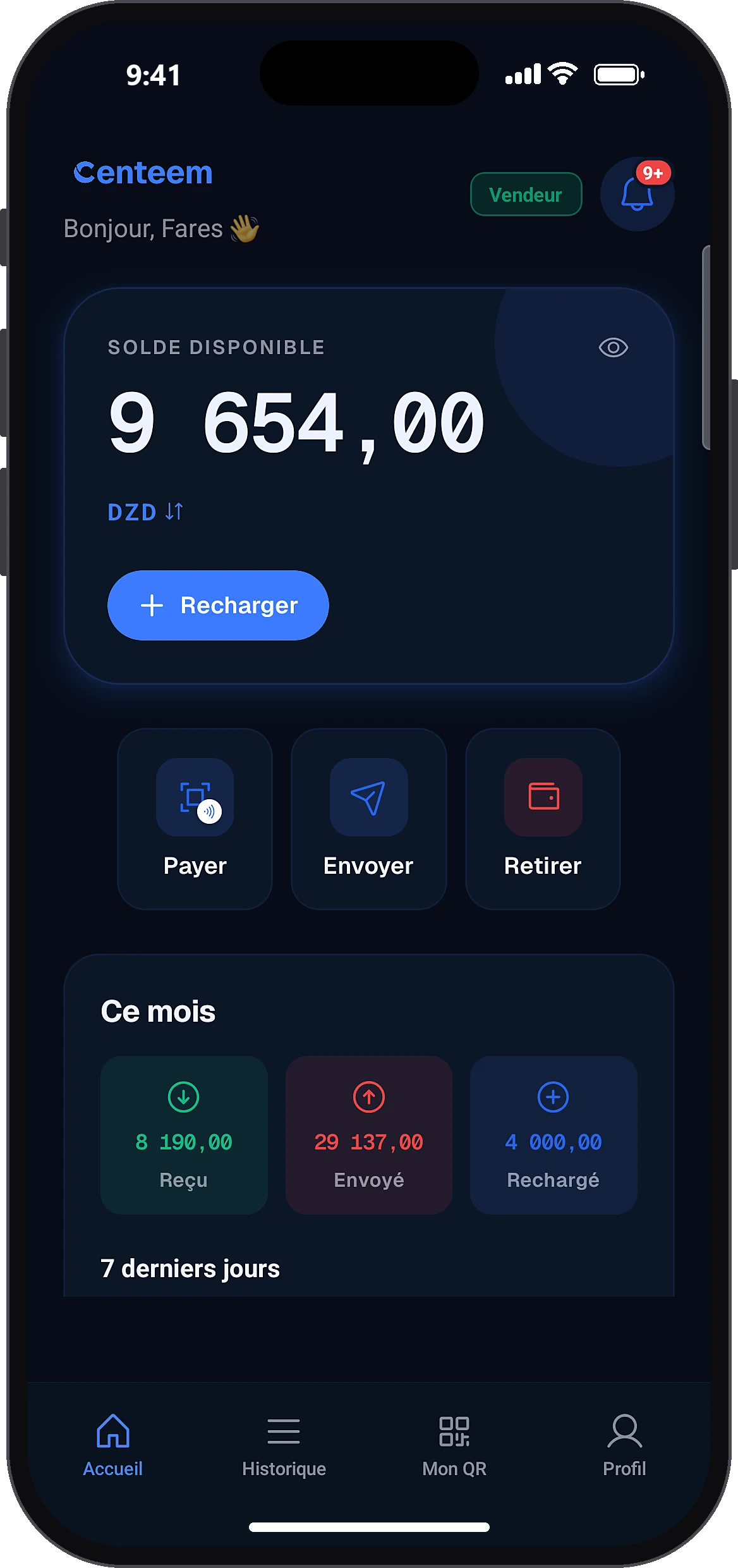
Tap “Send”
HomeSend
On the home screen, tap “Send”. The button is greyed out if you are offline or your account is frozen.
- 2
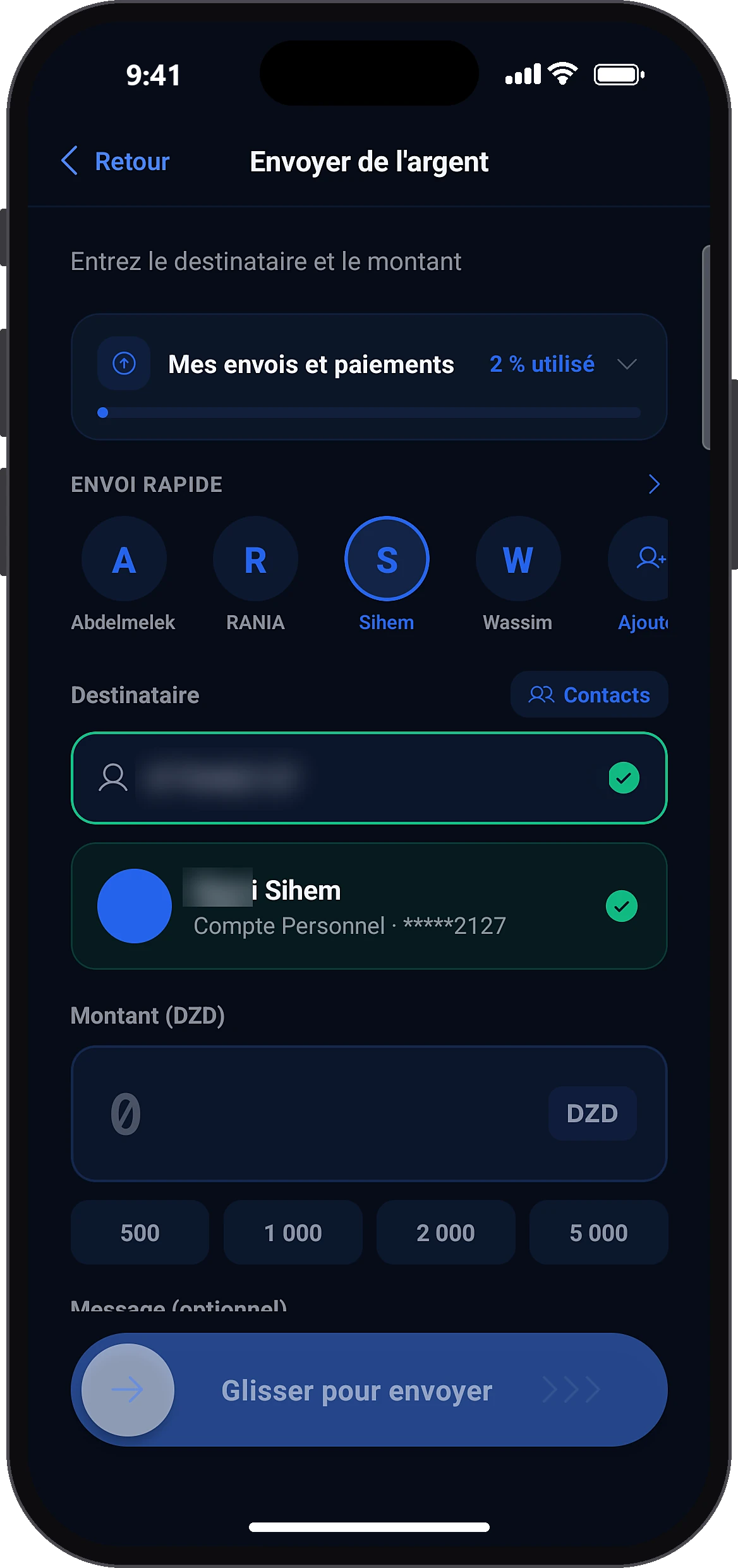
Choose the recipient
Send moneyRecipient
Enter their phone number (with + for a foreign number) or email, tap “Contacts” to pick them from your phone book, or choose them in “Quick send”. A green tick and a card with their name confirm the account is found.
- 3
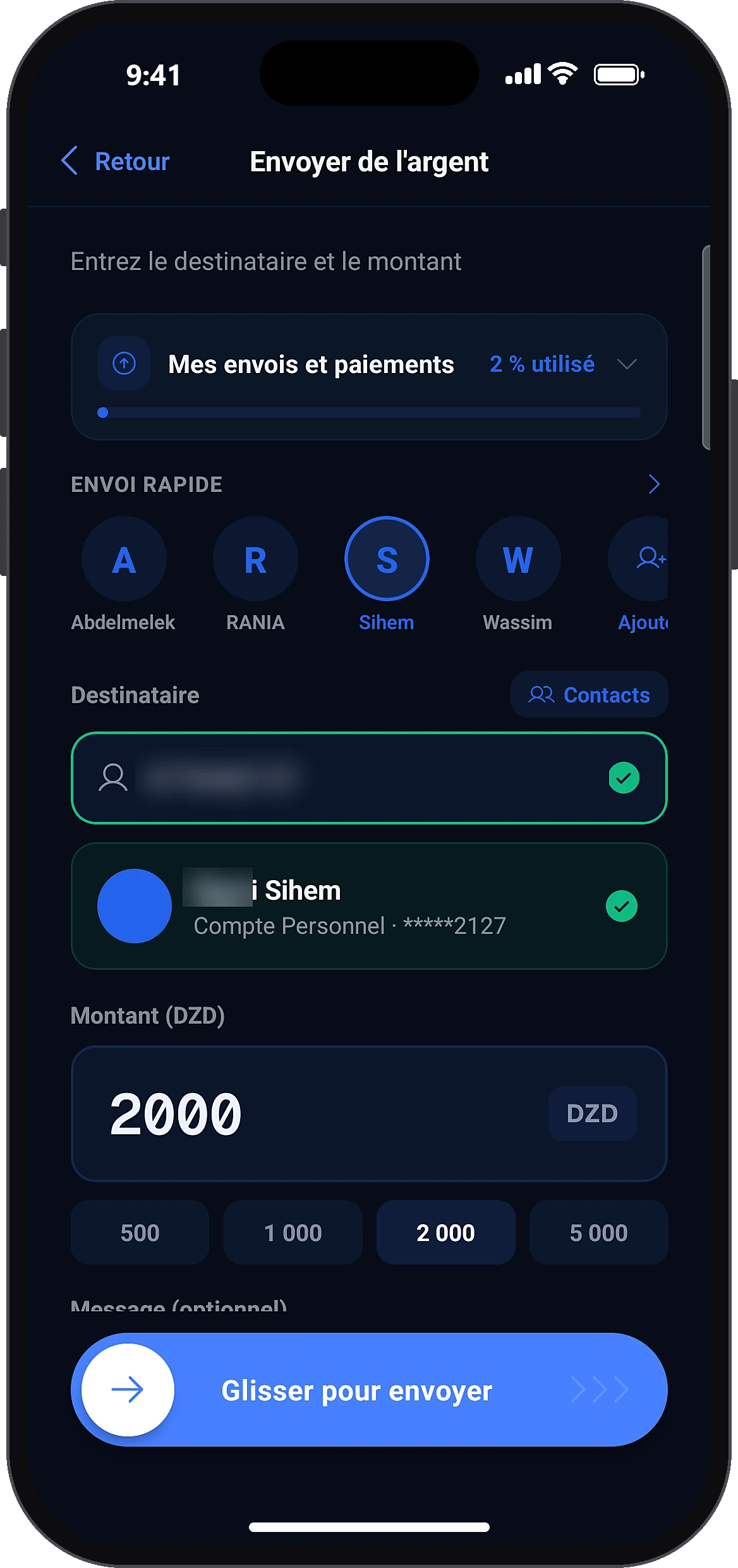
Enter the amount
Amount (DZD)Message (optional)
Type the amount or tap 500, 1,000, 2,000 or 5,000 DZD. You can add a message of up to 100 characters.
- 4
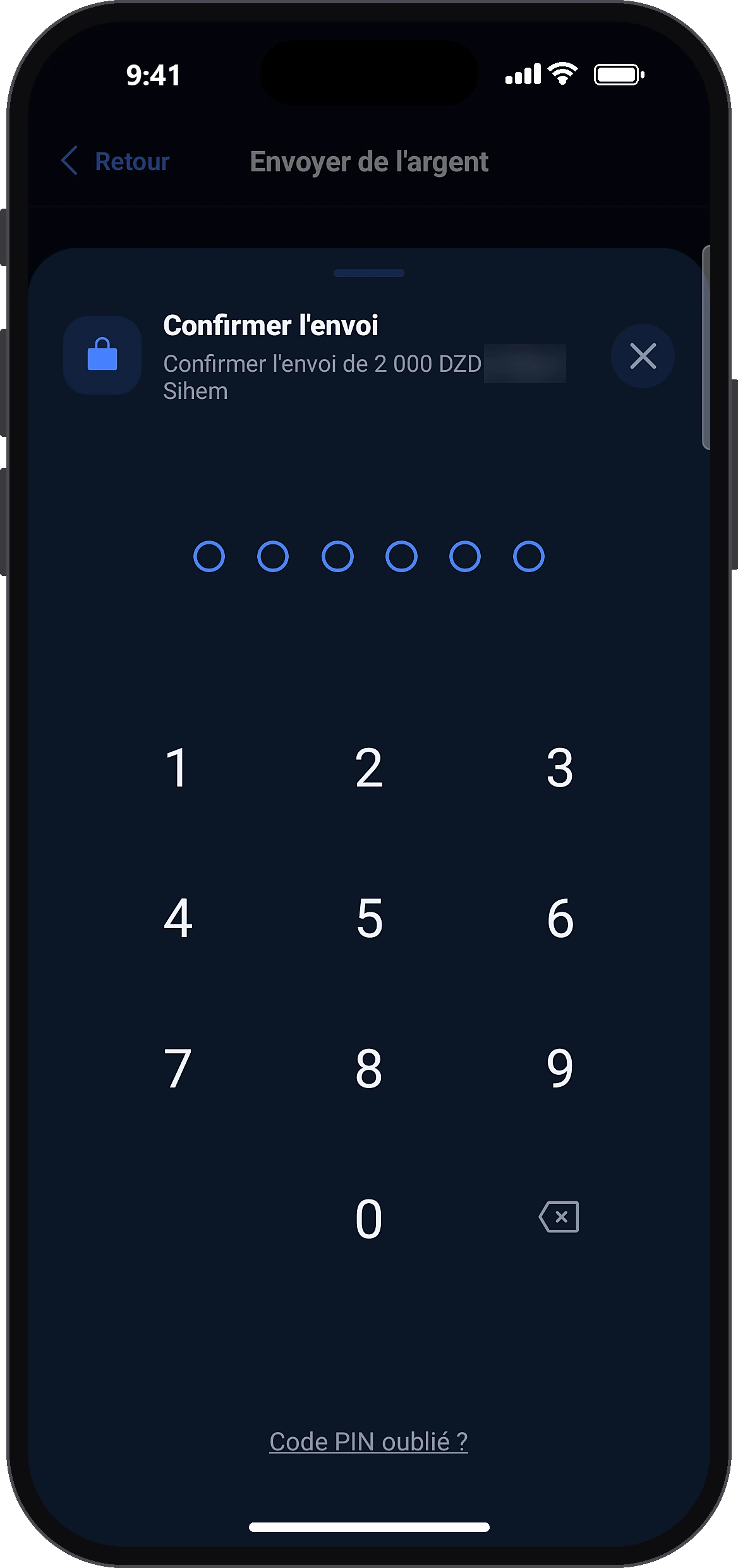
Slide and confirm
Slide to sendConfirm transfer
Slide the button, then enter your PIN (or use your fingerprint or face if biometrics is on for this account). If the amount is above what you have left, the app tells you before the PIN.
- 5
Keep the receipt
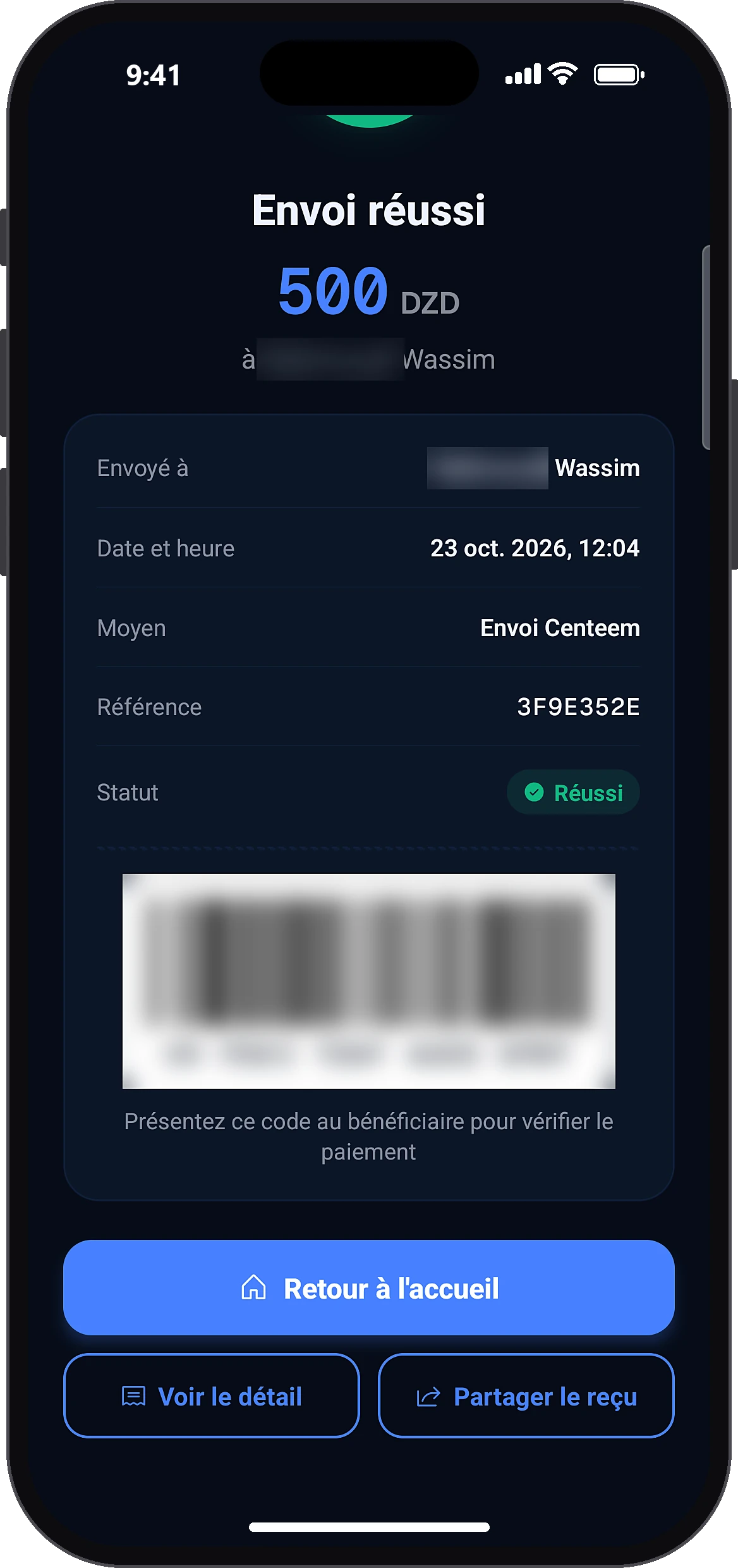
The “Transfer successful” screen shows the amount, recipient, date and time, reference and a barcode. Tap “Share receipt” to create a PDF. The app then offers to save this recipient.
- 6
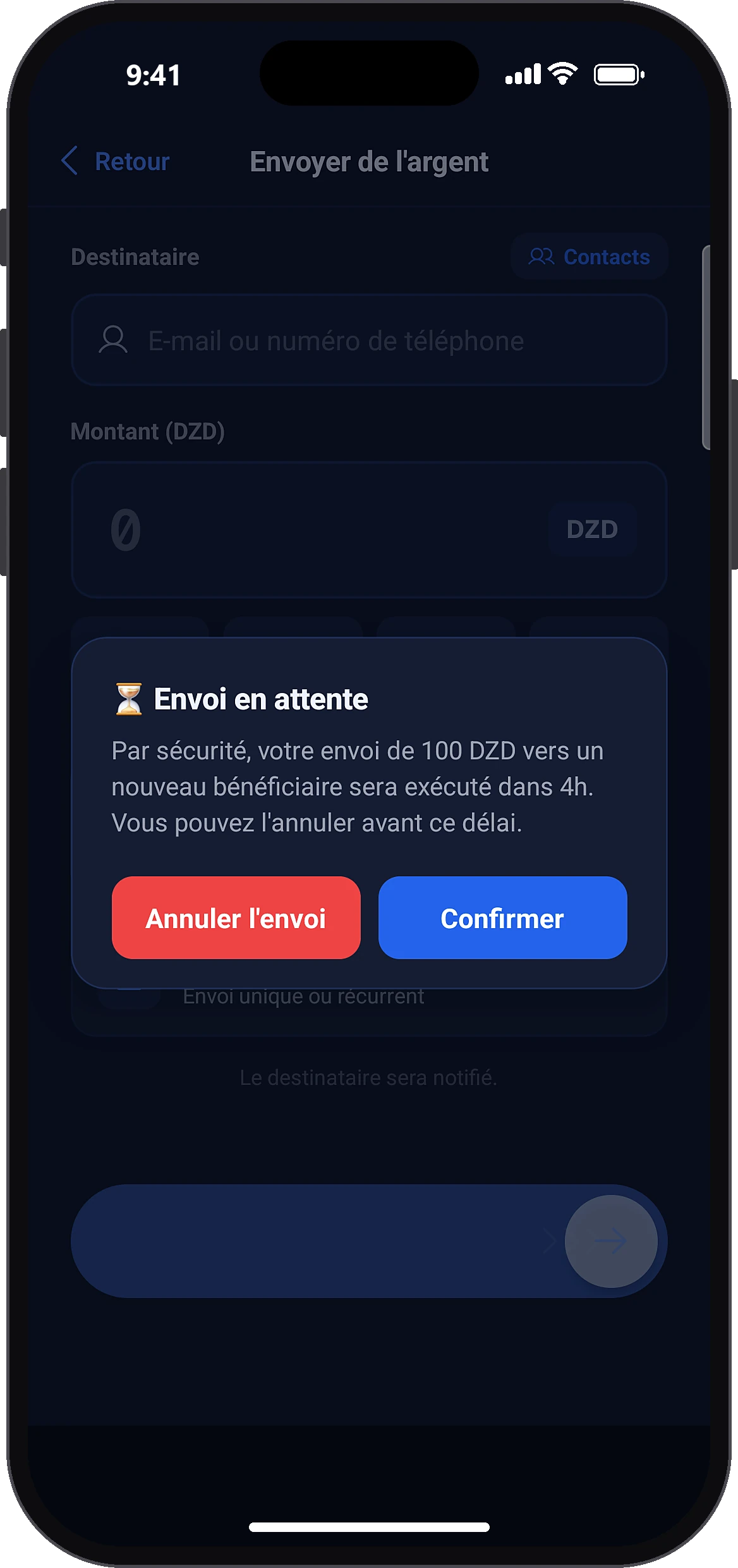
First transfer: it goes out in 4 h
Cancel transfer
If this is your first transfer to this person, a “Transfer pending” alert appears instead of the receipt. The amount is held on your account. Tap “Cancel transfer” to get the money back right away, or “Confirm” to let it go.
- 7
Cancel a pending transfer later
HistoryCancel transfer
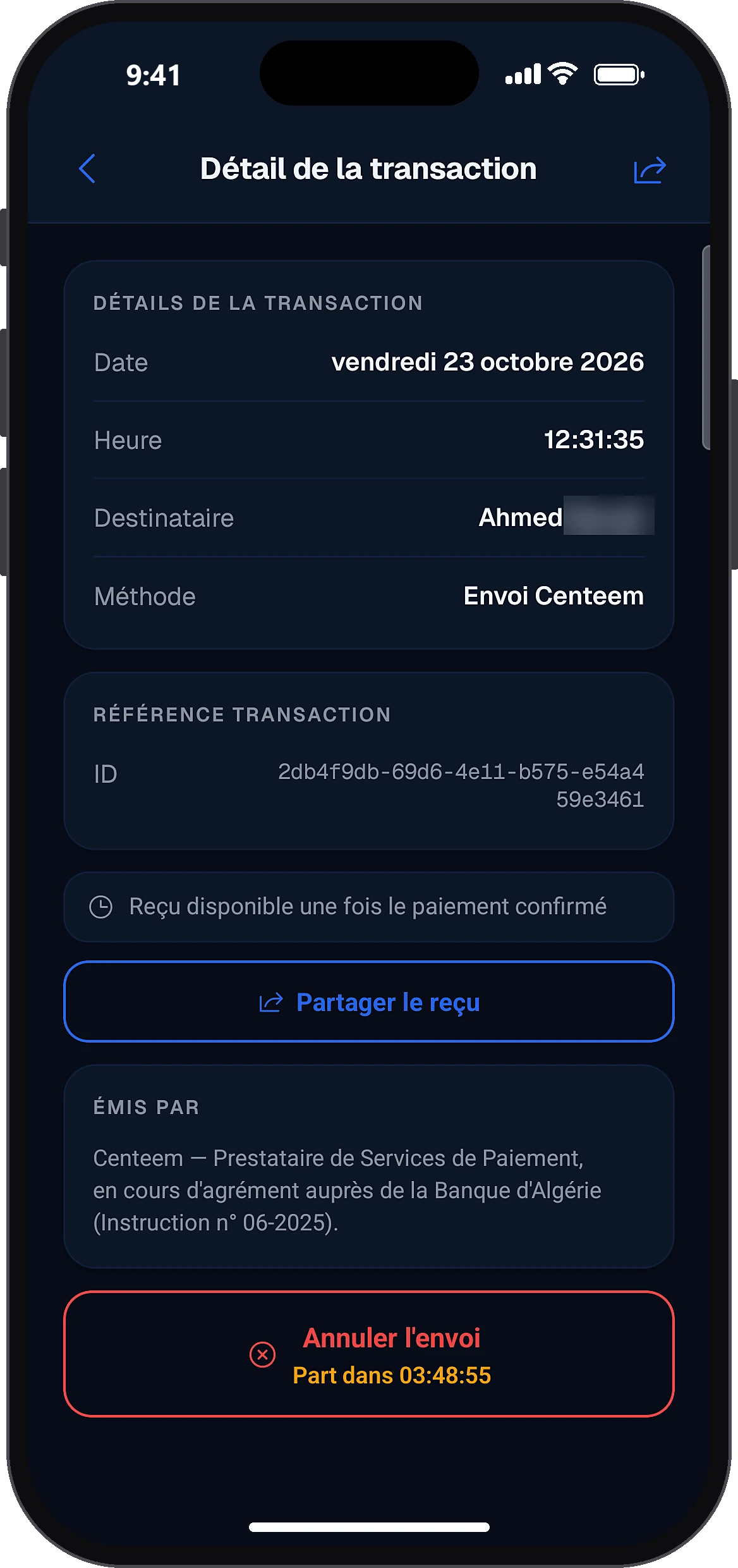
Open History, tap the transfer marked “Pending”, then “Cancel transfer”: the button shows the time left before it goes (“Sends in 03:48:55”). Tap “Yes, cancel”: the money comes straight back to your account and the transfer shows as “Transfer cancelled” in History.
- 8
Manage your recipients
Send money
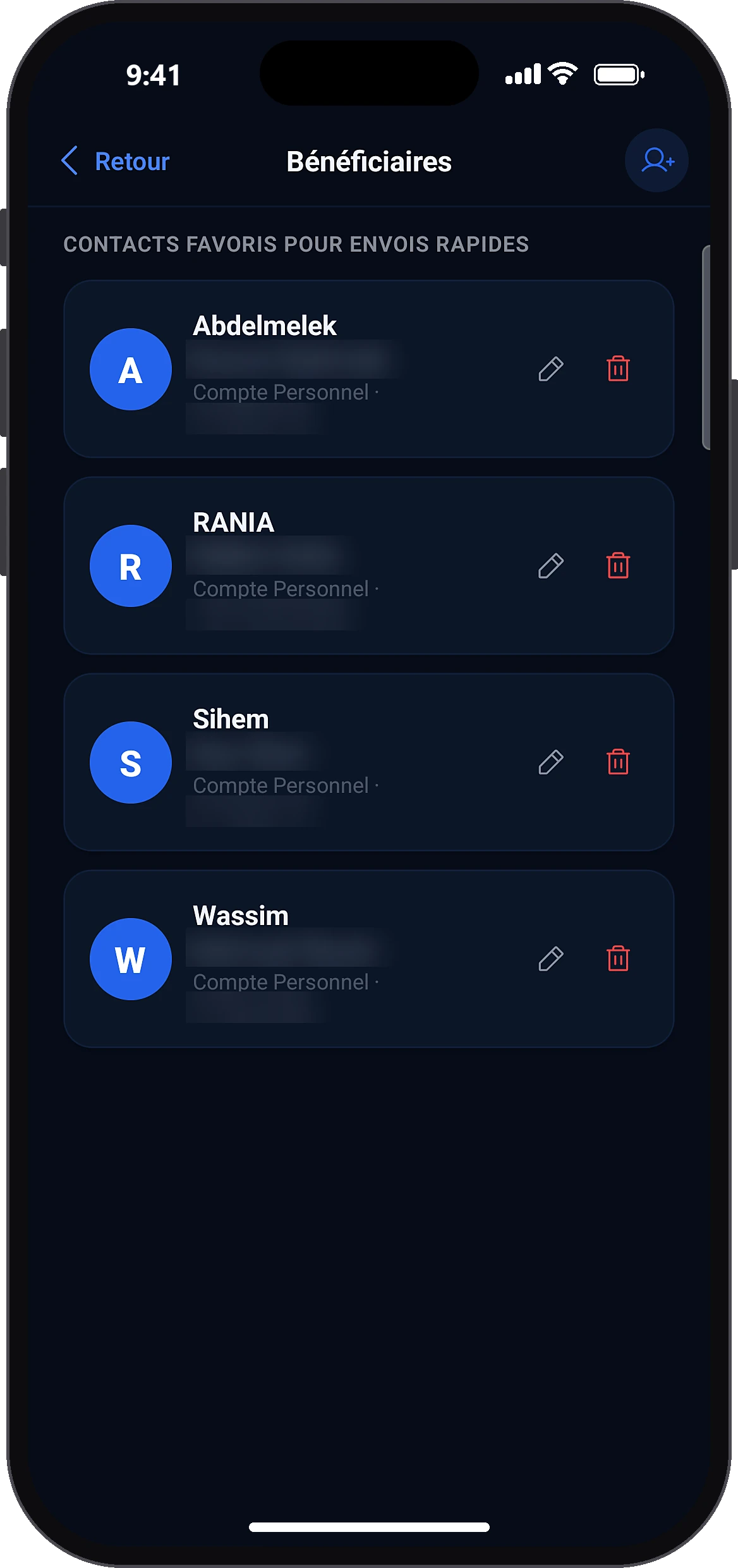
On “Send money”, tap the “›” arrow next to “Quick send”. You can add a recipient with a nickname, change the nickname, delete them, or tap them to send money.
Common problems and solutions
“This account can't receive money at the moment”
The recipient's identity verification has expired or was refused. Nothing is debited. Ask them to open their Centeem app to renew it.
“Business account: direct transfers are not possible”
From a Personal or Tourist account, a Pro account cannot receive direct transfers: pay it with its collection QR (Home → Pay) or the payment link it sends you. From a Pro account, direct transfers to another Pro account are allowed.
“This recipient has reached their monthly receiving limit”
A Personal account can receive at most 100,000 DZD a month from individuals (Tourist: 150,000 DZD). Try again after the 1st of the month (Algiers time), or ask them to turn on the Seller profile if they sell.
“This recipient cannot receive money from a new sender this month”
They have already received from 10 different people this month (20 for a Tourist). If you already sent to them this month, it goes through; otherwise, wait until next month.
“User not found”
Check the number (with the + country code for a foreign number) or the email. The person must have an active Centeem account.
“Amount above your limit”
The app shows what you have left. Lower the amount, wait until midnight or the 1st of the month, or raise your level in Profile → Limits.
“Insufficient balance.”
Top up your account, then try again.
“Your transfers are temporarily on hold for verification”
Contact support from your Profile.
“Transfer failed.”
Check your History before trying again: the app never debits the same transfer twice.
Frequently asked questions
Go further
Still stuck? Our team will answer you.
Contact us