
Receive money
Receive money from people close to you for free: give your number, show your QR or share a link from the “My QR” tab. For Personal, Seller and Tourist accounts.
- Fees
- Free between individuals (direct transfer, My QR, link)
- Personal and Seller limits
- From individuals: 100,000 DZD a month, 10 different people a month; payments by My QR or link: 3 a day and 15 a month
- Tourist limits
- 150,000 DZD a month, 20 different people, 10 payments by My QR or link a day, no monthly cap on the number
- What doesn't count
- Money paid by a Pro account (salary, refund). People who already paid you this month can keep paying
- Shared link
- One payment per link or image, valid 7 days (or no expiry date if you tick the option)
- Pro account
- No “My QR” tab: it collects with Collect (QR, contactless, links). It receives direct transfers only from another Pro account
Before you start
- A Personal, Seller or Tourist account.
- An identity verification that is neither expired nor refused (otherwise receiving is paused).
- An internet connection to show your QR.
- The person paying has a verified Centeem account and an internet connection.
In the app, step by step
- 1
Open “My QR”
My QR
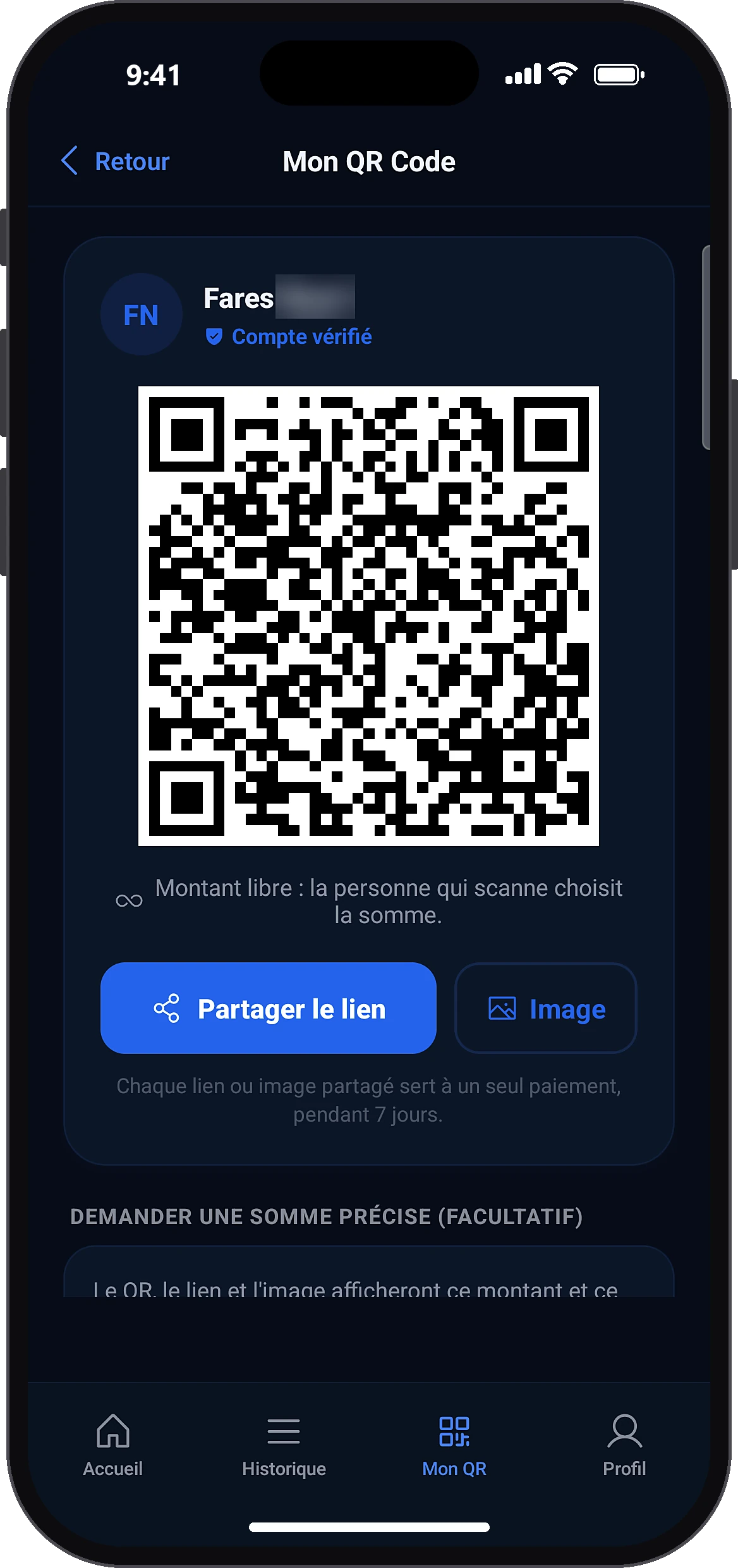
Tap the “My QR” tab at the bottom of the screen. Your QR appears with your name and the “Verified account” badge. By default the amount is open: the payer chooses it. You can also simply give your number or email to receive a transfer.
- 2
Ask for a specific amount (optional)
My QRRequest a specific amount (optional)
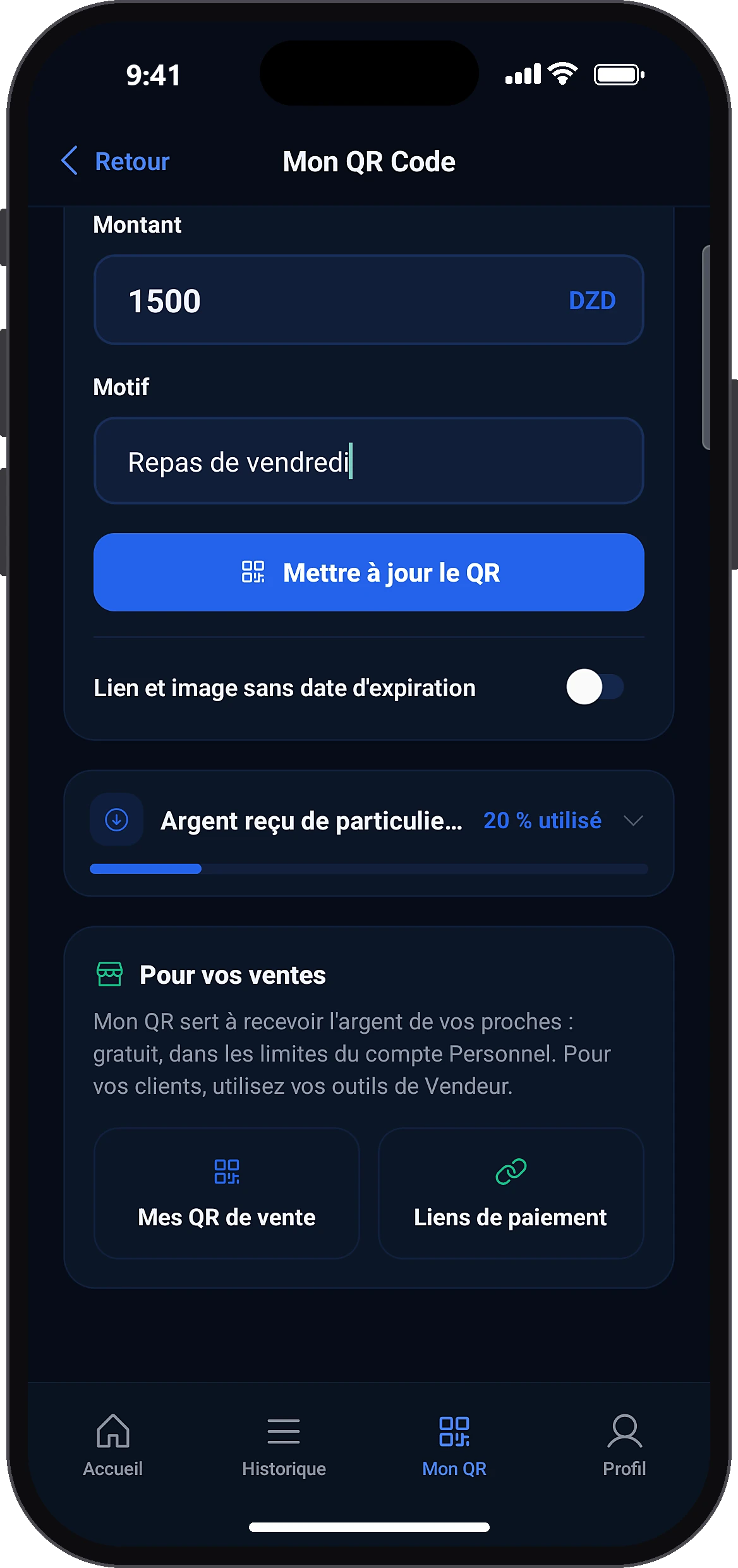
Enter the amount and a reason (up to 100 characters), then tap the button to update the QR. The QR, link and image then show this amount. Going back to an open amount cancels it.
- 3
Show or share
My QRShare link
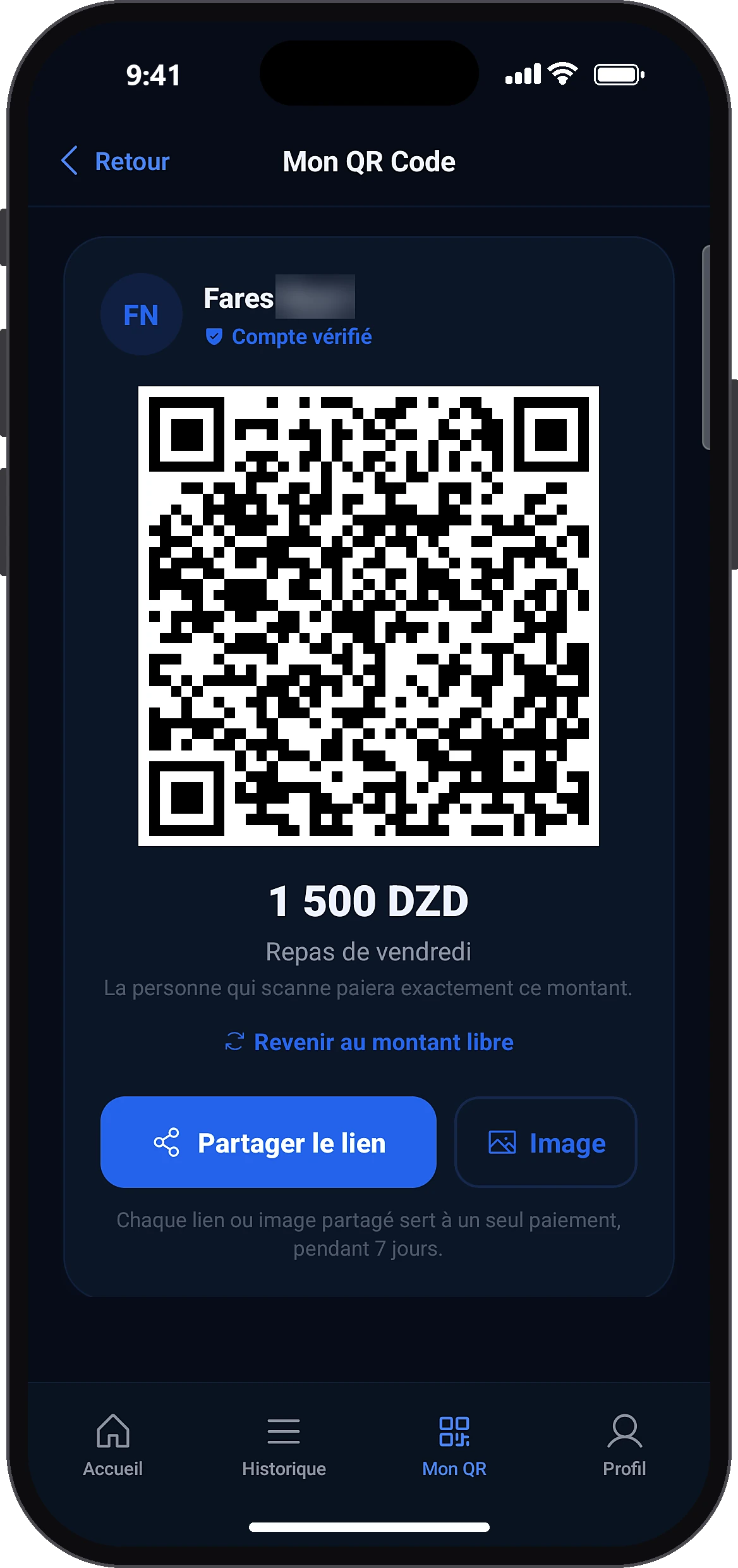
Show the QR to the person, or tap “Share link” (WhatsApp, SMS…) or “Image” to send a picture of the QR. After a payment, the QR on screen renews itself.
- 4
Track your limits
My QRMoney received from individuals
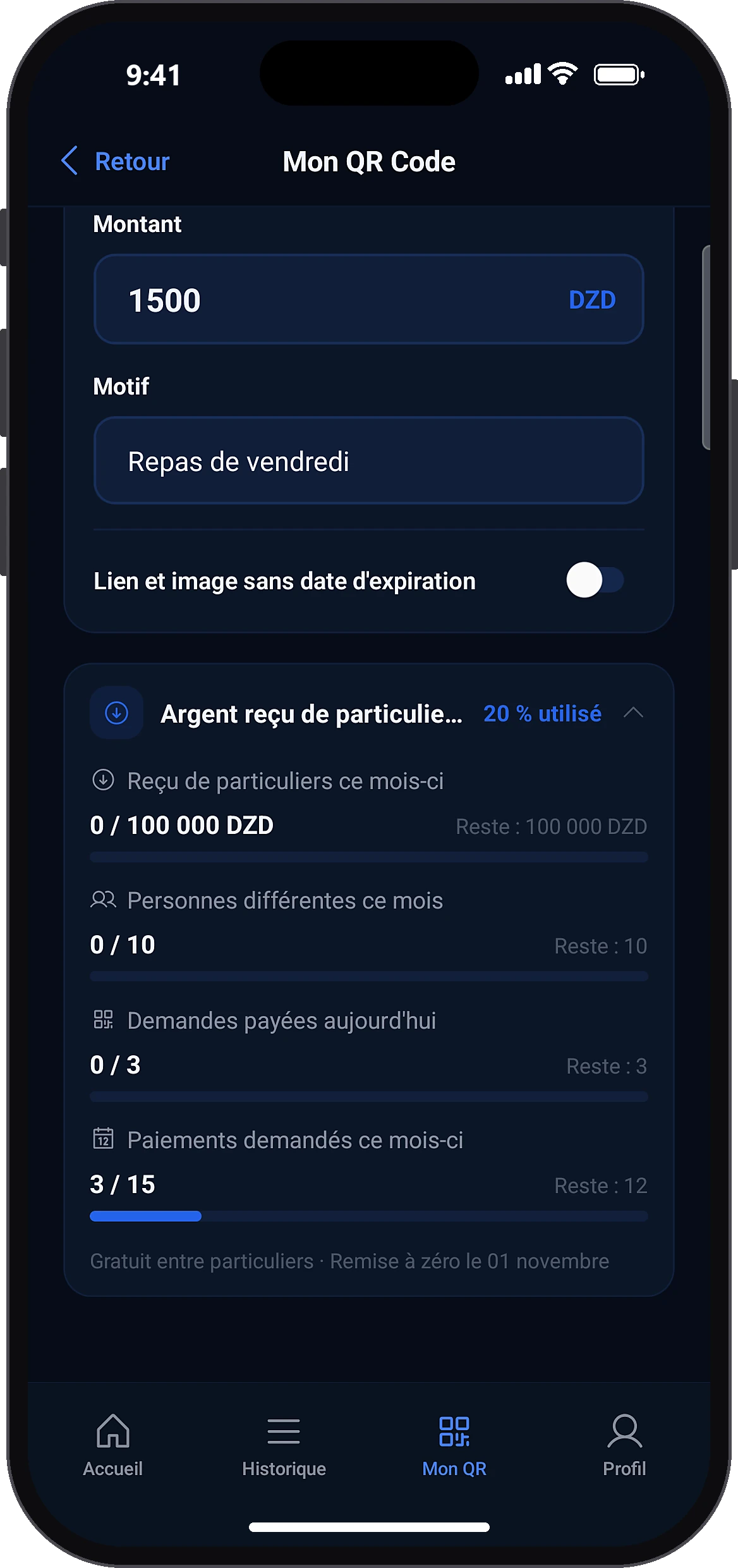
Further down, the “Money received from individuals” card shows the amount received this month, the number of people, requests paid today and this month, and the reset date. You get a notification at 80 % of a limit.
- 5
The person pays you
HomePayScan QR
They open your link, or scan your QR with their app (Home → Pay → Scan QR). They see your name, the amount (or enter it) and the reason, slide to pay and confirm with their PIN. The money arrives right away, with no 4 h delay.
Common problems and solutions
“Update your identity verification to be able to receive money.”
Your verification has expired or was refused: you can no longer receive or create a QR. Renew it from the home banner or your Profile. The payer sees a neutral message and nothing is debited.
The payer sees “This recipient cannot receive payments by request today”
You have reached your 3 payments by My QR or link for the day (10 for a Tourist). The person can send you the money directly with your number or email.
The payer sees “… cannot receive payments by request this month”
You have reached your 15 payments by My QR or link for the month. The person can make a direct transfer, or wait until the 1st of the month.
“This recipient cannot receive money from a new sender this month”
You have already received from 10 different people this month. Those who already paid you can keep paying. Otherwise, wait until next month or turn on the Seller profile if you sell.
“This recipient has reached their monthly receiving limit”
You have received 100,000 DZD from individuals this month. Wait until the 1st of the month, or move to the Seller profile or a Pro account for your sales.
“This request has expired.”
The link is more than 7 days old. Share a new link from “My QR”.
“This request was just settled by someone else or is no longer active.”
Each link works only once. Share a new link.
“Could not generate the link. Please try again.”
Check your connection and tap “Retry”.
Frequently asked questions
Go further
Still stuck? Our team will answer you.
Contact us