
Pay contactless
Hold your phone near the merchant's: the app finds the payment on its own, with no QR to scan. Free for you, for verified accounts.
- Fees for you
- Free; the merchant pays the same fee as for QR (1,000 DZD maximum per payment)
- Merchant side
- They must have opened their checkout screen on their Centeem phone
- Phone setting
- Contactless must be on in your settings; otherwise the “Contactless” card is greyed out
- Limits
- The same as any payment (per transaction, day, month)
- Where to find it
- Home → Pay → Contactless
Before you start
- Your identity is verified.
- You have created your PIN.
- Contactless is on in your phone settings and allowed for Centeem.
- The merchant has opened their checkout screen and your phones are close.
- Your balance is enough and the amount is within your limits.
In the app, step by step
- 1
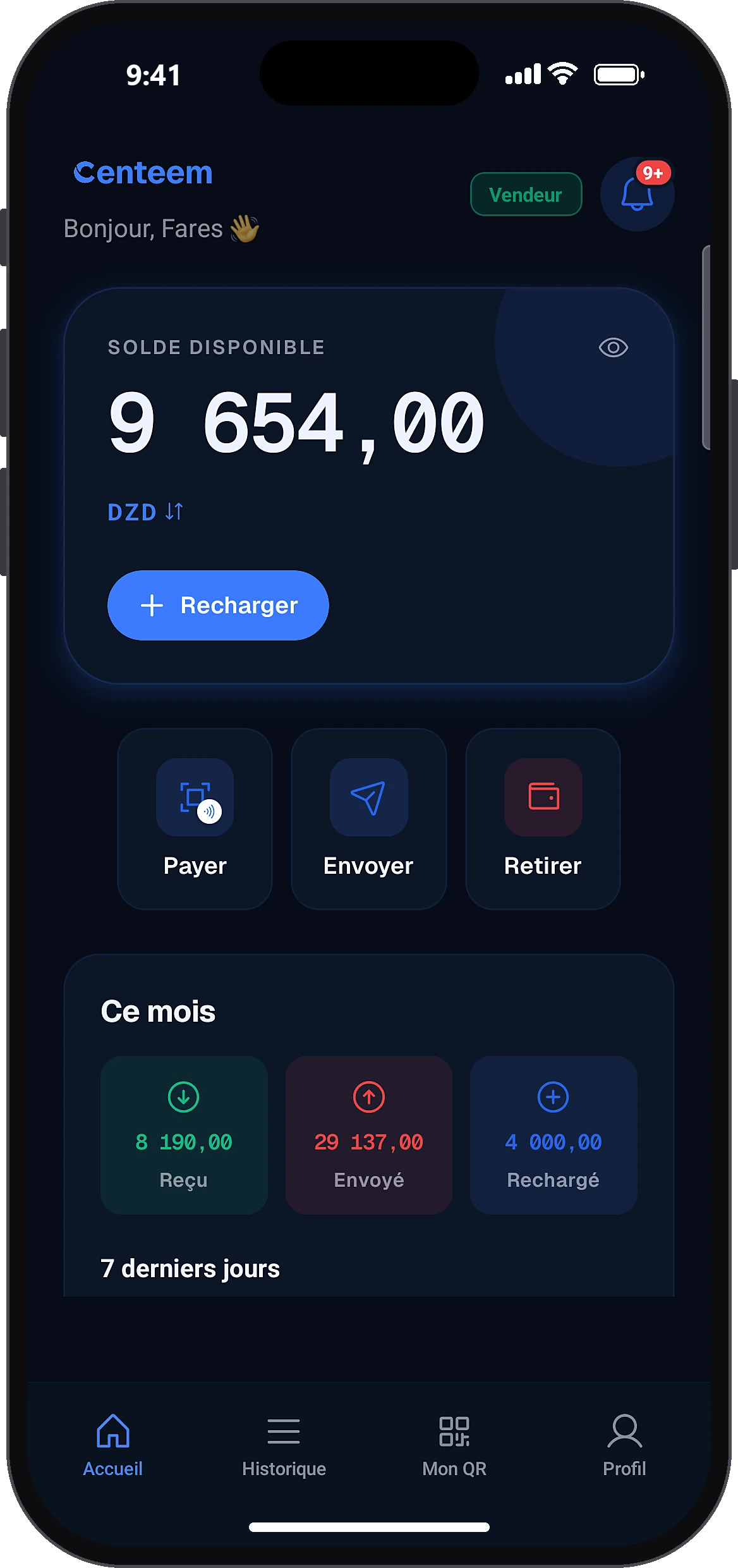
Tap “Pay”
HomePay
On the home screen, tap “Pay”.
- 2
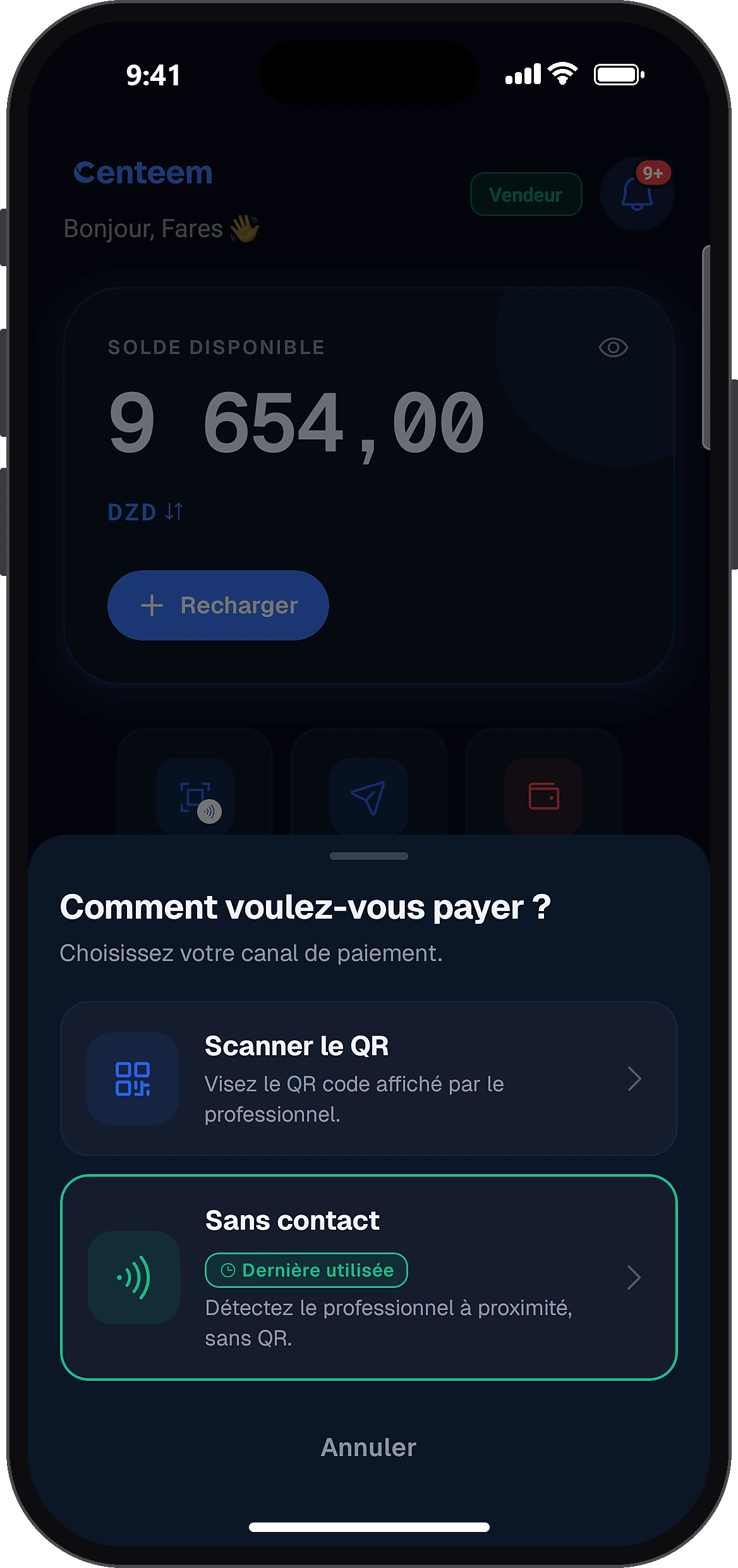
Choose “Contactless”
How would you like to pay?Contactless
If the card is greyed out, contactless is off: tap it to open your phone settings and turn it on.
- 3
Hold your phone close
Pay nearby
The “Pay nearby” screen asks you to bring your phone closer. Hold it near the merchant's phone: once it is detected, a “reading” message appears.
- 4
If it doesn't pick up
Contactless not working?Retry
After two failed reads, automatic tries stop and “Contactless not working?” appears. Tap “Retry”, move the phone away and back, or choose to scan a QR instead.
- 5
Check and confirm
Confirm payment
The “Confirm payment” screen opens on its own with the merchant's name and the amount. Slide the button to pay, then enter your PIN or use biometrics.
- 6
Keep the receipt
The “Payment successful” receipt appears with the method “Contactless” and a barcode. Tap “Share receipt” to create a PDF.
Common problems and solutions
No merchant is detected
Make sure the merchant has opened their checkout screen, bring the phones closer and retry, or scan their QR.
“Contactless not working?”
Tap “Retry”, or move the phone away and back, or choose to scan a QR instead.
“Turn on contactless in your phone settings to pay.”
Turn it on in your phone settings, then come back to the app.
“To use contactless payment, allow Centeem in your phone settings.”
Give Centeem permission in your phone settings.
“Your phone does not support contactless payment. Use the QR code.”
Pay with the merchant's QR.
“The order received from the seller is already paid or cancelled.”
Search again and bring the phones together to read the new collection.
“Could not connect to the merchant.”
Try again, or ask the merchant to show their QR.
Frequently asked questions
Go further
Still stuck? Our team will answer you.
Contact us