
Pay without a network
Pay a merchant even without internet, by QR or contactless. Nothing to turn on: you just need to have been online in the last 48 hours.
- Who you can pay
- Only a merchant (Pro account). Sending money or paying a contact or a link needs a connection
- Nothing to turn on
- While the app is online, it keeps an offline payment key valid 48 h on its own, renewed at each connection
- Amount
- Up to the balance known at your last connection, within your usual limits
- One at a time
- Only one offline payment pending at a time: reconnect to pay again
- Settlement
- As soon as you or the merchant are back online, within 48 h
- Fees for you
- Free; the merchant pays their usual fee
Before you start
- You opened the app with an internet connection in the last 48 hours.
- Your identity is verified.
- You are paying a merchant, not an individual.
- Your known balance is enough (the one from your last connection).
- No other offline payment is pending.
- Both phones are close and the merchant's app is open.
In the app, step by step
- 1
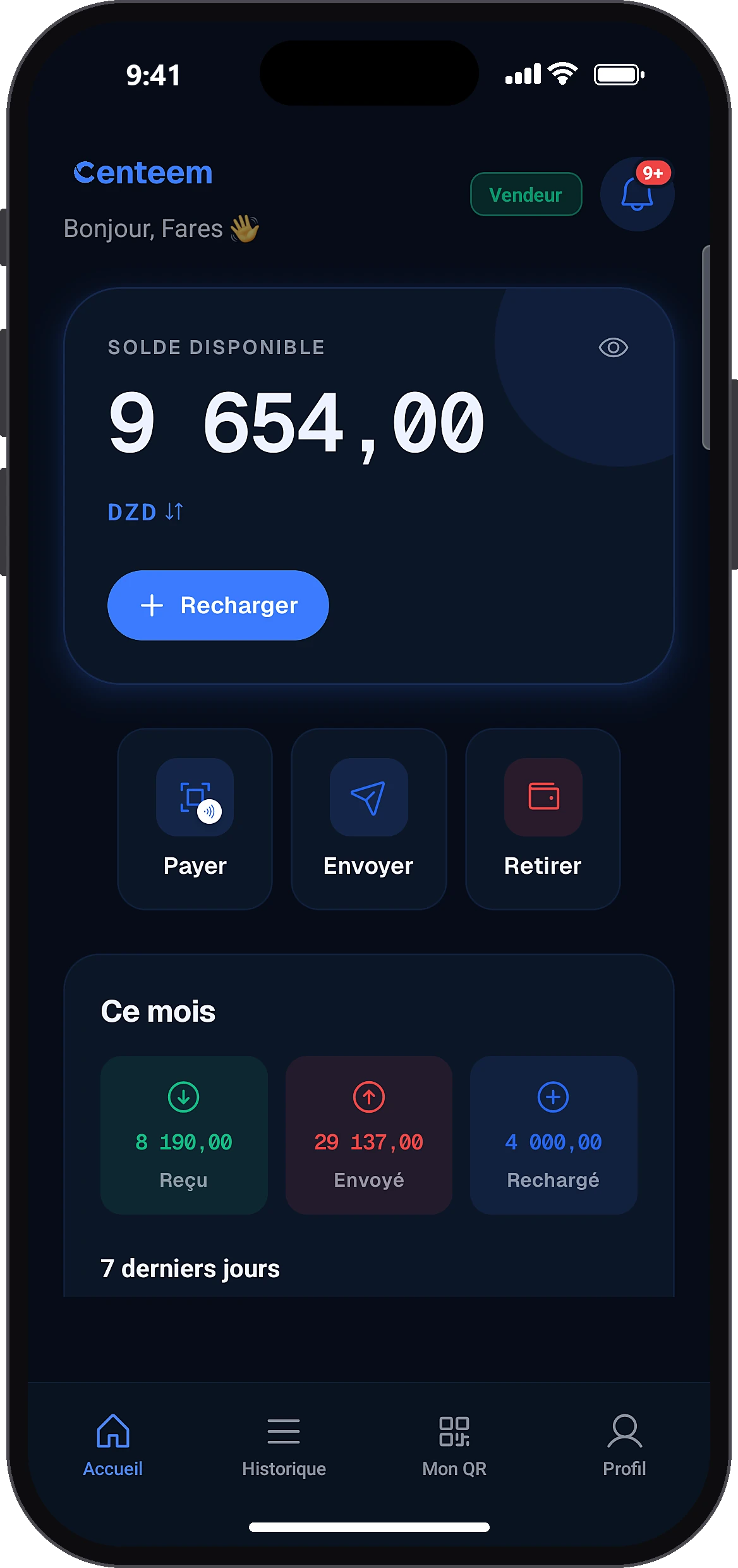
Tap “Pay”
HomePay
Without a network, the home screen shows offline mode and only the “Pay” button stays active.
- 2
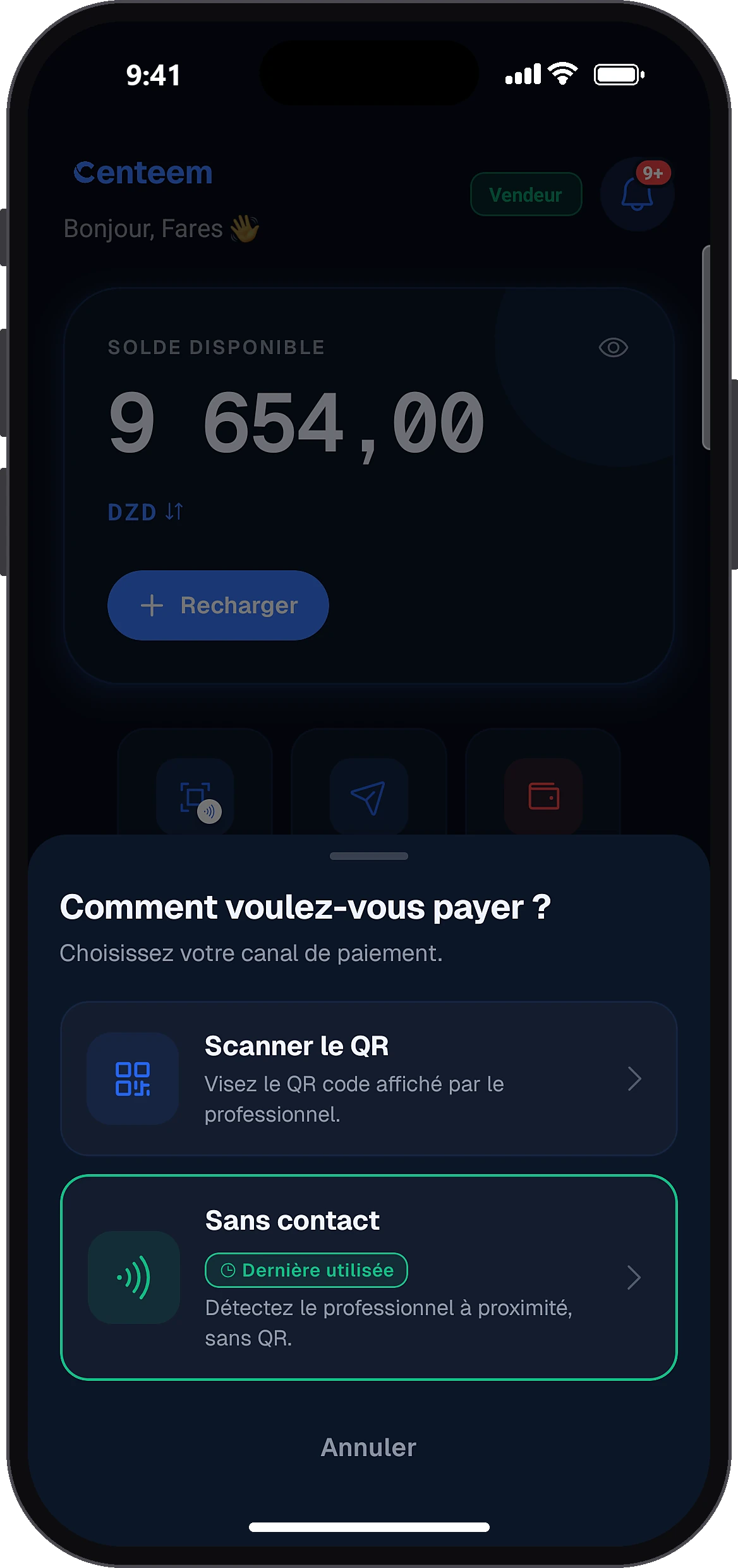
Choose QR or contactless
How would you like to pay?Scan QR
Choose “Scan QR” and point at the merchant's collection QR, or “Contactless” and bring the phones together.
- 3
Slide to pay
Offline Payment
The “Offline Payment” screen opens with an offline badge (or a merchant-offline badge if the merchant is the one without a network). Keep the phones close and slide the button to pay.
- 4
Confirm with your PIN
Enter your PIN: it is checked on the phone, without a network. The app connects to the merchant's phone and sends the payment.
- 5
Keep the receipt
The “Payment successful” receipt shows the status “offline, awaiting sync” and your remaining balance. The receipt barcode will be available after sync.
- 6
Get back online
History
In History, the operation shows as an offline payment. Once you are back online, it becomes a normal operation and you can pay offline again.
Common problems and solutions
“Reconnect once to renew your offline payment key.”
You have not been online for more than 48 h. Connect to the internet once: the key renews on its own.
“You have an offline payment awaiting sync.”
Get a connection to sync this payment, then you can pay again.
“Your balance (…) is insufficient for this payment (…).”
Offline, you cannot top up. Pay another way or get back online.
“Offline, only paying a merchant (collection QR) works.”
You scanned an individual's QR or a link. Get back online for this kind of payment.
“Merchant unavailable. Make sure their app is open.”
Make sure the merchant's app is open and bring the phones closer.
“The merchant received your payment but did not confirm it.”
Do not pay a second time. If it was collected, it will appear in your History once you are back online.
“Payment refused”
Read the reason shown. If needed, get back online and pay online. Note: if your balance is no longer enough at settlement (money spent elsewhere in the meantime), the payment is refused, and several such refusals within 24 h lead to the account being frozen.
Frequently asked questions
Go further
Still stuck? Our team will answer you.
Contact us