
Open an account
Create your Centeem account for free in a few minutes, in the app or on the website: Personal, Pro or Tourist.
- Cost
- Free, no payment when you sign up
- Account types
- Personal, Pro or Tourist
- Confirmation code
- 6 digits, by email (not SMS), valid for 15 minutes
- Password
- At least 8 characters, with 1 capital letter, 1 number and 1 special character
- Identity check
- To complete in the app within 15 days, otherwise the unverified account is deleted
Before you start
- An email address you can check: the code is sent by email.
- Personal or Pro: an Algerian number starting with 05, 06 or 07 (10 digits).
- Pro: the name of your business (required).
- Tourist: a non-Algerian passport, an Algerian visa and your foreign phone number.
In the app, step by step
- 1
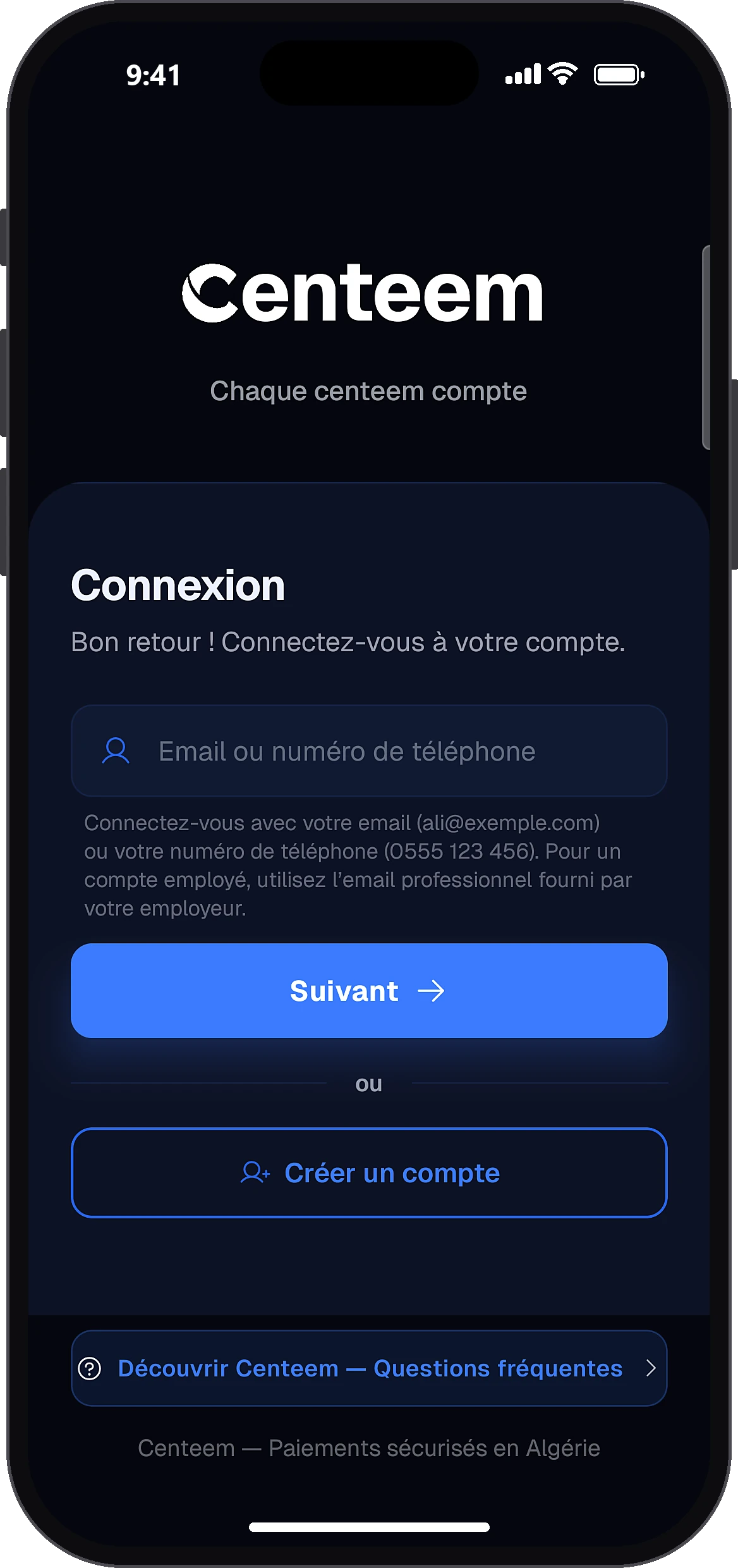
Tap “Create an account”
Create an account
Open the app. On the sign-in screen, tap “Create an account”.
- 2
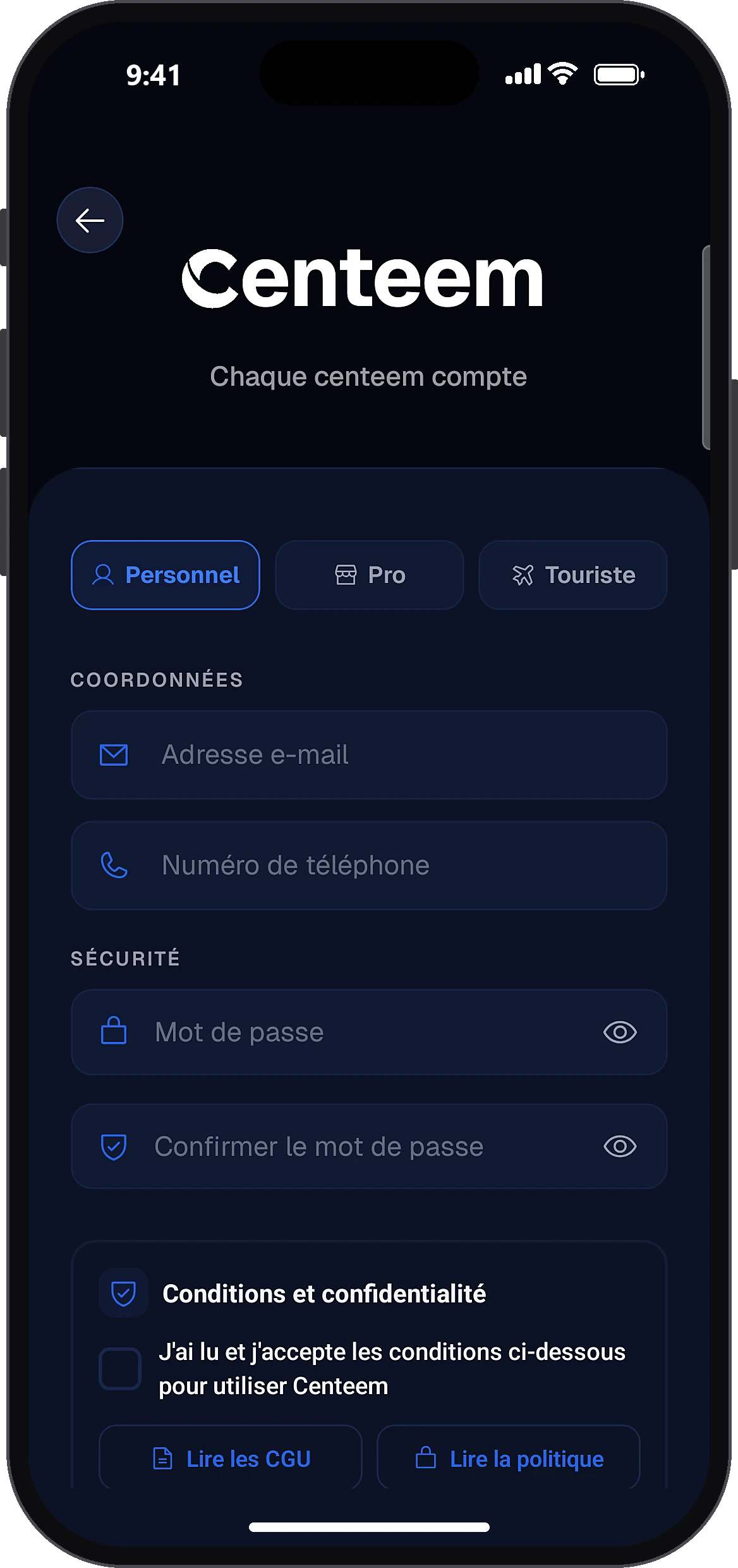
Choose the account type
PersonalProTourist
At the top of the screen, choose Personal, Pro or Tourist. For Tourist, a box reminds you that you need a non-Algerian passport and a visa.
- 3
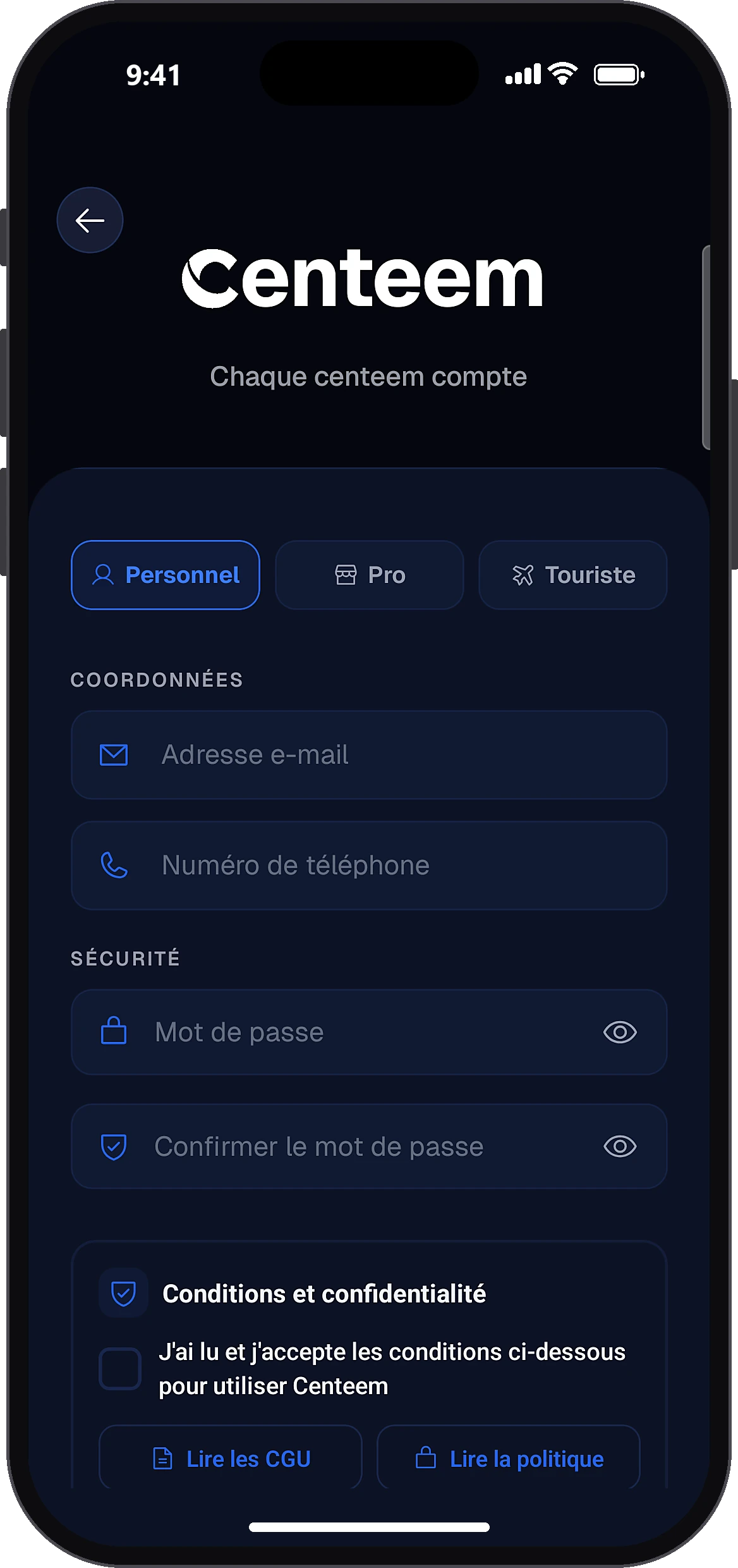
Fill in your details
CONTACTSECURITY
Enter your email and phone number, then your business name if you are opening a Pro account. Choose a password and confirm it: a gauge shows whether it is strong enough. Tick to accept the terms of use and the privacy policy.
- 4
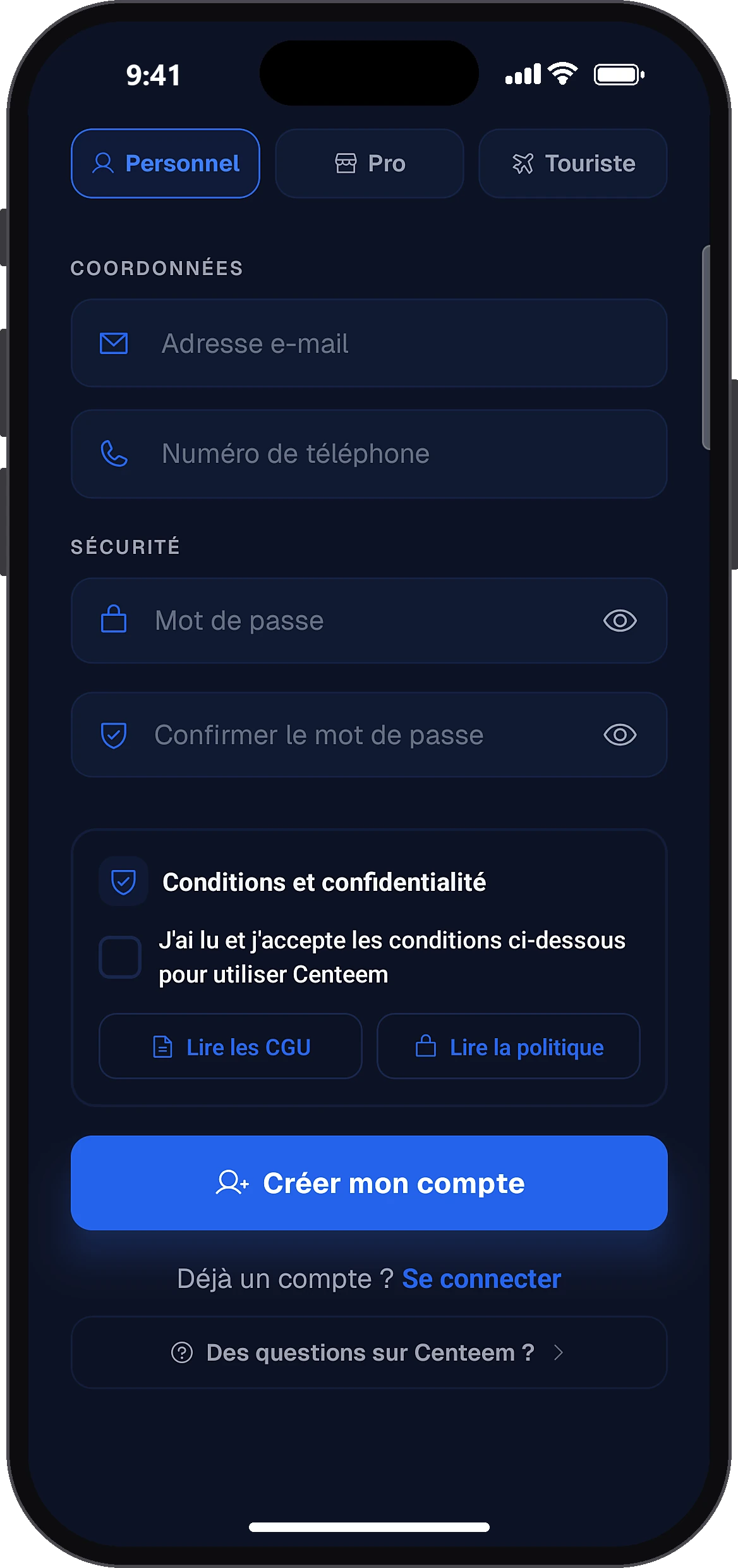
Create your account
Create my account
Tap the create button: “Create my account” (Personal), the professional space button (Pro) or the Tourist account button (Tourist). A 6-digit code is sent to your email.
- 5
Enter the code from your email
Confirm
Type the 6-digit code, then tap “Confirm”. Didn't get it? Check your spam folder: the resend button becomes active after 60 seconds.
- 6
Set the permissions
Continue
The app shows the useful permissions: notifications, location, contactless. Allow or decline, then tap “Continue”. This screen only appears once per account.
- 7
Create your PIN
Create your PINConfirm your PIN
Choose a 6-digit PIN, then type it again to confirm. It is used to open the app and approve your transactions.
- 8
Turn on biometrics (optional)
Enable biometrics
If you wish, turn on fingerprint or face recognition. Otherwise, skip this step. You then reach the home screen.
- 9
Start the identity check
HomeVerify your identity
On the home screen, the “Verify your identity” banner shows the deadline. Tap it to start (see the “Verify my identity” guide).
Common problems and solutions
“An account already exists with this email or number”
You already have an account of this type. Sign in with it, or use “Forgot password” on the sign-in screen.
“The Tourist account is for non-residents only”
This email or number is already linked to a Personal or Pro account. Use that existing account.
“This email or number is linked to a Tourist account”
Contact support to switch to a resident account.
“Invalid phone number”
Personal or Pro: 10 digits starting with 05, 06 or 07. Tourist: number in international format (for example +33…).
“Password too weak”
Use at least 8 characters with a capital letter, a number and a special character.
“Incorrect code” or “Code expired”
Check the latest email you received. After 5 mistakes, or if the code is more than 15 minutes old, start the sign-up again to get a new code.
“Sign-up not possible with these details”
Write to support: support@centeem.com.
Frequently asked questions
Go further
Still stuck? Our team will answer you.
Contact us